
【Cyber Command】SSL Validation Configuration Guide_V3.0.81
Introduction
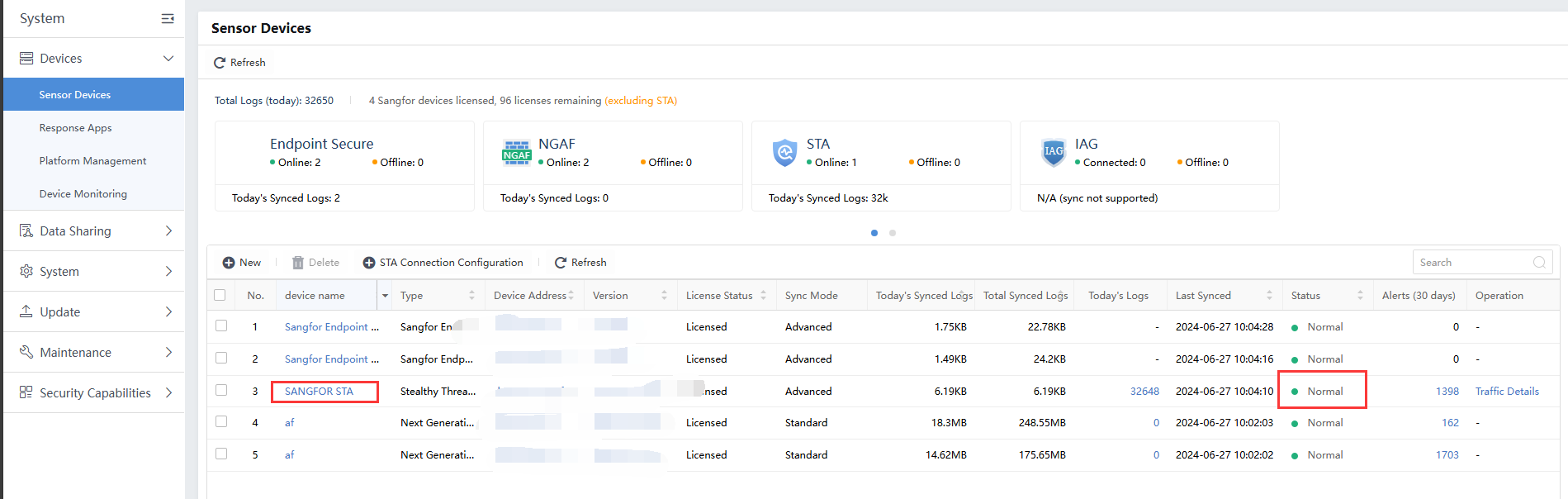
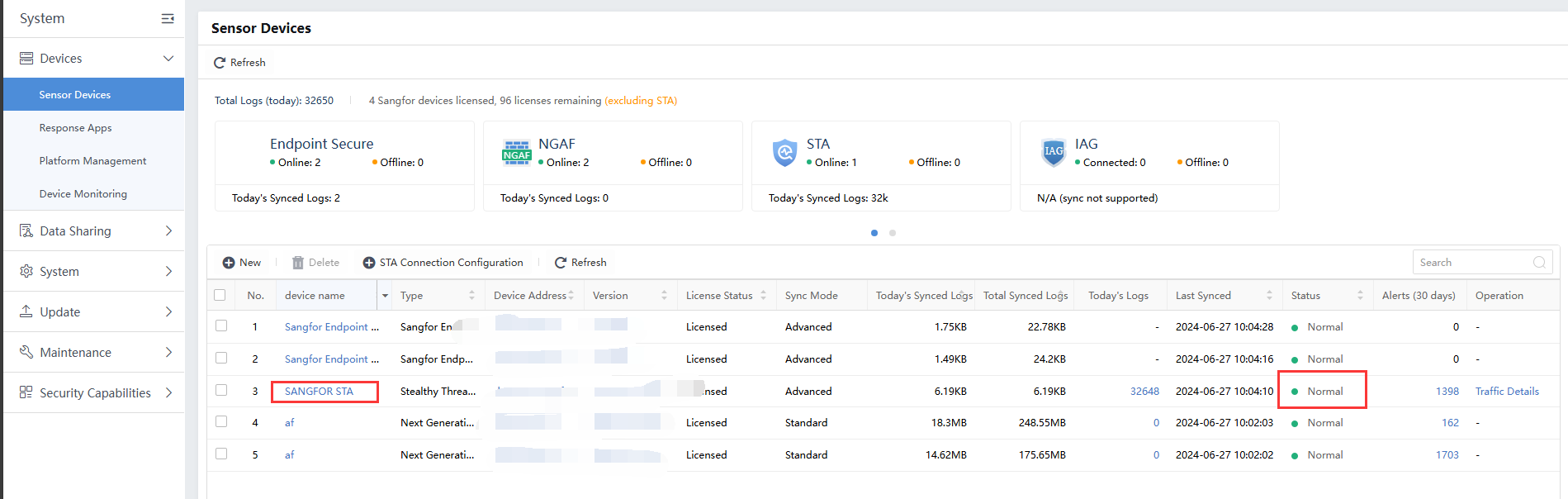
In order to secure the transmission between the logs in the network for Cyber Command and Stealth Threat Analysis(STA) devices, it is strongly suggested that encryption be enhanced with SSL certification. When the Cyber Command enables the SSL validation, the Status is Normal, as shown below:
Basic Concept
- Cyber Command and STA must resolve both domain names with configured DNS servers.
- Cyber Command and STA are required to import the server certification for both devices.
- Cyber Command and STA are required to configure the both device’s domain name and import the trusted root certification into both device to trust the both domain name.
Configuration on Cyber Command Device
-
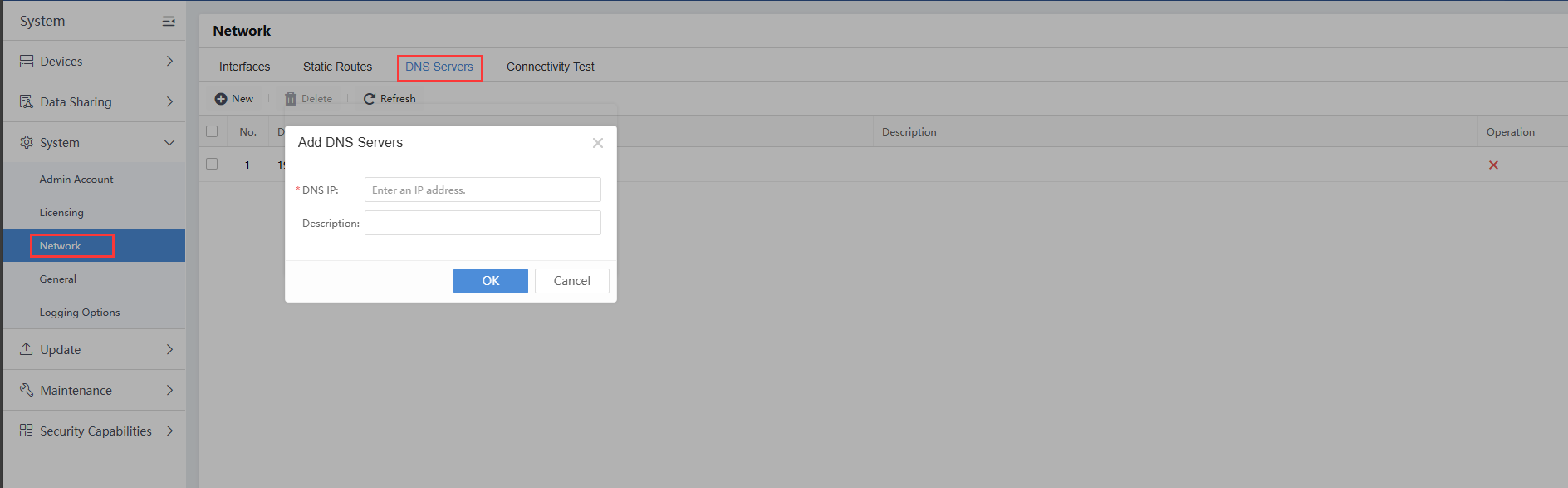
Configure the DNS server. Please ensure the DNS server can resolve the STA device’s domain name. The DNS server can be internal. If the DNS server cannot resolve the STA domain name, please check the DNS server configuration, which is unrelated to Cyber Command. Cyber Command is just a client to send the DNS query request to the DNS server to resolve the domain name of the STA IP address.
-
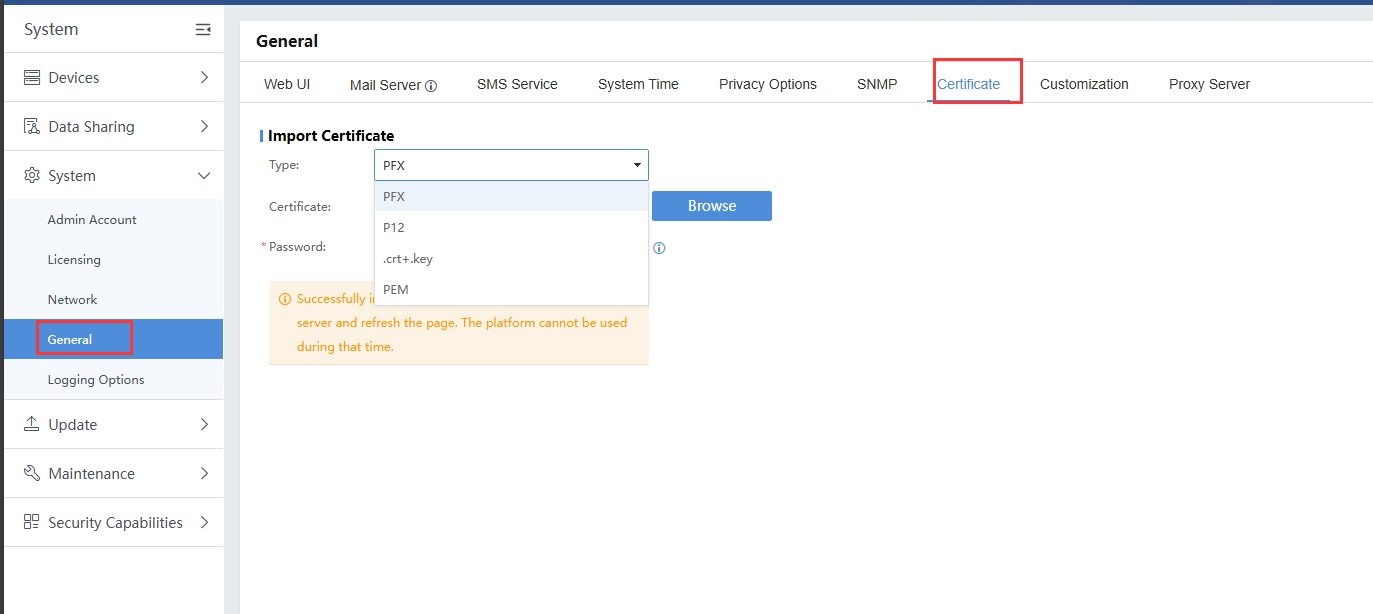
Import the Server cert to the Cyber Command device. Cyber Command supports the import of PFX, P12, crt + key, and PEM certification format. Sangfor does not provide the certification, and since it may come from a third party, kindly verify with the certificate provider if you cannot obtain the above format certificate.
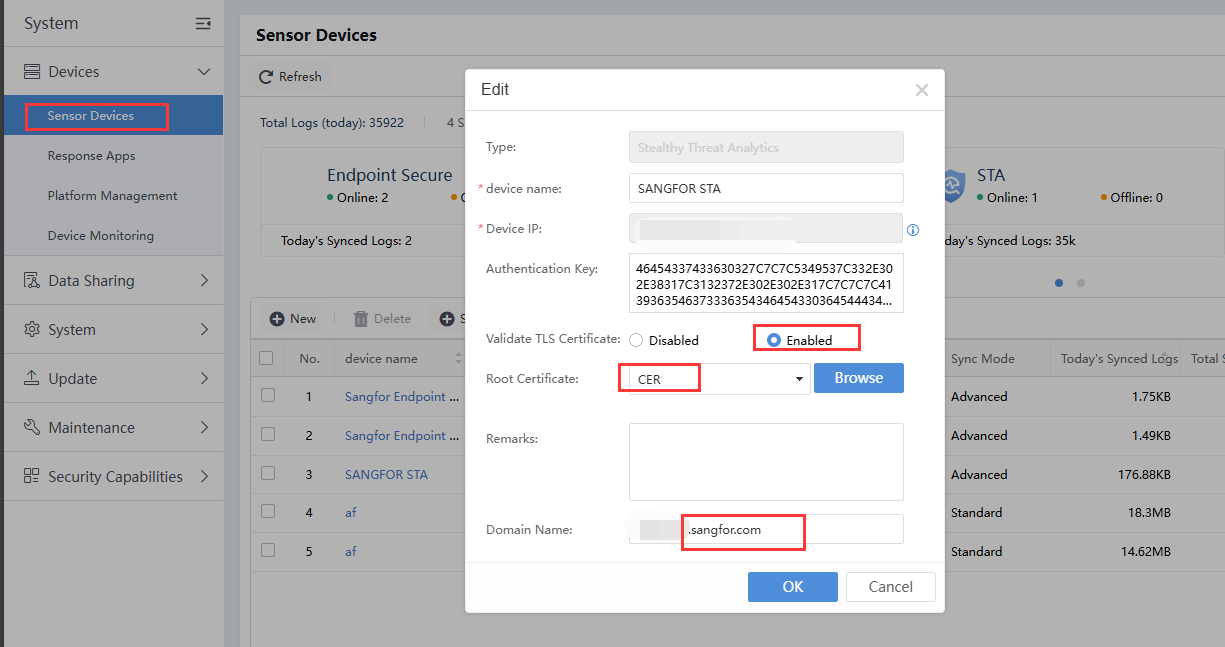
- Navigate to System > Sensor Devices to check whether the STA device is connected. Click into the STA device and enable the Validation TLS certificate, import the Root certificate, and insert the Domain Name that the Cyber Command can resolve.
Configuration on STA Device
-
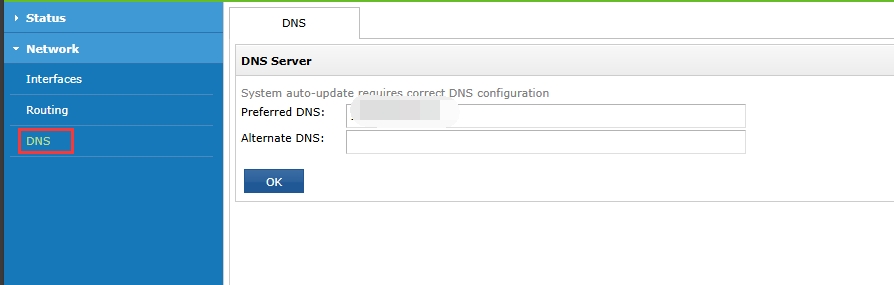
Configure the DNS server on STA. Please ensure the DNS server on the STA device can resolve the domain name.
-
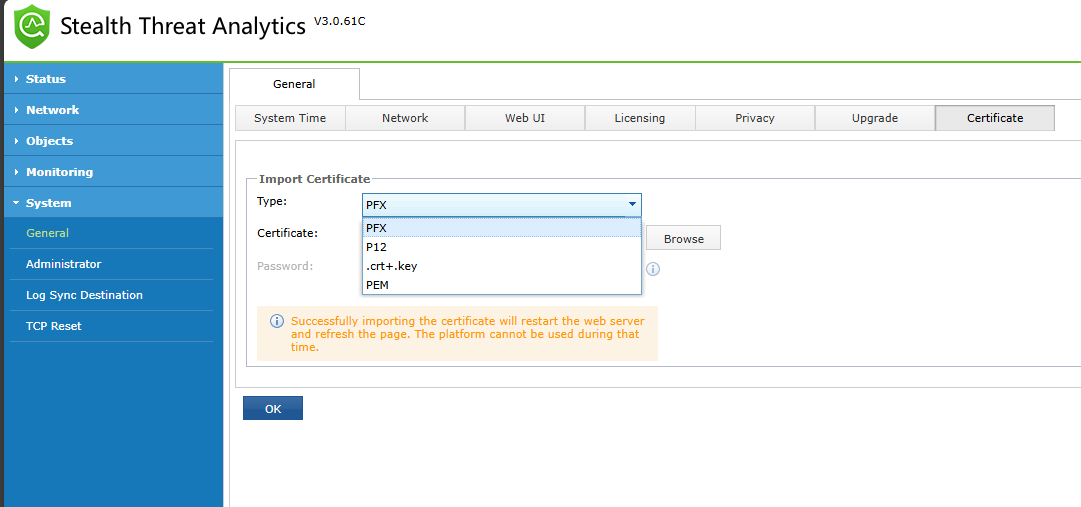
Navigate to System > General > General, and import the Server certification into the STA device. The supported certificate formats are PFX, P12, crt+key, and PEM. Kindly provide the certification using the above format or consult the third-party certificate provider for help.
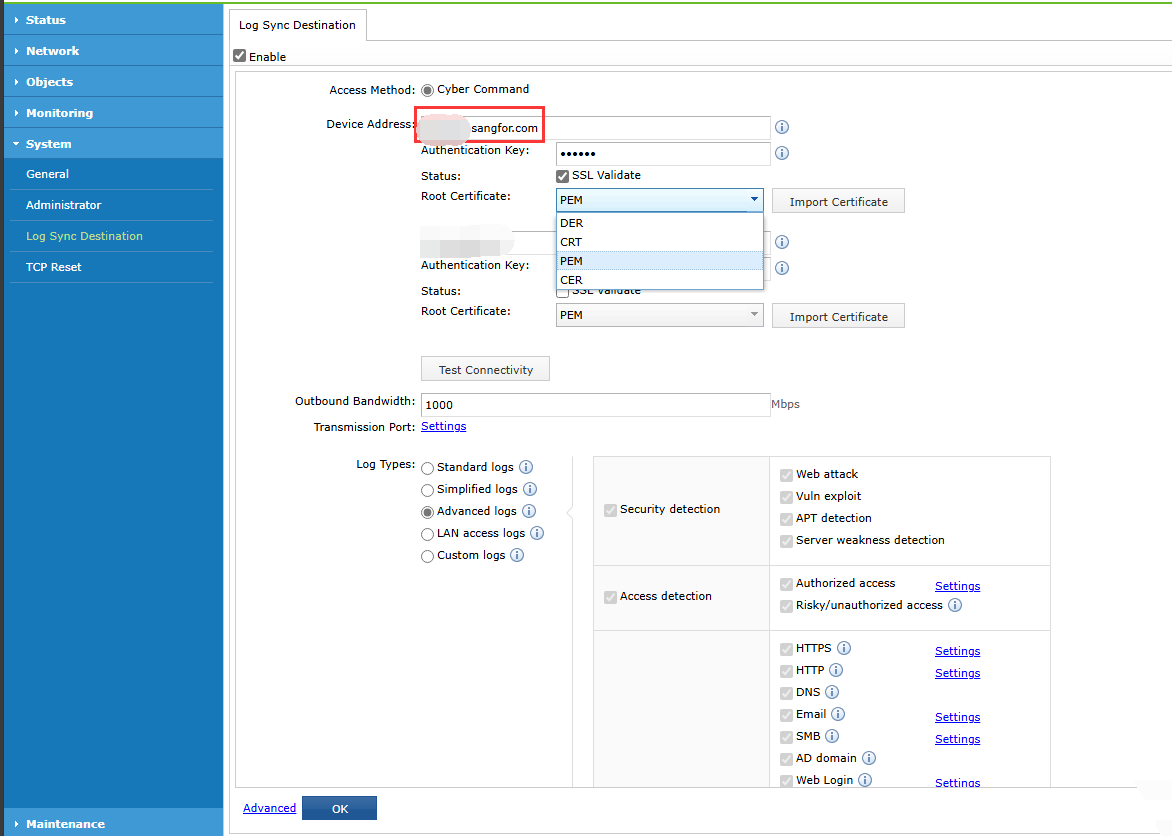
- Navigate to System > Log Sync Detection, insert the domain name of Cyber Command and the root certificate. Click OK to submit to make the SSL Validation take effect.
Effect
After enabling SSL validation, the status of the Sangfor STA in the Cyber Command Sensor Devices list will be Normal.
Precautions
-
For a LAN connection (Cyber Command and STA are in the same network segment), the authentication key is enough for security. Therefore, you may ignore the SSL validation to STA has disabled wording.
-
For the SSL certificate required to be reimported yearly for renewal, kindly check with your SSL certification provider to obtain the latest SSL certificate.
-
In the DNAT or port forwarding scenario, the DNS must resolve the related Public IP address. If it fails to resolve, kindly check your network device to ensure the DNAT and port forwarding are working to accept the transmission from the WAN network due to CC and STA is just a single arm device which doesn’t able to alter the network flow.