
【CC】Unable to display/detect interface other than Management port on vSTA.
Issue Description
After install vSTA on Vmware, other than Management interface, vSTA unable to detect the other interface
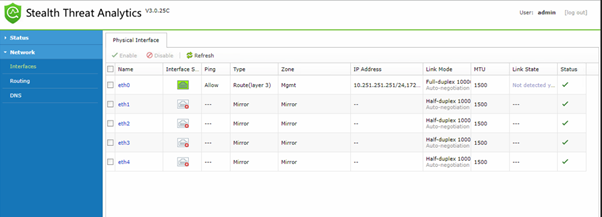

Handling Process
- Confirm the vSTA working normally.
- Confirm the network mirror traffic configuration in VMware has been appropriately configured.
- If the CPU does not support the AVX instruction set, it will cause some issues for the DPDK to receive the mirrored traffic, The server CPU used by VMware can check the model on the intel official website, below is the example of E7-4850 v1 and E7-4850 v2 version.
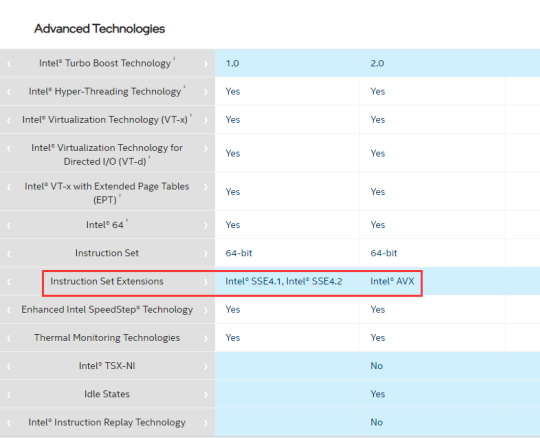
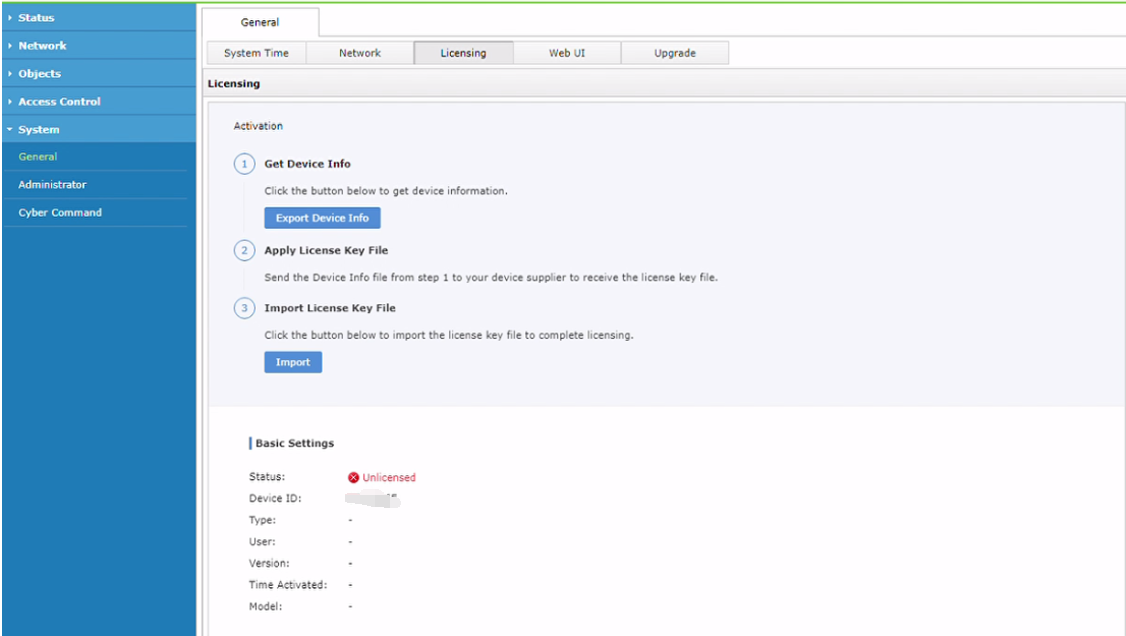
- If the CPU is support AVX instruction set, check on the license validation of the vSTA.
Root Cause
Due to license did not imported to the vSTA, vSTA does not allow to show other interface other than Management interface.
Solution
- Inform user to import the license to the vSTA, issue resolved after license imported.