
【Cyber Command】Abnormal display of name on large screen
Problem Description
The large screen displays the comprehensive Secure situation abnormally and displays "Cyber Command". Normally, it should display "Comprehensive Secure Situation".
Warning Very-Low Risk
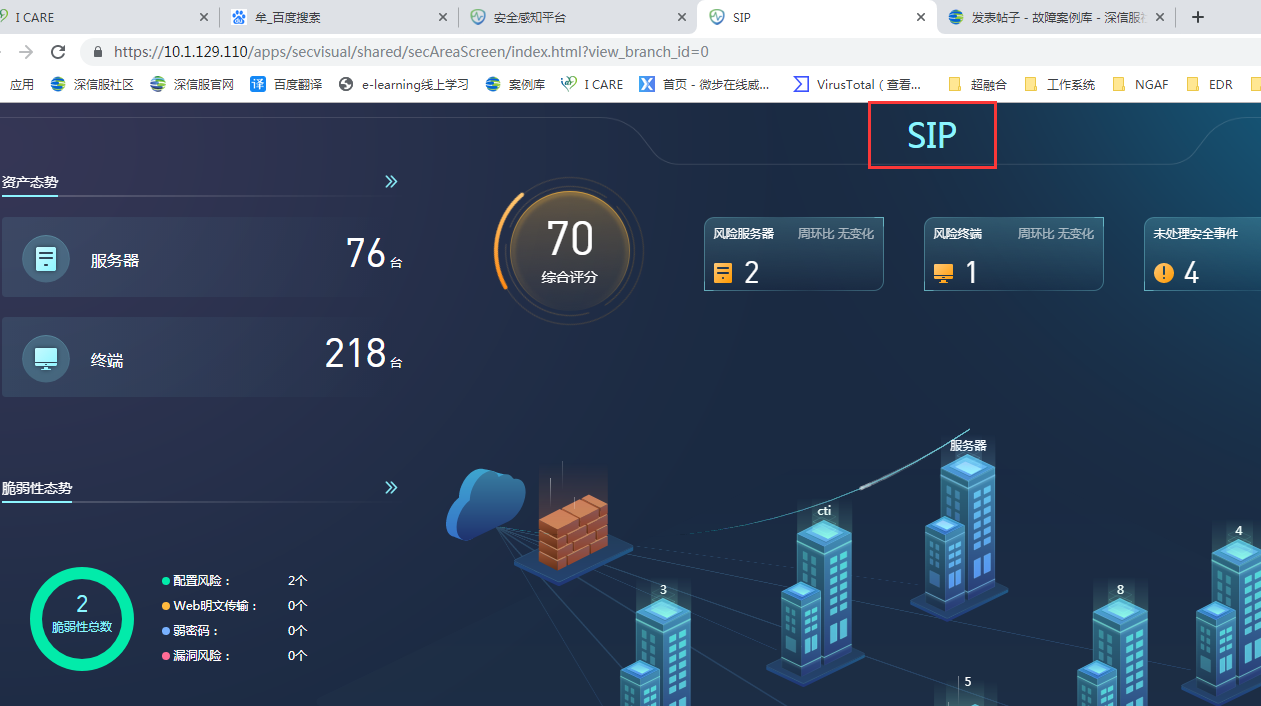
516055c98f6c4bafb1.png (367.67 KB)
Process——
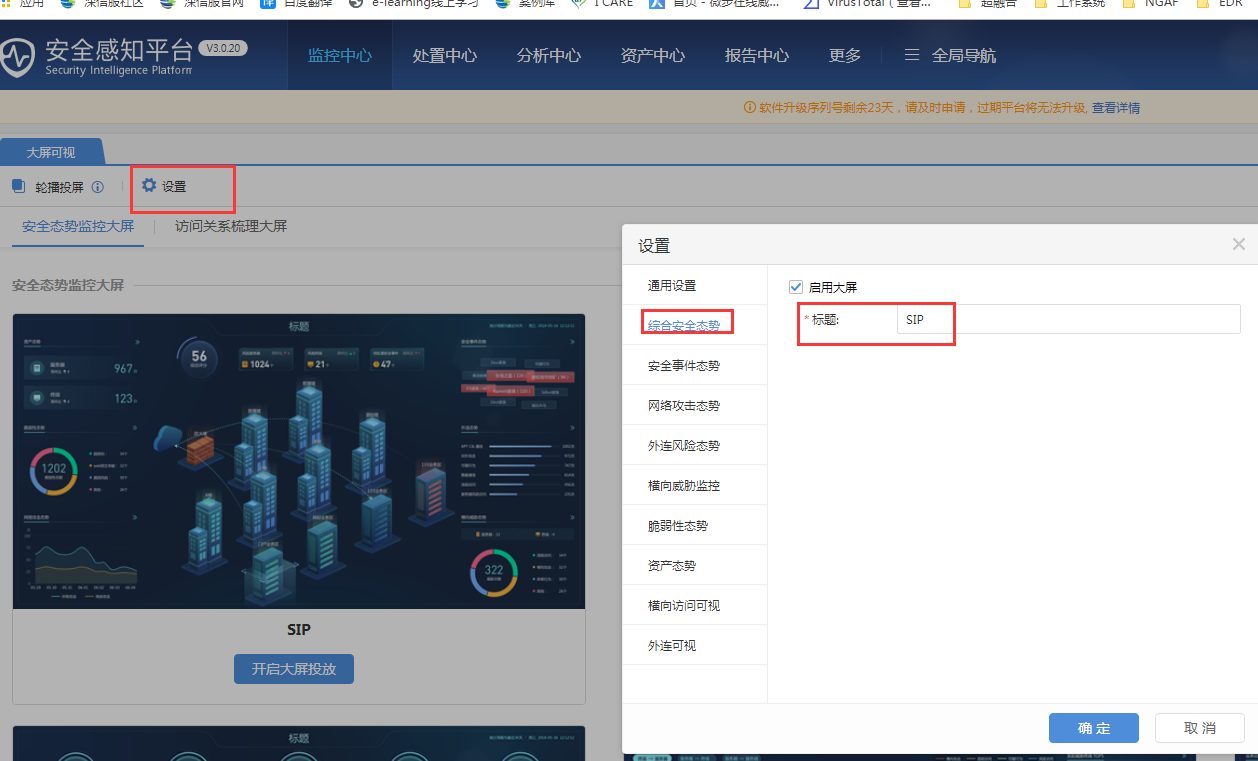
- Check the large screen display settings
Path: [Monitoring Center] – [Large Screen Display] – [Settings] – [Comprehensive Secure Posture] – [Title]
792005c98f78d666e6.png (252.14 KB)
Root cause
The name of the large screen was manually modified
solution
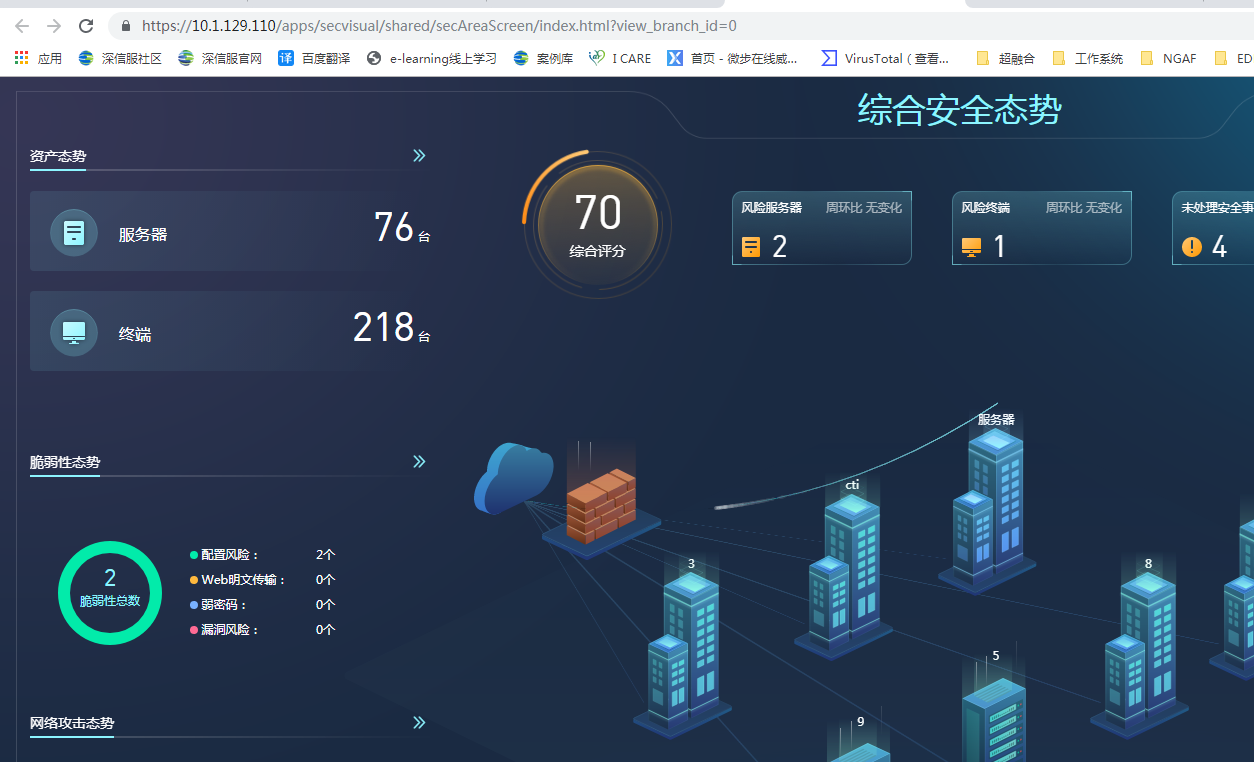
After changing the large screen display setting to "Comprehensive Secure Situation", the browser is refreshed and the display is normal
429315c98fa96b5ee8.png (379.07 KB)
Original Link
https://support.sangfor.com.cn/cases/list?product_id=24&type=1&category_id=9762&isOpen=true