
【Cyber Command】Global whitelist with no Secure incident
Problem Description
Cyber Command has been connected for a long time and no Secure incident occurred
Path: [Disposal Center] – [Secure incident Perspective] – [Aggregation Mode]
Warning Very-Low Risk
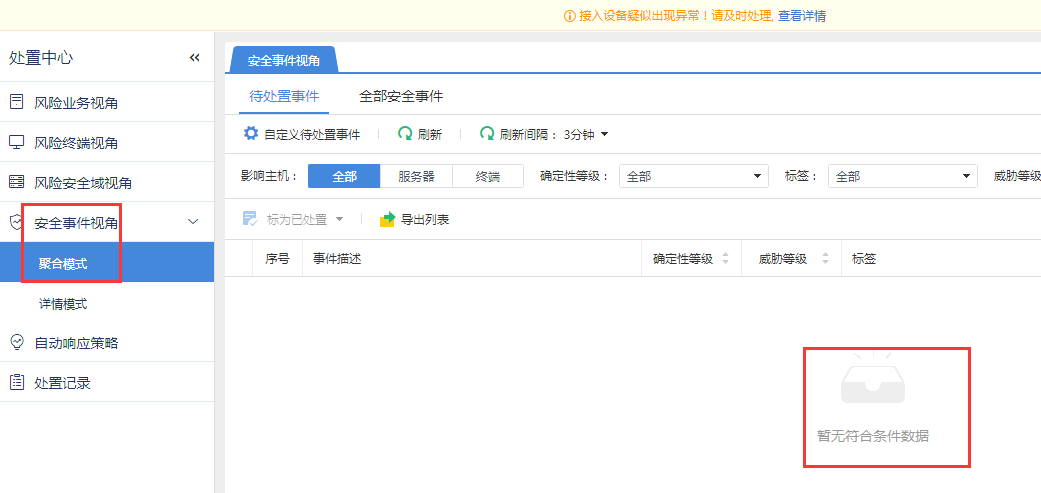
621035e4e2716b03b9.png (39.36 KB)
Process——
- Check whether the access STA has synchronization data
Path: [System Settings] – [Device Management]
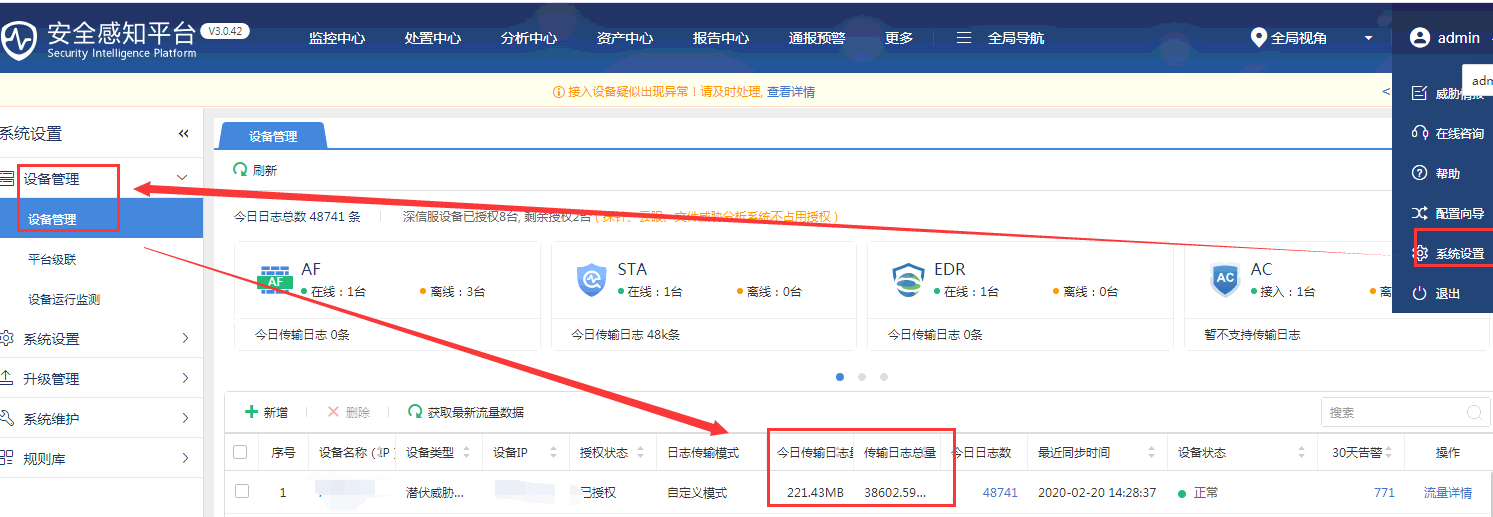
635755e4e278c4ab91.png (85.27 KB) - Check the Secure detection log to see if there is any risk data
Path: [Global Navigation] – [Log Search] – [Back to Basic Mode]
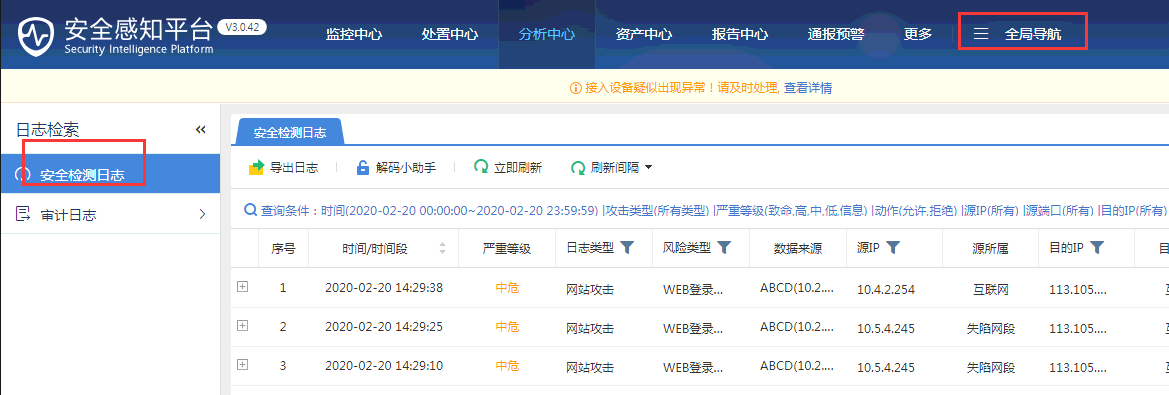
602425e4e27ff844c7.png (52.58 KB) - Detection Whitelist configuration
Path: [System Settings] – [Rule Library] – [Whitelist]
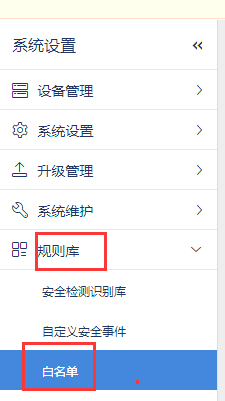
735955e4e2926da4fc.png (9.47 KB)
Root cause
Added all IP addresses to the global Whitelist so that Secure incident are no longer displayed
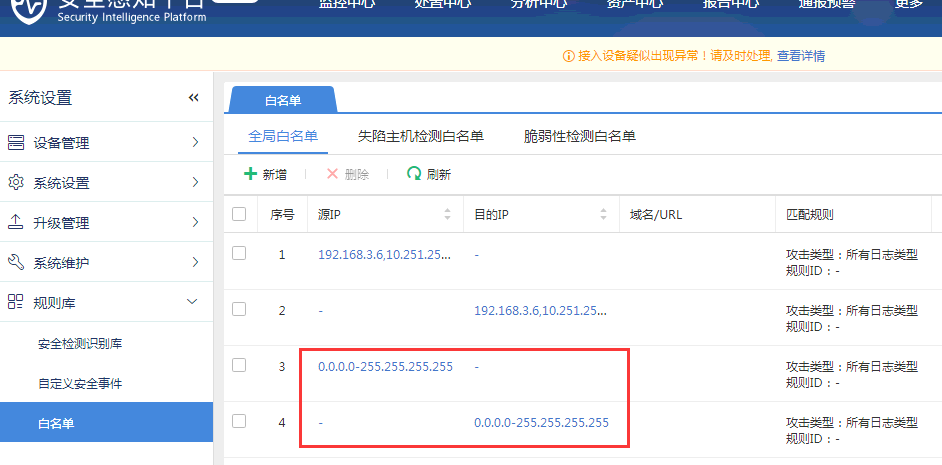
433945e4e293fe1b3d.png (41.74 KB)
solution
After checking the corresponding global Whitelist address segment, click [Delete] and observe that it is normal
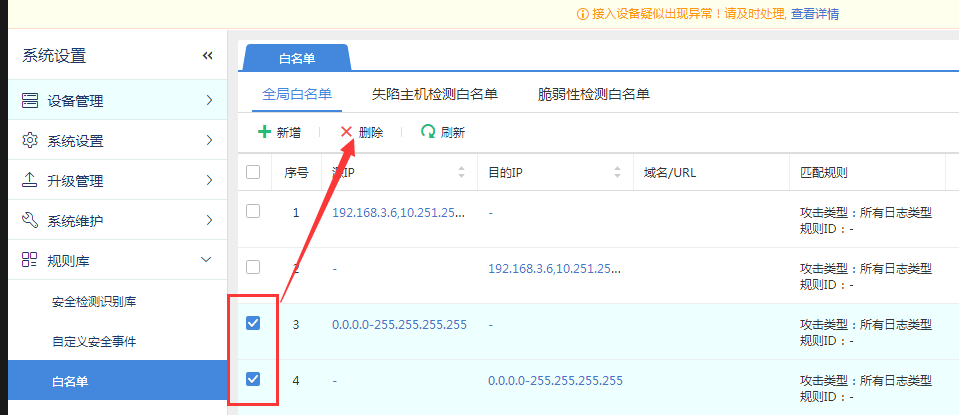
477705e4e29b4c1ffd.png (37.42 KB)
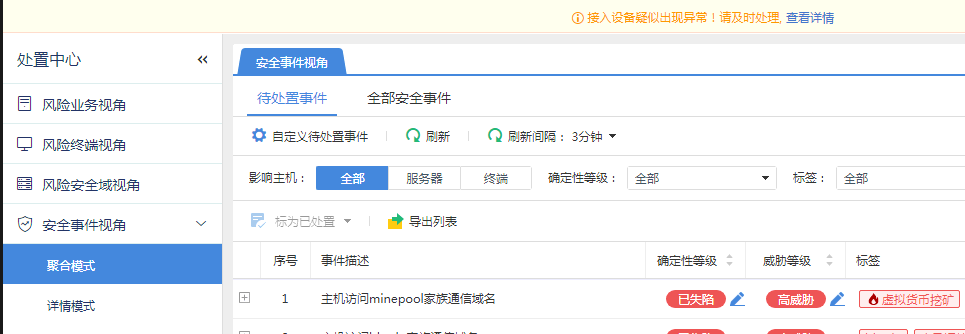
421355e4e29db40833.png (33.3 KB)
Original Link
https://support.sangfor.com.cn/cases/list?product_id=24&type=1&category_id=9782&isOpen=true