
【Cyber Command】Large screen visible without external visual display module
Problem Description
Customers can view the large screen without corresponding modules to choose from
Path: [Monitoring Center] – [Large Screen View]
Warning Very-Low Risk
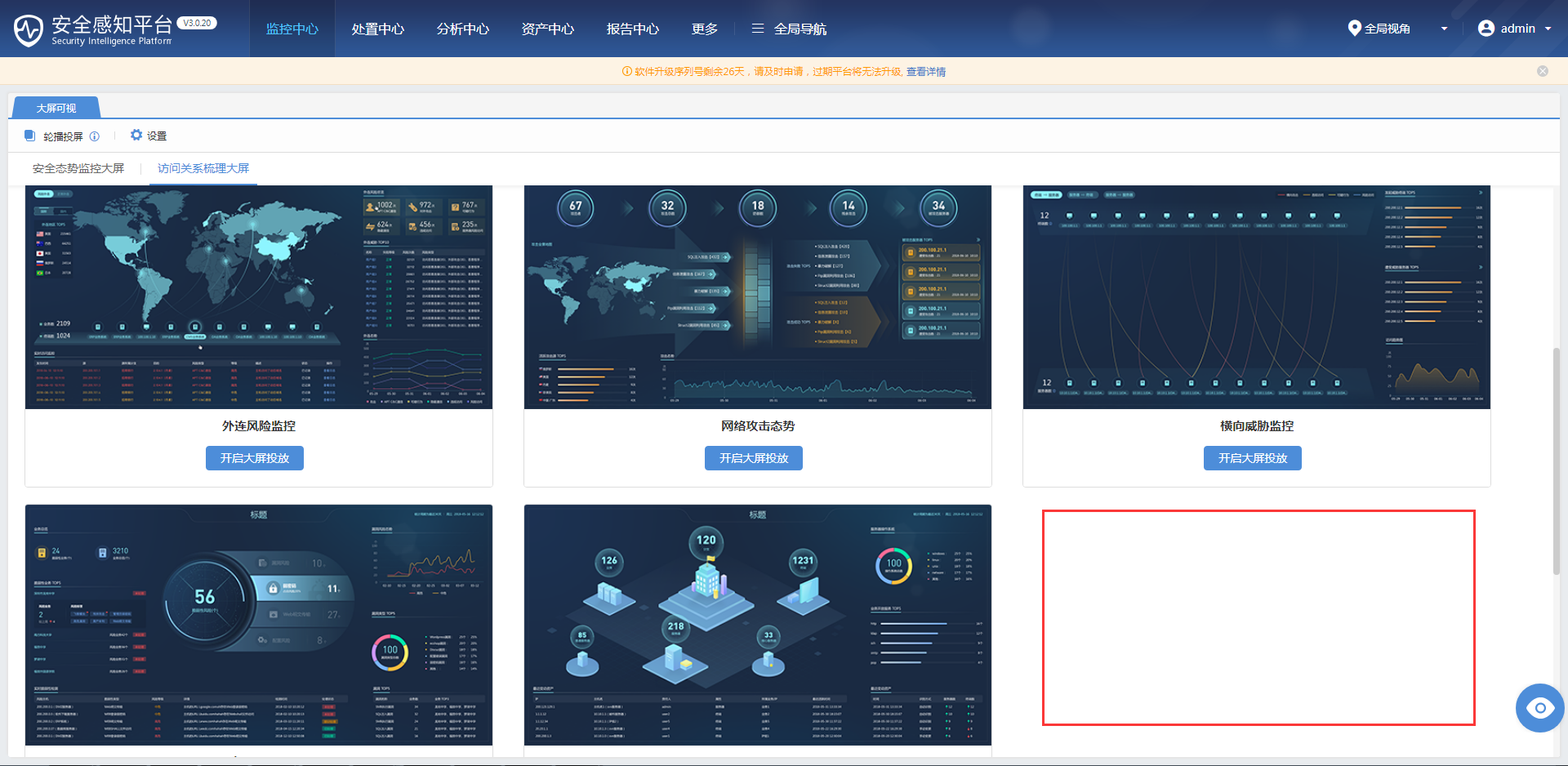
357495c9438a2bc5fd.png (823.08 KB)
Process——
- Detection corresponding configuration [Monitoring Center] – [Large Screen Visualization] – [Settings] – [External Connection Visualization]
Root cause
"Enable" is not checked in the settings configuration
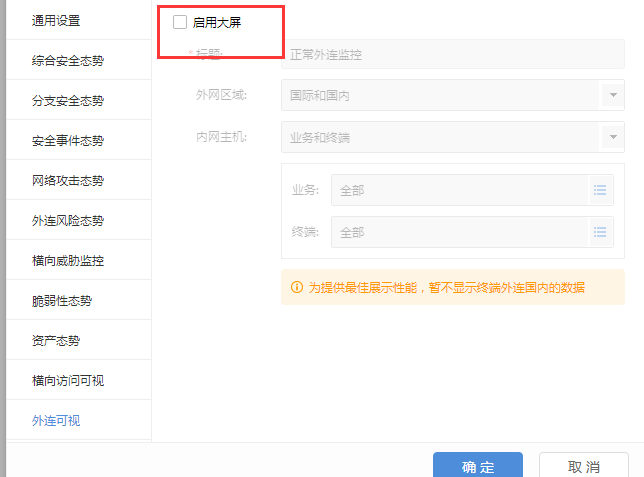
118575c94399e6e52e.png (33.92 KB)
solution
After checking, select "Enable large screen" and select the corresponding display area, click OK and it will work normally
Original Link
https://support.sangfor.com.cn/cases/list?product_id=24&type=1&category_id=9759&isOpen=true