
【STA】After STA updates the authorization, the status shows as not activated
Problem Description
STA3.0.30, after importing the license, the software upgrade is shown as valid, but the overall license status is shown as inactive.
Warning Very-Low Risk
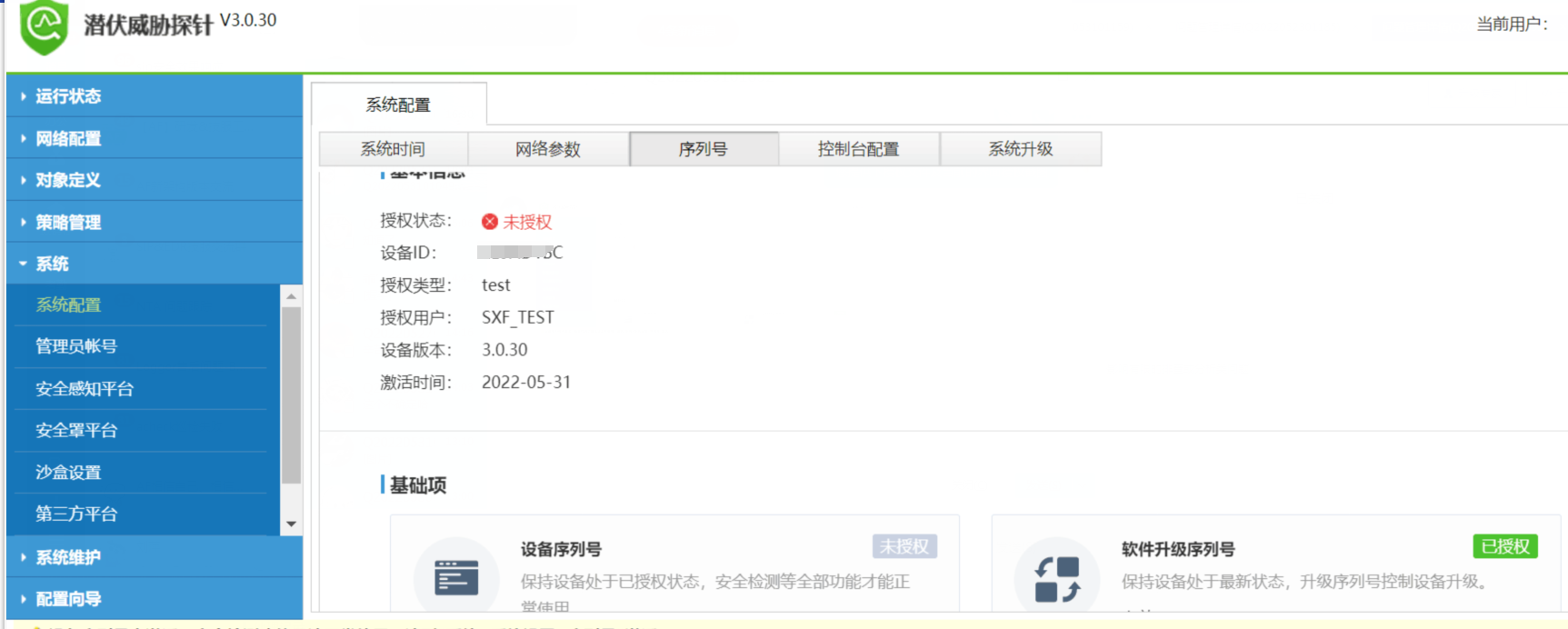
Authorization anomaly.png (228.26 KB)
Effective troubleshooting steps
- Use notapad++ software to open the authorization file and check that the authorization version Fair the file is STA3.0.26
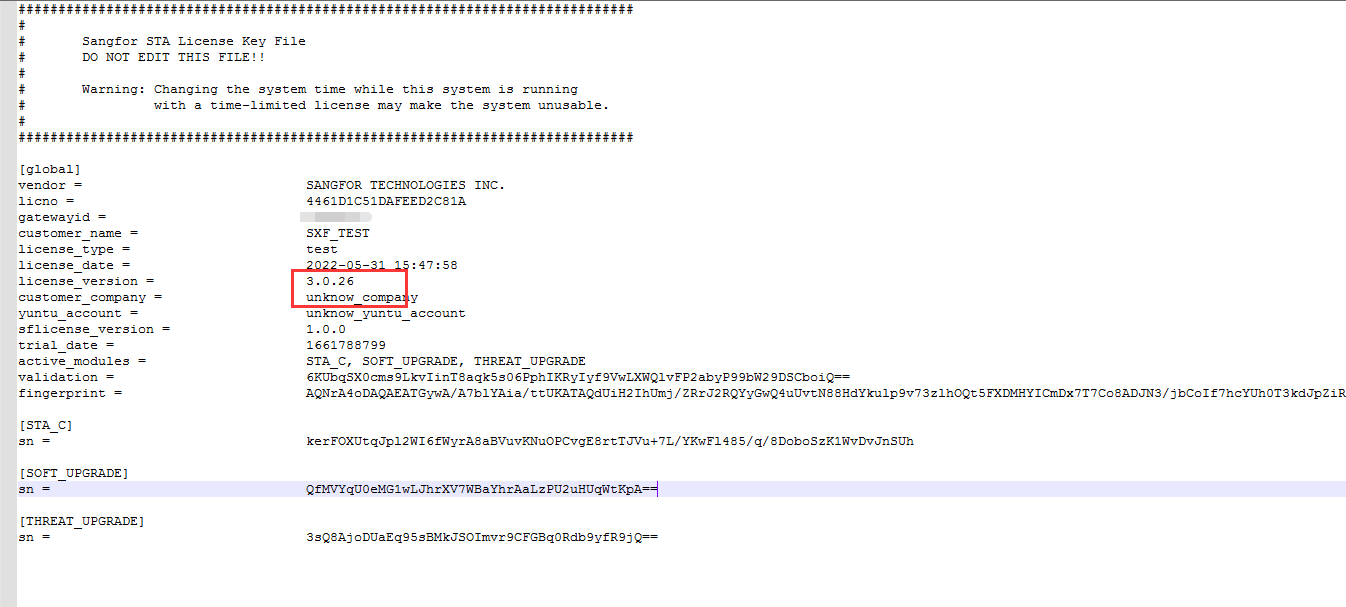
Authorization file.png (52.09 KB)
Root cause
STA version 3.0.30 cannot use the software STA3.0.26C authorization. You need to re-authorize it and open it as the hardware STA3.0.29 authorization.
solution
Re-authorize
Operation Impact Scope
None
Original Link
https://support.sangfor.com.cn/cases/list?product_id=24&type=1&category_id=10054&isOpen=true