
[Cyber Command] A large number of hosts were found to have scanning behavior on Endpoint security perception platform, but no Malicious File were found on the terminals
Problem Description
A large number of terminals often report Port Scan, ARP scanning, TCP scanning and other behaviors on the customer's Secure perception platform, and some Host appear repeatedly. However, no malicious content can be scanned using Sangfor Endpoint Secure, Qax TianQing, and Huorong full-disk scanning on the Host. The scanning process cannot be found using Endpoint SecureQuarantine traffic reporting (Endpoint Secure does not report the scanned traffic, and the corresponding access log cannot be found in the microQuarantine log). The corresponding scanning behavior is not recorded using sysmon software, and the process cannot be found using Microsoft network monitor.
Warning Very-Low Risk
A large number of Host reported Port Scan Cyber Command

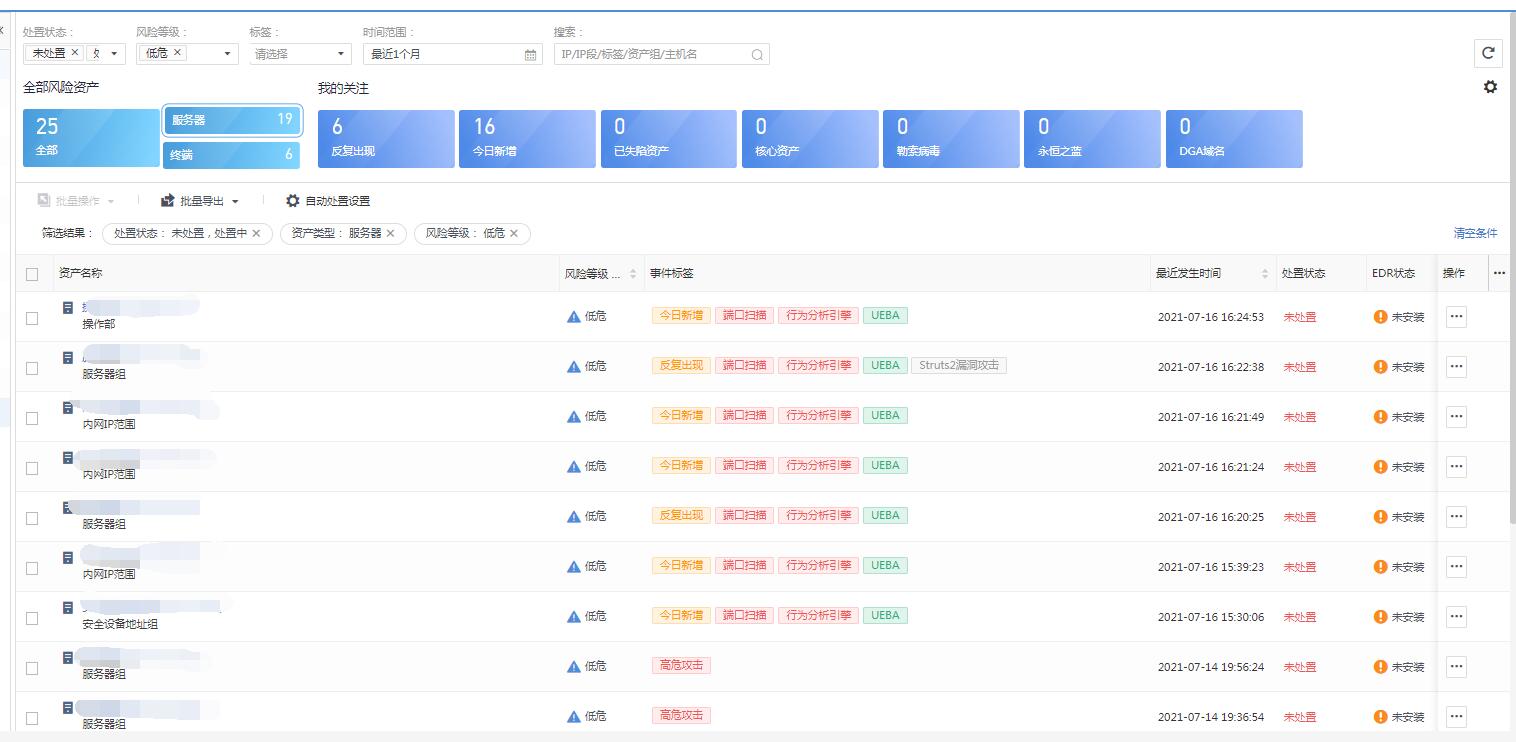
Port Scan (91.2 KB)
Effective troubleshooting steps
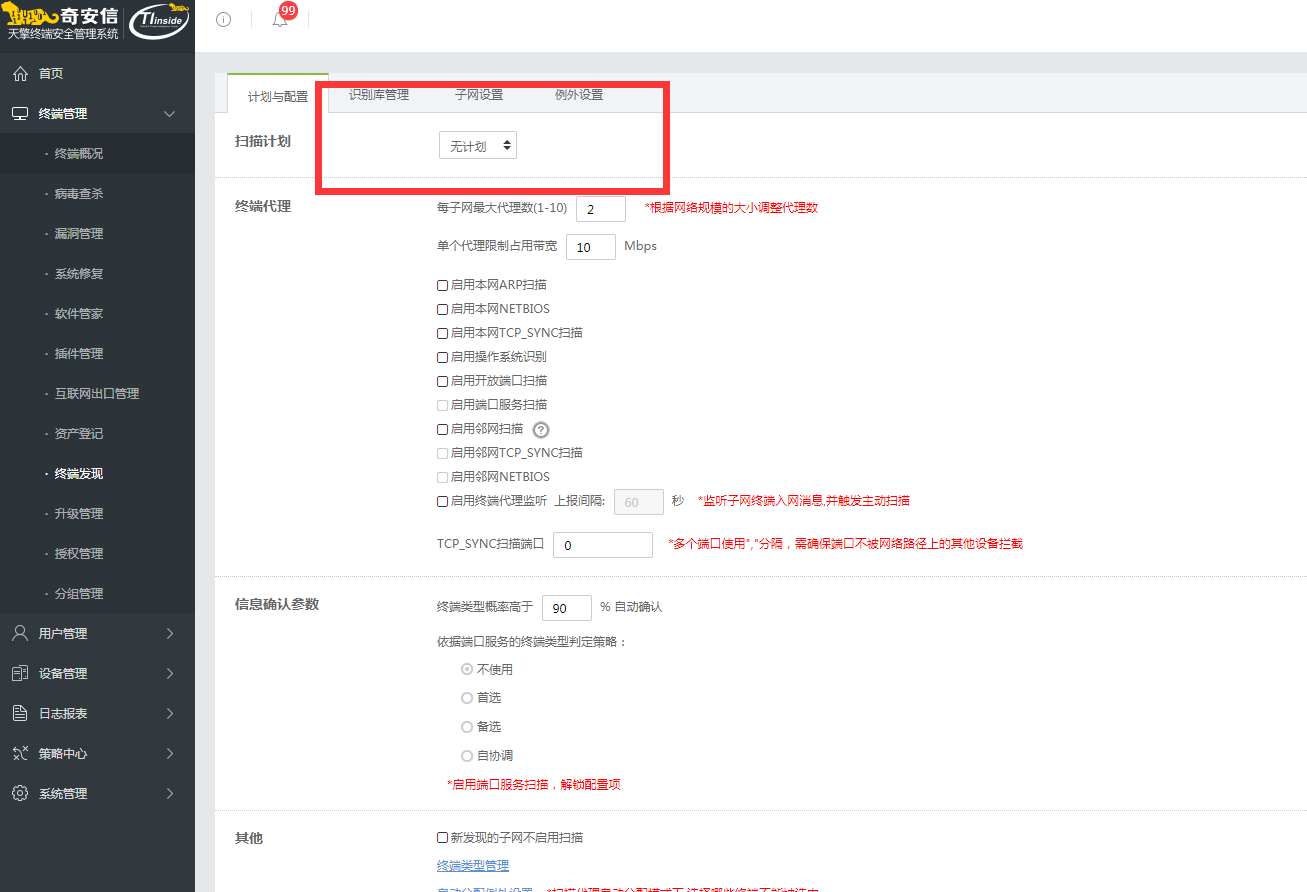
Because Port Scan occurred on a large number of Host and no malicious programs or processes were found using Secure software, it was suspected that the problem was caused by a normal software installed on a large number of Host. After comparative analysis, qax Tianqing is the most suspicious. We coordinated with the customer to disable the TianQing service for one day and found that there was no Port Scan behavior on the Cyber Command. We basically determined that it was caused by TianQing. After logging into the TianQing management platform, I found the following interface for configuring scanning, and it was turned on, confirming that the scanning was performed by TianQing. After the customer turned off scanning, the problem no longer appeared on Cyber Command and the problem was solved.
TianQing platform.png (69.87 KB)
Root cause
Investigation and positioning is the scanning behavior initiated by TianQing.
solution
Because there are irregular scans on multiple Host, it is difficult to add a whitelist on Cyber Command and the Whitelist can only be adjusted on TianQing. This time the scan is turned off. You can also consider whether you can specify individual Host on TianQing to enable the scan policy, and then add exclusions on Cyber Command.
Original Link
https://support.sangfor.com.cn/cases/list?product_id=24&type=1&category_id=9918&isOpen=true