
[Cyber Command] After VM deploys Cyber Command, restart and enter the installation interface again
Problem Description
The iso package of VCyber Command is deployed in the VM environment. After the installation is completed, the installation interface is entered again after restart.
Warning Very-Low Risk
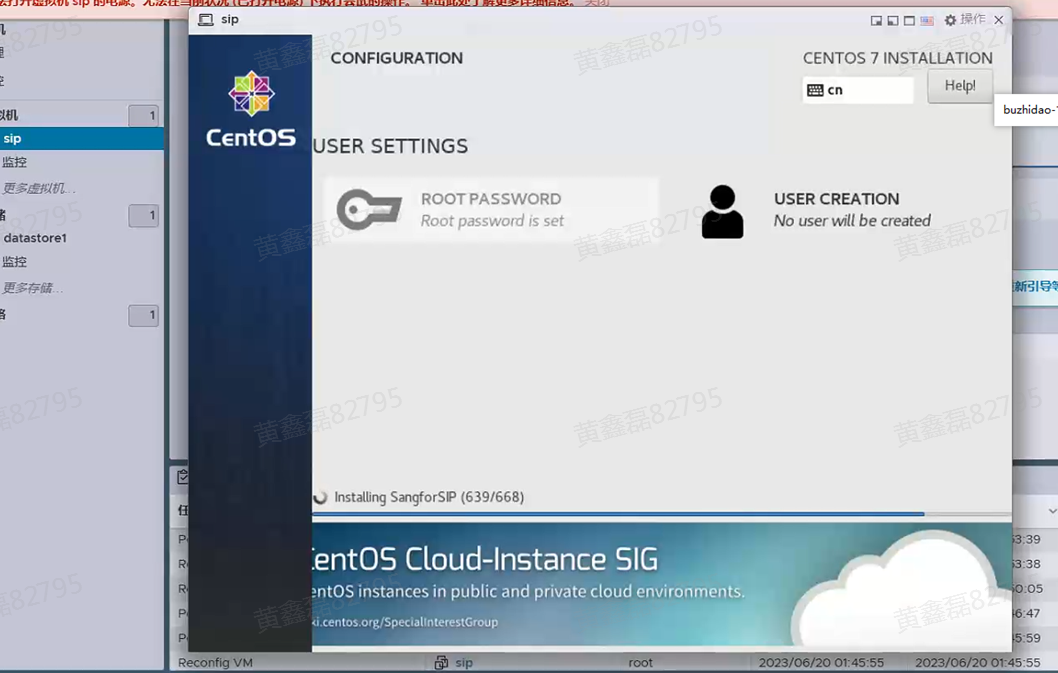
Effective troubleshooting steps
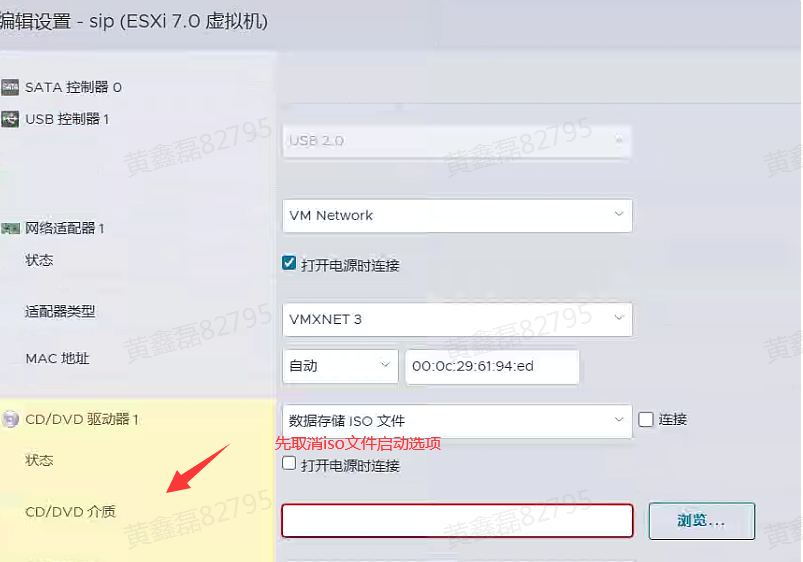
- After the installation is complete, shut down VCyber Command, find the "CD/DVD drive" option, and remove the option to enable the data storage iso file.
- Try restarting Endpoint again
Note: If the system prompts "DHCP…" after restarting and remains stuck on this interface, you need to modify the startup priority Fair the virtual machine bios. Refer to the VM environment. The example is as follows:
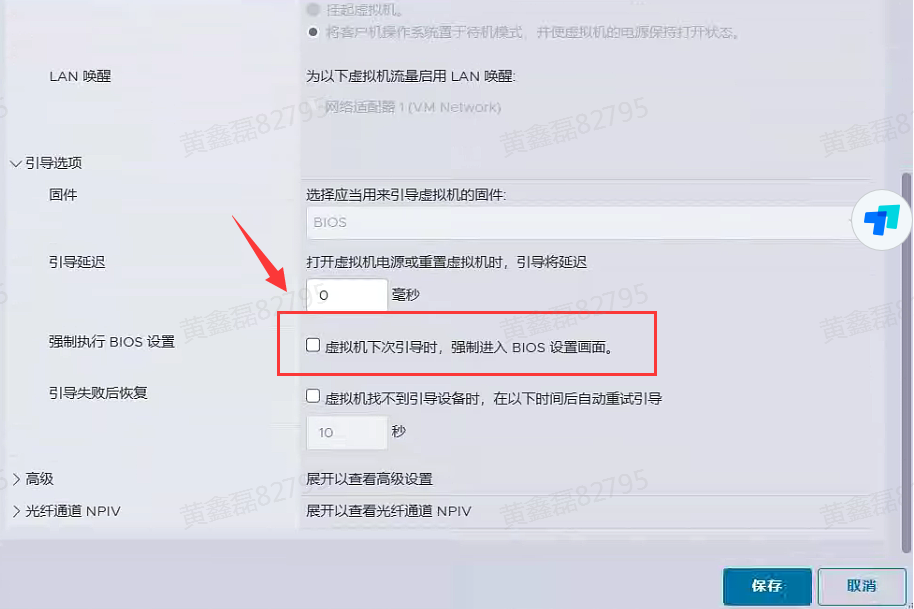
- Check "Force Fair enter the BIOS setup interface the next time the virtual machine boots" in the boot options, and then restart the vCyber Command virtual machine
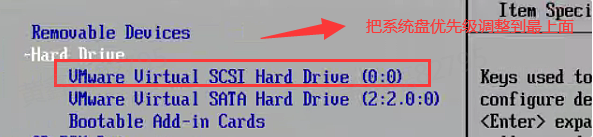
- After entering the BIOS, set the system disk priority to the first priority in the boot option (you can press the +- sign on the keyboard to adjust it), as follows:
- Save, exit and start the system
solution
As above
Original Link
https://support.sangfor.com.cn/cases/list?product_id=24&type=1&category_id=23166&isOpen=true