
[Cyber Command] Automatic linkage NGAF does not take effect
Problem Description
The customer configured the automatic linkage NGAF policy, but found that the number of matches did not increase after incident matched the policy occurred.
Effective troubleshooting steps
- Test in [Response Toolbox] – [Linkage Disposal], the linkage corresponding to the NGAF blockade corresponding Endpoint can be issued
- Find the corresponding Secure incident and check the rule ID of the corresponding Secure incident
View method:
① Find the security incident that policy, press F12 to open the browser debugging window, and open the network module.
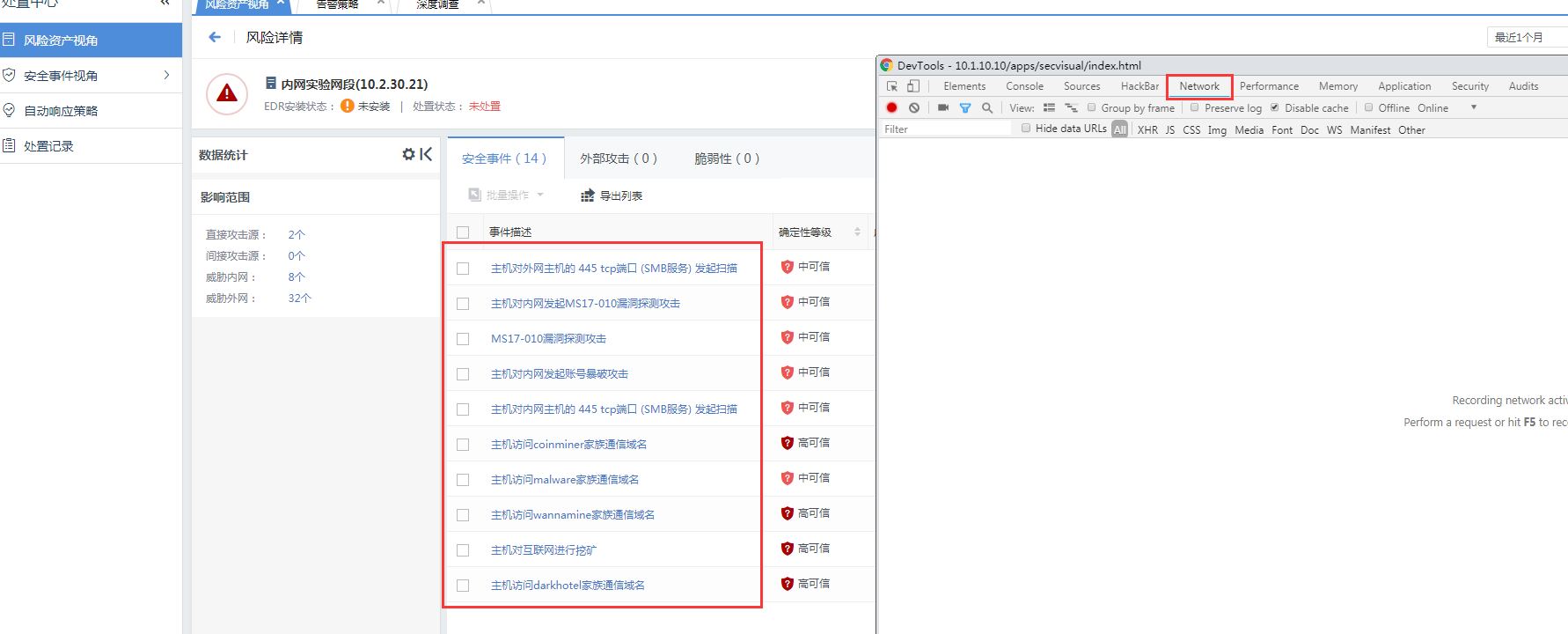
② Click on the corresponding Secure incident and check incident id Fair the corresponding initiated request (as shown in the following figure: sec_iocdetect|145001044).
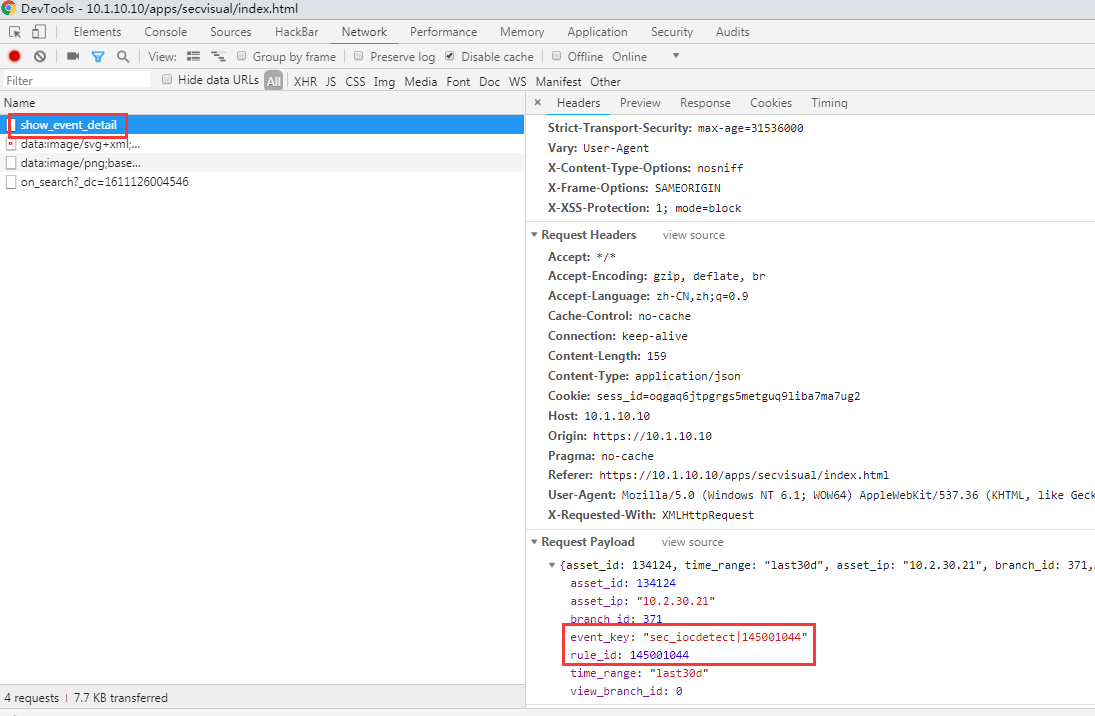
- By confirming the matching rules, the automatic linkage policy version 52 cannot link the Secure incident, and it is necessary to upgrade to version 53 to support linkage.
The specific rules for supporting linkage are as follows:
 Support AF Linkage incident (50.29 KB)
The following three series of rules cannot be linked in version 52, but can be linked in version 53:
sec_iocdetect|140
sec_iocdetect|145
sec_iocdetect|146
Root cause
Since linkage NGAF blocking is a High Risk operation (prone to interrupt business or network), the automatic linkage NGAF policy can only be linked to the rules of the specified direction. When incident Secure event does not match the corresponding rule ID, no linkage will be performed.
solution
The rule starting with sec_iocdetect|145 cannot be linked in version 52, but version 53 supports automatic linkage. The problem can be solved after upgrading to version 53.
Original Link
https://support.sangfor.com.cn/cases/list?product_id=24&type=1&category_id=9853&isOpen=true