
[Cyber Command] Branch range configuration error causes attack screen to have no data
Problem Description
There is no data on the Cyber Command attack screen, but there is data of WAN attacking the LAN
Effective troubleshooting steps
- Select 30 days in the big screen settings and reopen the big screen, but there is still no data.
- Confirm that there is no data in the Inbound Threat overview and High-Severity Attacks interface of threat analysis.
- The data of the Internet attack Server was retrieved in the analysis center and found to be empty. The retrieval method is as follows:
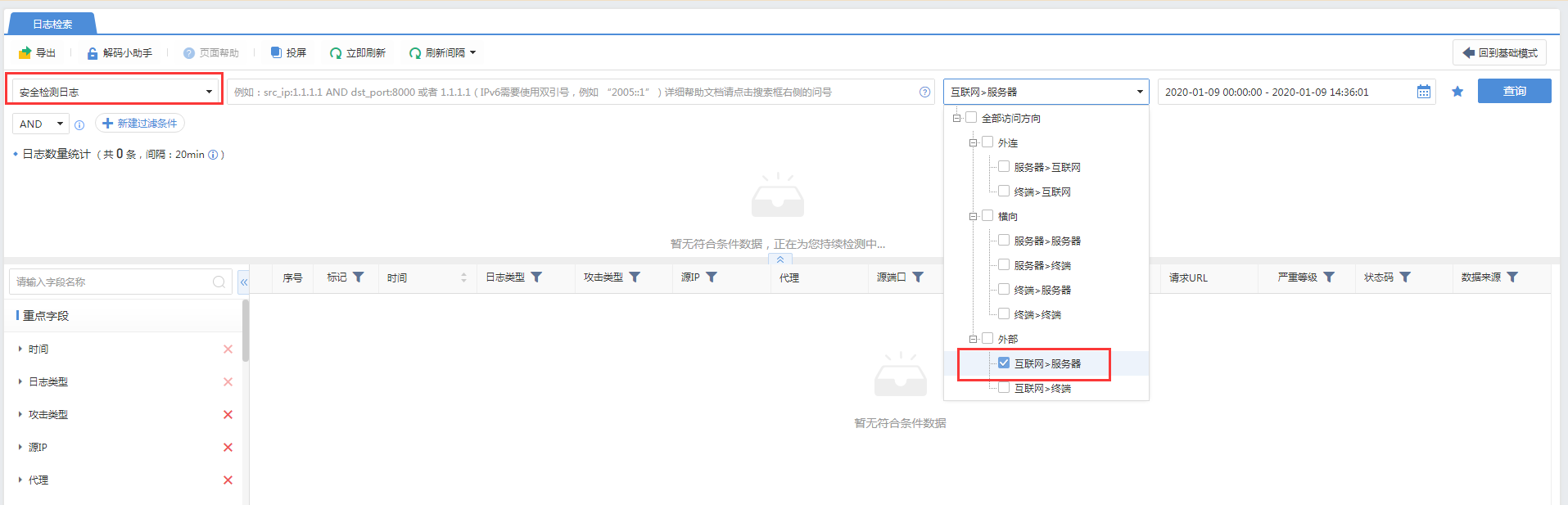
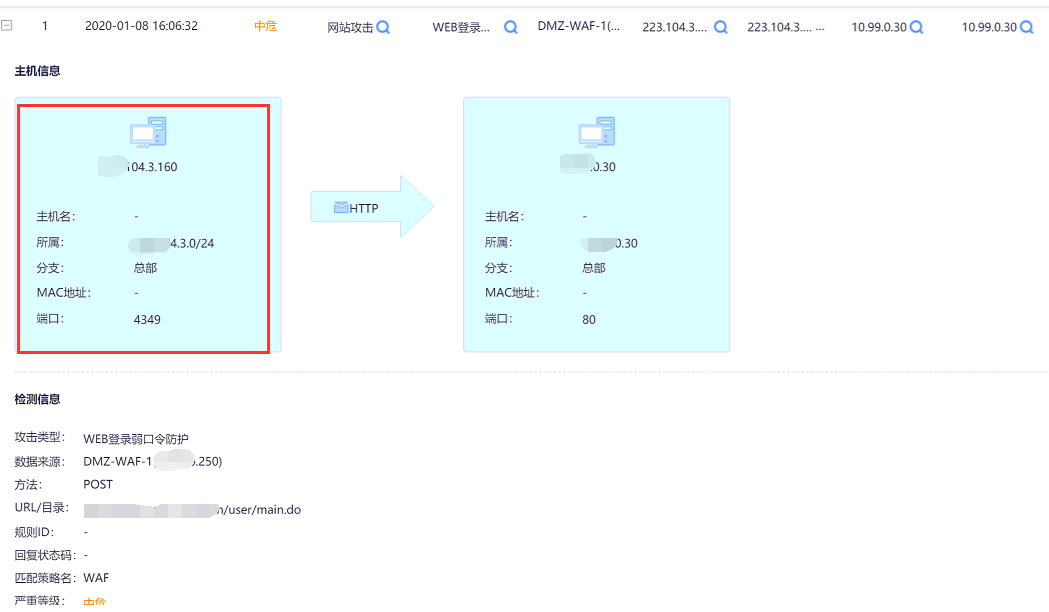
Therefore, it can be determined that there is no corresponding data content, resulting in no external attack display. - However, the feedback showed that there were indeed IP addresses from the Internet attacking LAN. After checking the corresponding logs, it was found that Src IP was defined as the LAN IP of the headquarters.

Root cause
The headquarters Branch is configured with IP addresses of 0.0.0.0-255.255.255.255, which causes all data to be identified as LAN interactions, so no external attacks are displayed.
solution
Adjust the headquarters network segment and configure it to the actual LAN range
Original Link
https://support.sangfor.com.cn/cases/list?product_id=24&type=1&category_id=9779&isOpen=true