
[Cyber Command] Cluster environment and NGAF configuration two-way authentication failed
Problem Description
Cluster environment master node 172.30.1.206, standby node 172.30.1.205, cluster ip 207. NGAF linkage configuration two-way authentication failed
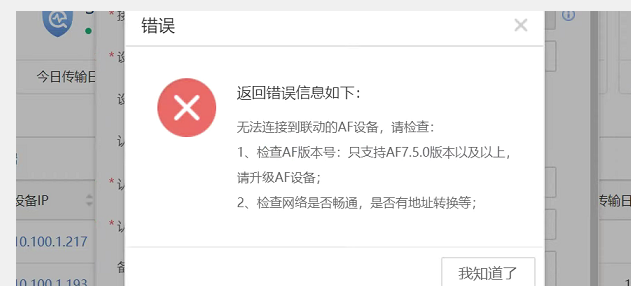
Effective troubleshooting steps
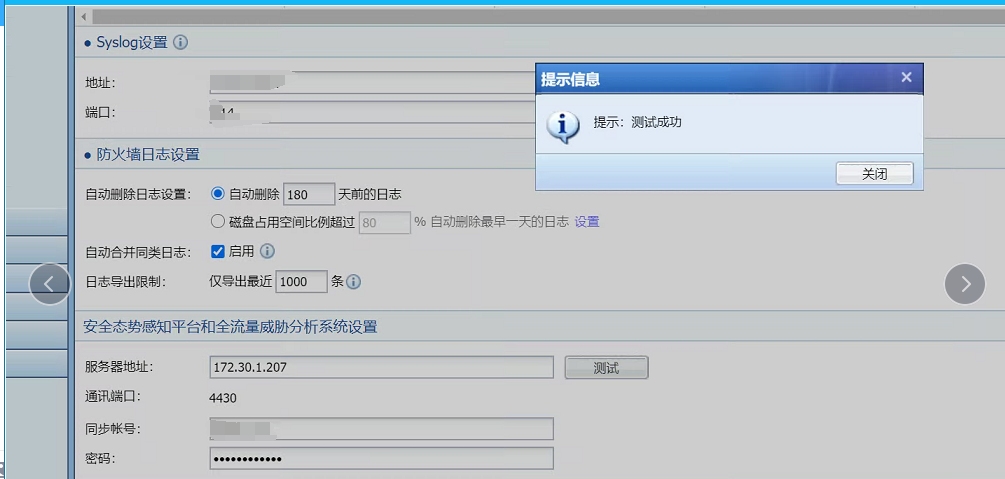
- Check NGAF configuration and test connectivity.
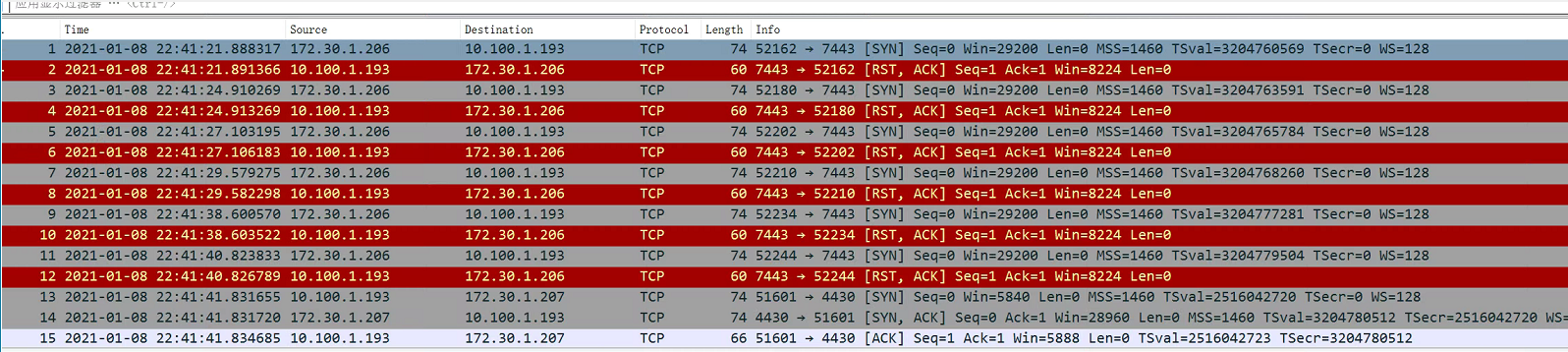
- Click the connectivity test on the Cyber Command interface and find that the master node 172.30.1.206 is sending the packet.
Root cause
- When both kernel IPs can communicate data, one of them will be automatically selected for packet transmission. Currently, the packet transmission and NGAF configuration linkage IP are inconsistent, resulting in authentication failure.
solution
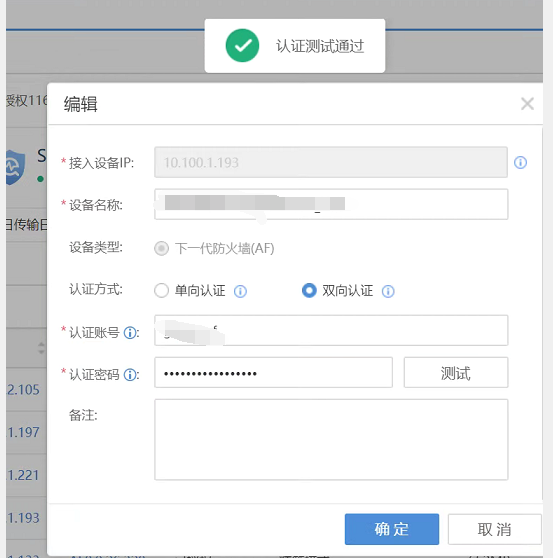
Modify the linkage IP configured by NGAF to the current IP address of Cyber Command packet sending, and test that the two-way authentication is normal
Original Link
https://support.sangfor.com.cn/cases/list?product_id=24&type=1&category_id=9852&isOpen=true