
[Cyber Command] Cyber Command linkage NGAF and above, test prompts operation failure
Problem Description
Cyber Command linkage NGAF and above, after configuration is completed, the test prompts that the operation failed: "Login failed. After registering, try to log in, and the username and password failed three times. 。 。”
Warning Very-Low Risk
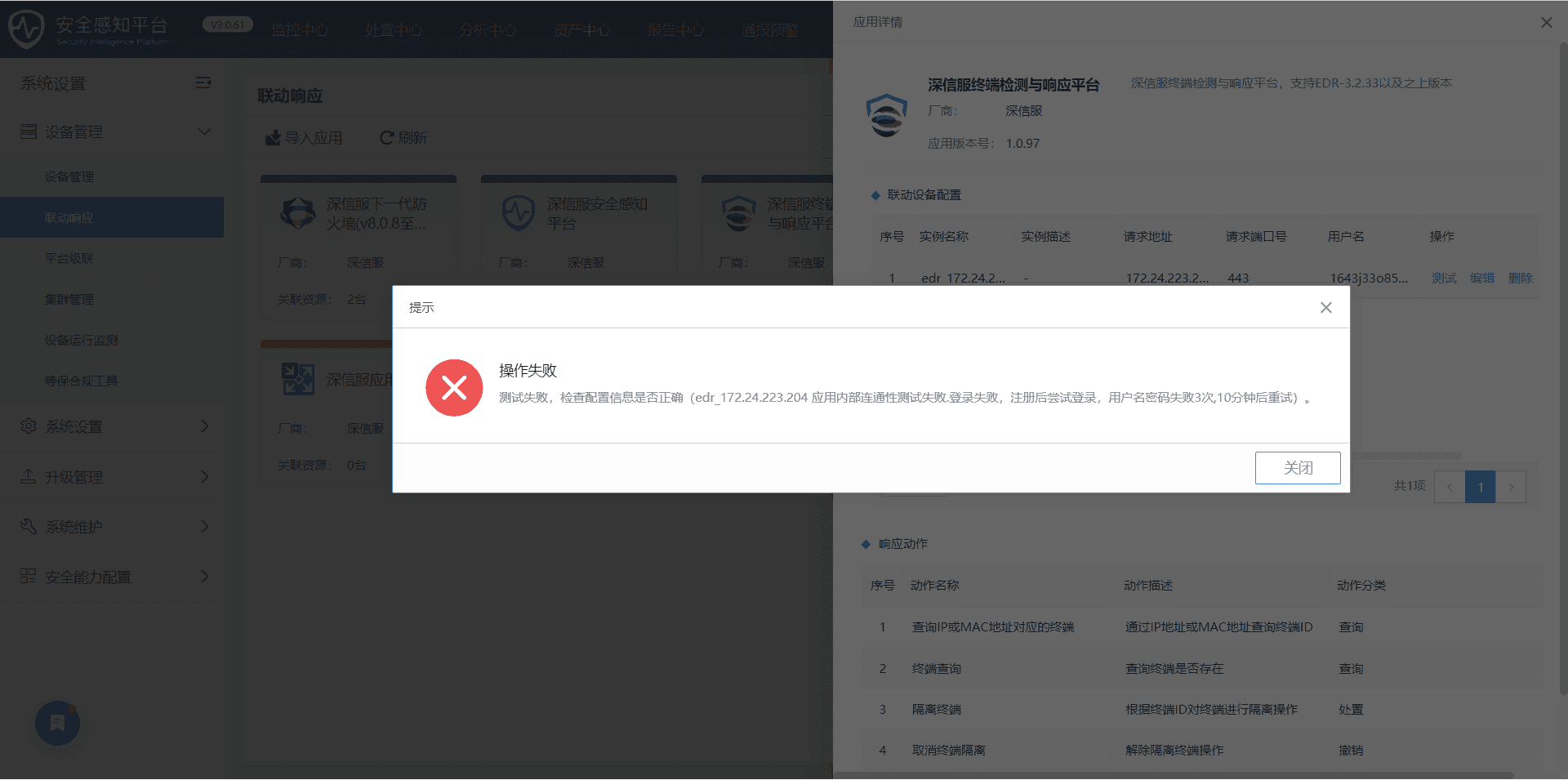
Effective troubleshooting steps
- Check whether the firewall Fair device management is online, whether two-way authentication is enabled, and whether the authentication is passed:
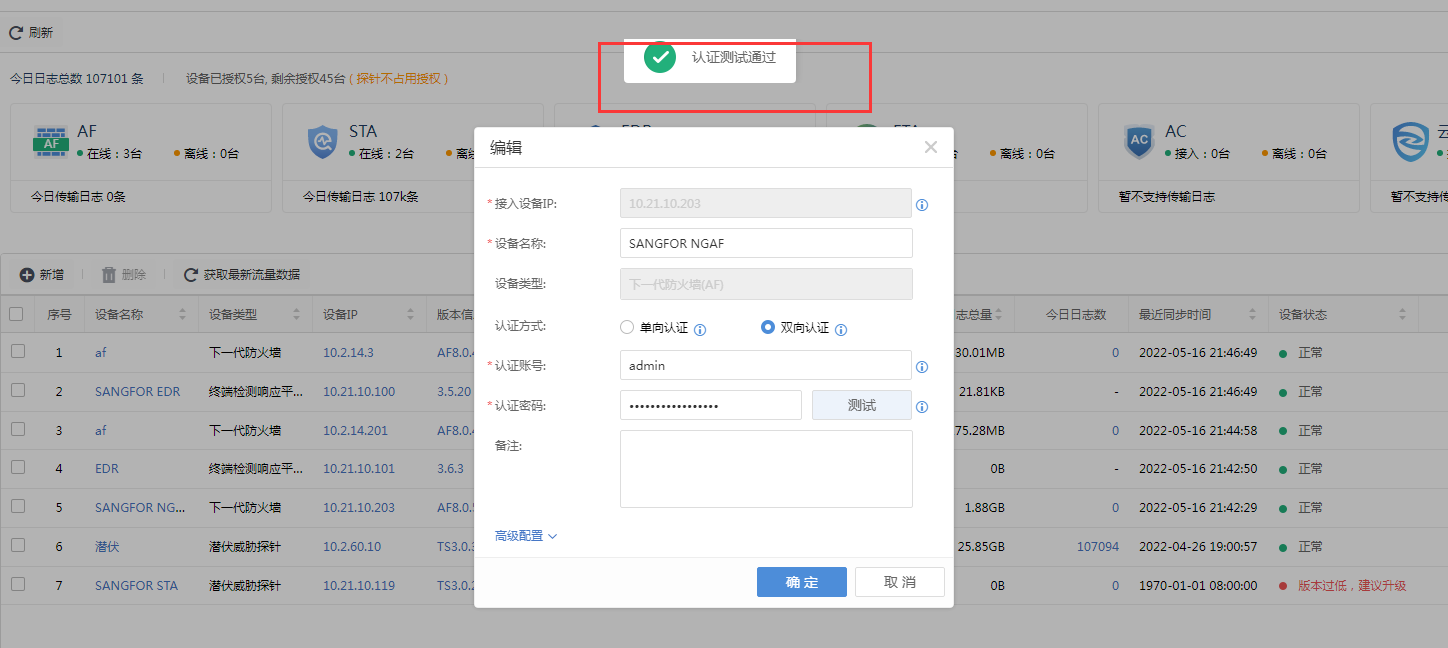
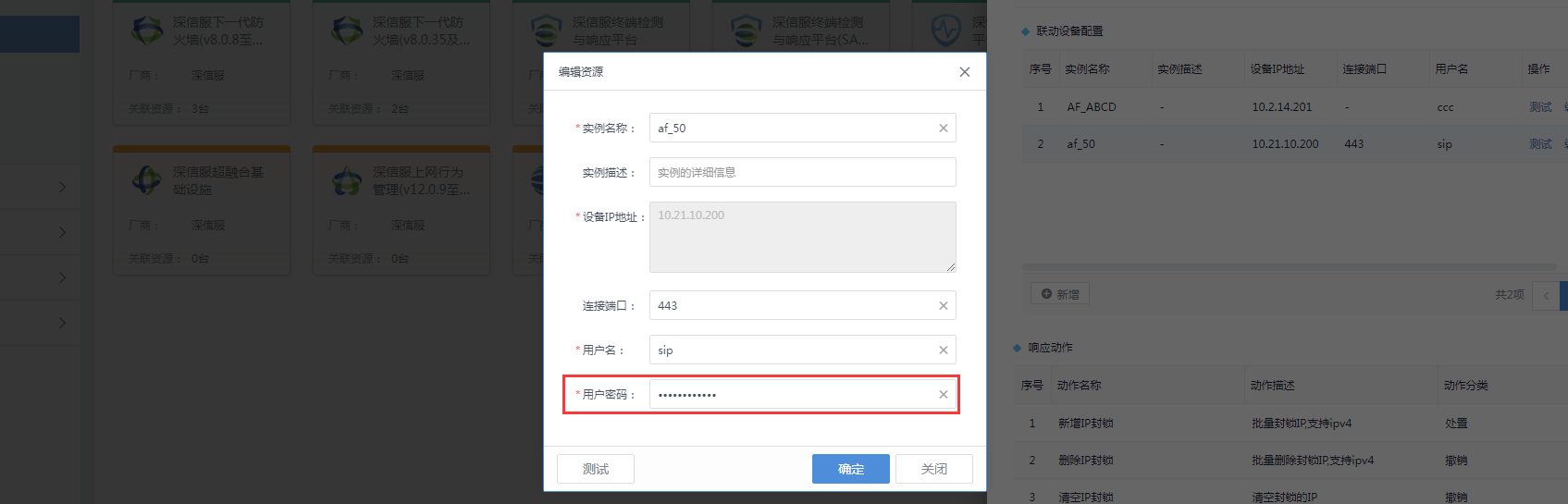
- Confirm whether the password here is consistent with the password of the two-way authentication account configured in device management. If not, change them to be consistent;
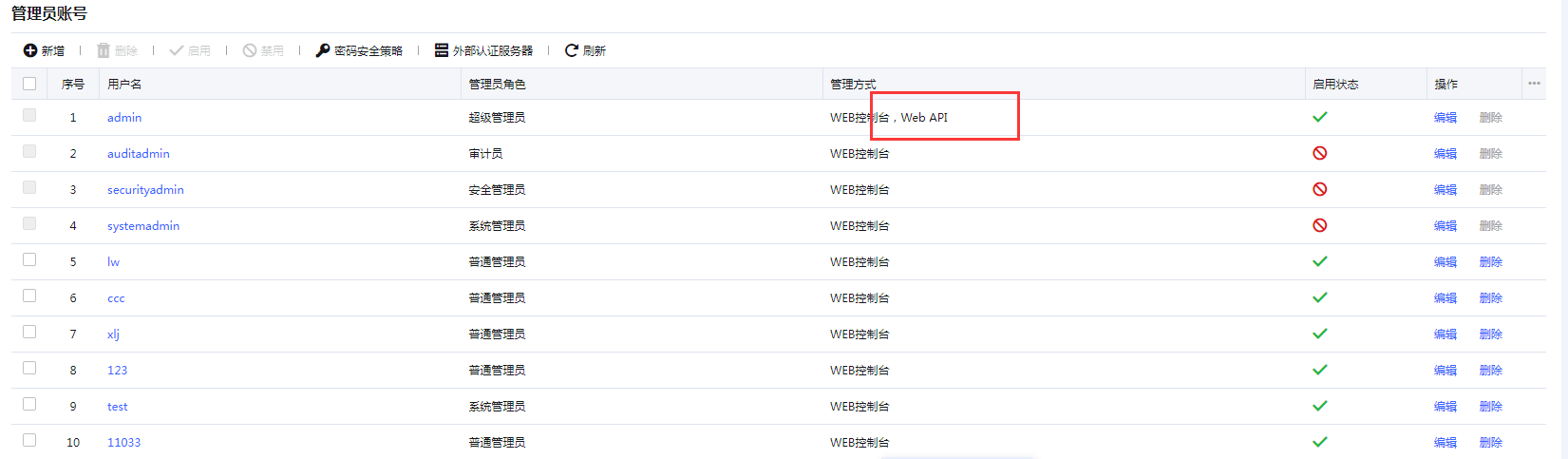
- Different from versions below 8.0.35, the account for two-way authentication needs to exist on the firewall, and the api permission needs to be enabled. At the same time, the webui permission must also be enabled on the interface;
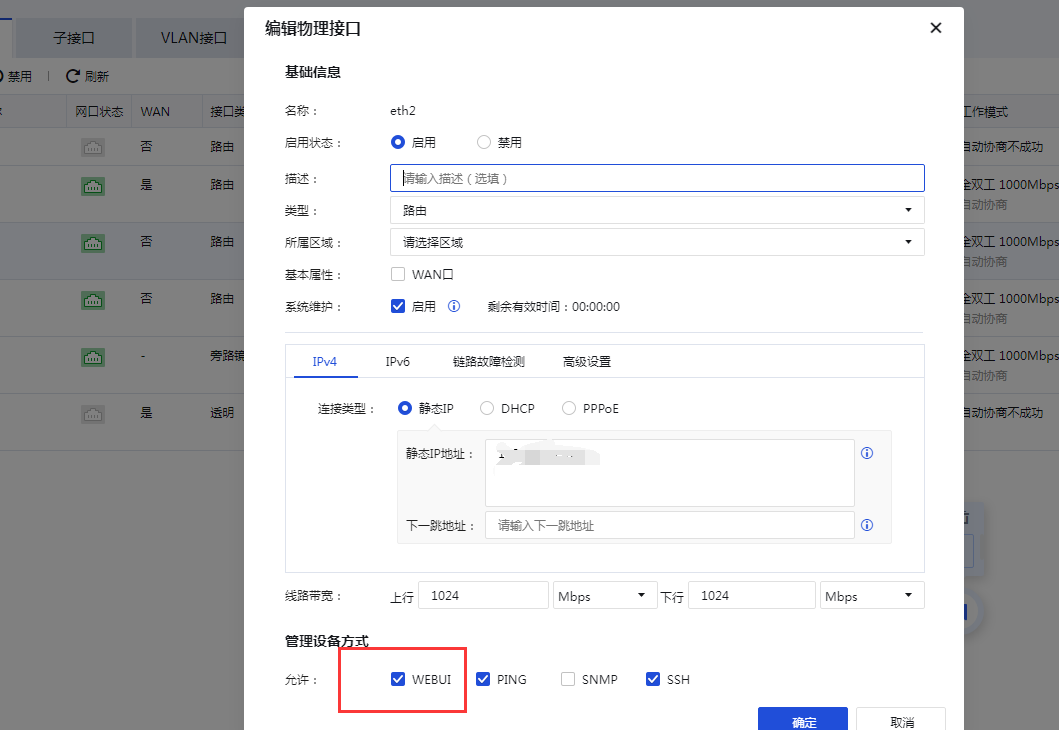
- The above configurations are all key configurations for Cyber Command linkage NGAF and above. You need to confirm that the above configurations are configured correctly to successfully connect.
Root cause
During this problem handling, it was confirmed that the customer's NGAF interface for connecting to Cyber Command had the webui enabled, and the account did not have permission to enable the api.
solution
Check the critical configurations mentioned Fair the troubleshooting steps. If they are not configured, adjust them for the customer.
Operation Impact Scope
- No impact on network and business conditions;
- Regarding the permission to open the interface, you need to obtain the customer's consent before proceeding;
- If you want to add a new account for linkage, you need to obtain customer authorization before proceeding, and avoid Weak Password;
Original Link
https://support.sangfor.com.cn/cases/list?product_id=24&type=1&category_id=10055&isOpen=true