
[Cyber Command] Modify the network port Very-Low Risk and the prompt “NIC status modification failed, please check the interface status”
Problem Description
The customer wants to add an exception for a management address. When modifying the interface configuration, an error message appears: "NIC status modification failed, please check the interface status."
Path: Upper right corner [System Settings] – [System Configuration] – [Interface Configuration]
Warning Very-Low Risk
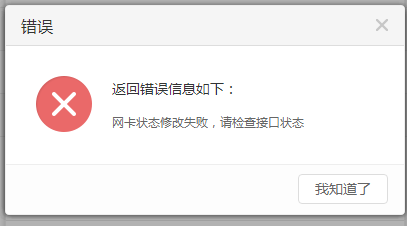
684985c9436843bbbe.png (11.68 KB)
Process——
Check whether the device interface light is flashing normally and find that the corresponding network port light is not on.
Root cause
When the network port is not connected or the network cable cannot be used normally, the network port configuration cannot be modified
solution
After replacing the new network cable, the light flashes normally and the modified interface IP is effective
Original Link
https://support.sangfor.com.cn/cases/list?product_id=24&type=1&category_id=9760&isOpen=true