
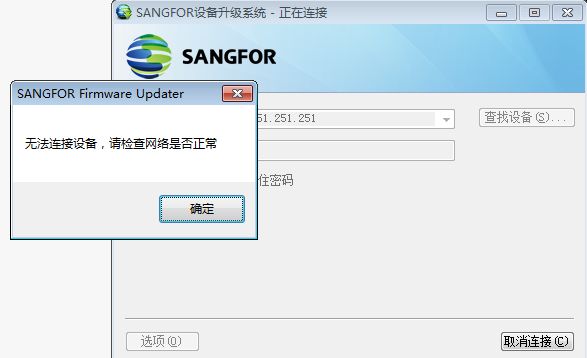
[Cyber Command] STA cannot connect using the upgrade client, prompting that the device cannot be connected. Please check whether the network is normal.
Problem Description
Connect to the management port only, change the computer IP address to 10.251.251.250/24, upgrade the client to connect to the management port default address 10.251.251.251 and fail to connect. It prompts that the device cannot be connected. Please check whether the network is normal.
Warning Very-Low Risk
766195d4cc40190565.png (52.69 KB)
solution
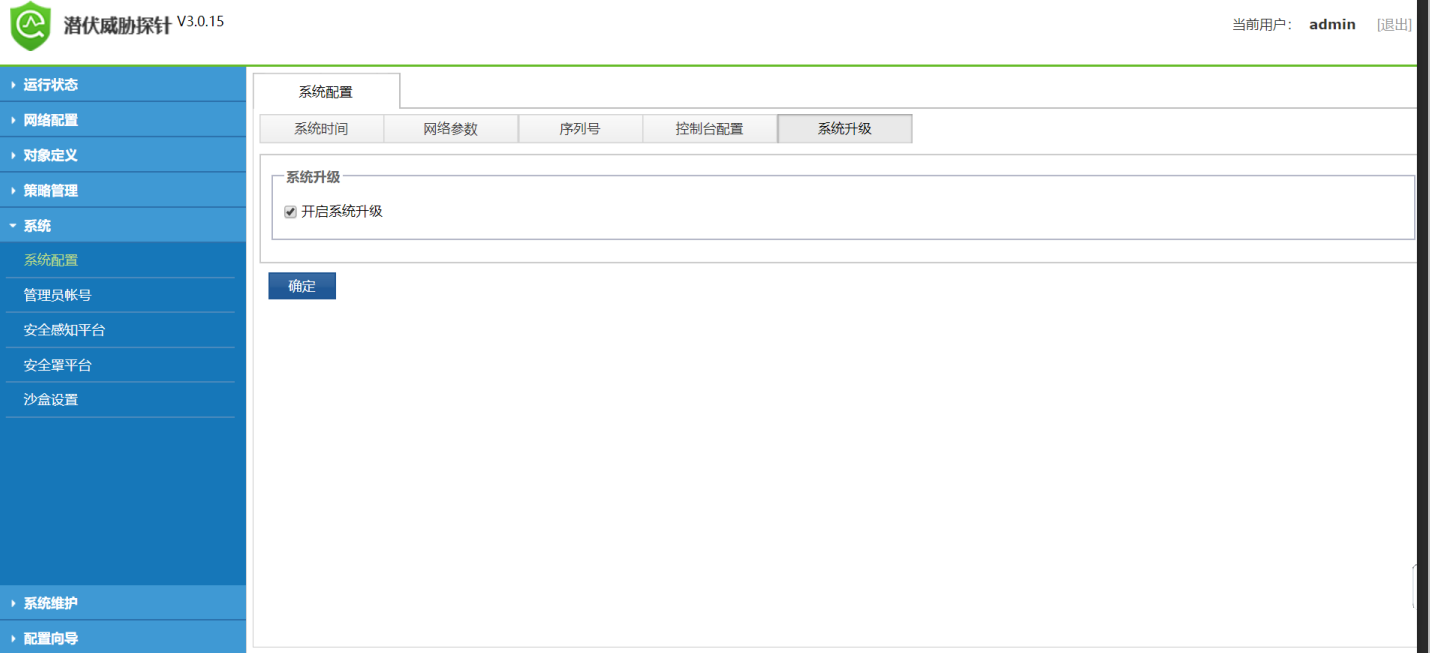
In STA3.0.15 and later versions, you need to check Enable system upgrade in [System] – [System Configuration] – [System Upgrade] to be connected by the upgraded client, as shown in the figure below
815785d4cc43146c91.png (83.11 KB)
Original Link
https://support.sangfor.com.cn/cases/list?product_id=24&type=1&category_id=9771&isOpen=true