
[Cyber Command] The large screen is visible without Branch and the large screen has not switched to the multiBranch self-operation and maintenance scenario
Problem Description
[Monitoring Center] – [Large Screen Visibility] page does not have "Branch Large Screen", as shown in the following figure:
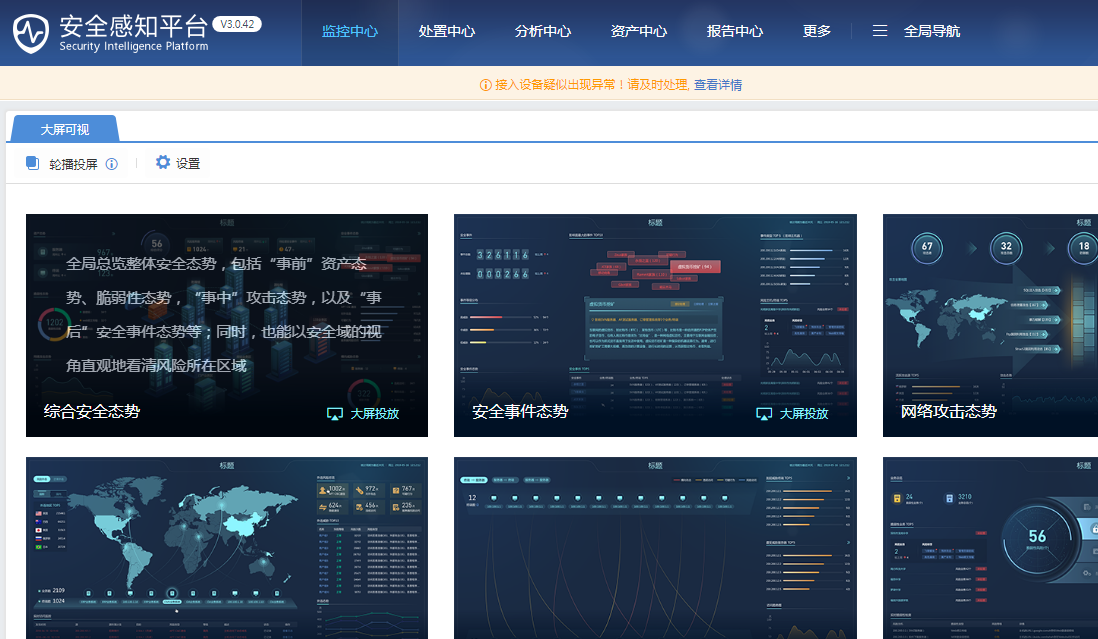
546955e4a5a86d8937.png (432.48 KB)
Process——
- [System Settings] – [General Configuration] – [Console Configuration] View the scene mode as Noncritical scene, as shown in the figure below:

613955e4a5b4423e8b.png (57.84 KB) - Change the scene mode to the multi-Branch self-operation and maintenance scene, and then check the [Monitoring Center]-[Large Screen Visibility] page to see the "Branch large screen" display, as shown in the following figure:
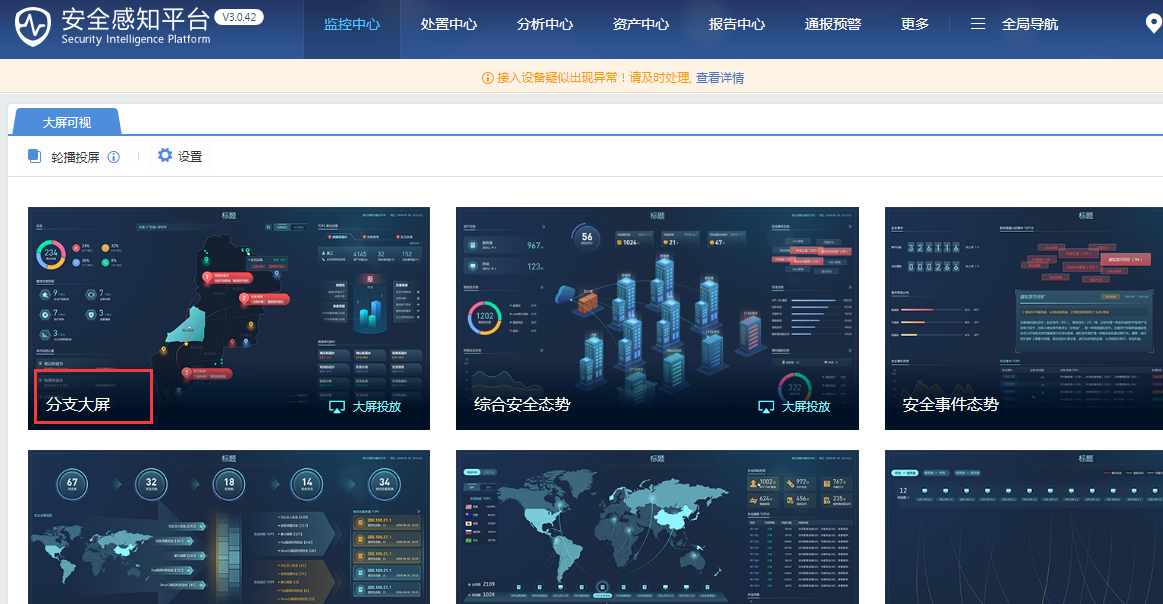
549325e4a5bd4db54b.png (451.57 KB)
solution
[System Settings] – [General Configuration] – [Console Configuration], change the scenario mode to multi-branch self-Branch scenario.
Original Link
https://support.sangfor.com.cn/cases/list?product_id=24&type=1&category_id=9780&isOpen=true