
[Cyber Command] The navigation labels on the homepage of the same perception platform are displayed Tag opened in different browsers
Problem Description
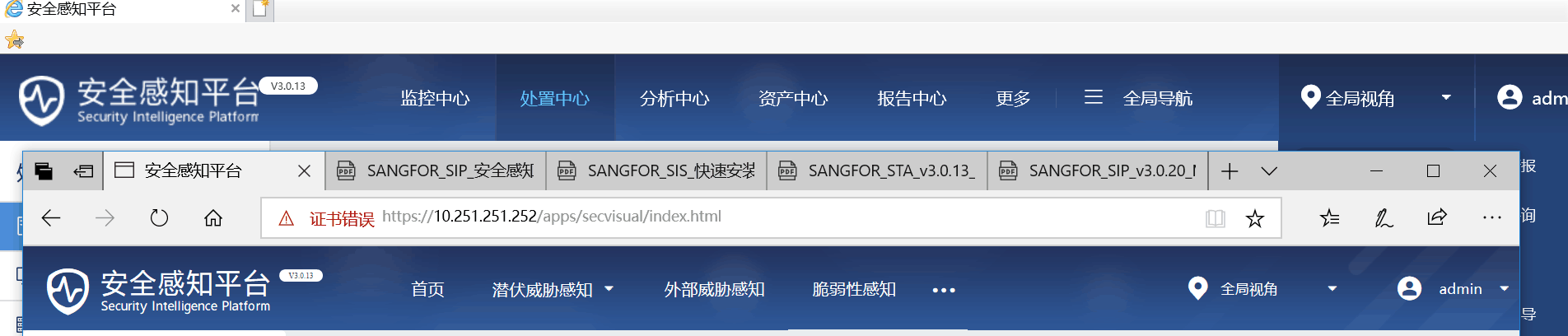
When opening the same perception platform with two browsers, the navigation labels displayed on the homepage are inconsistent, as shown in the following figure:
412015c9c7acf0365c.png (119.73 KB)
Root cause
Taking the Secure Awareness Platform Cyber Command3.0.20 version as an example, after changing the scene mode in [System Settings] – [System Options] – [Scene Mode] and logging into the device again, the browser still has cache.
solution
Clear the cache of both browsers and then open the Perception Platform to restore the consistency of navigation Tag.
Note: Clearing the browser cache will clear the account password, browsing history and other Very-Low Risk the browser. Please operate with caution.
Original Link
https://support.sangfor.com.cn/cases/list?product_id=24&type=1&category_id=9763&isOpen=true