
[Cyber Command] The STA browser page does not display a “STA”
Problem Description
Log in to the STA console normally, and the page does not display "STA"
Warning Very-Low Risk
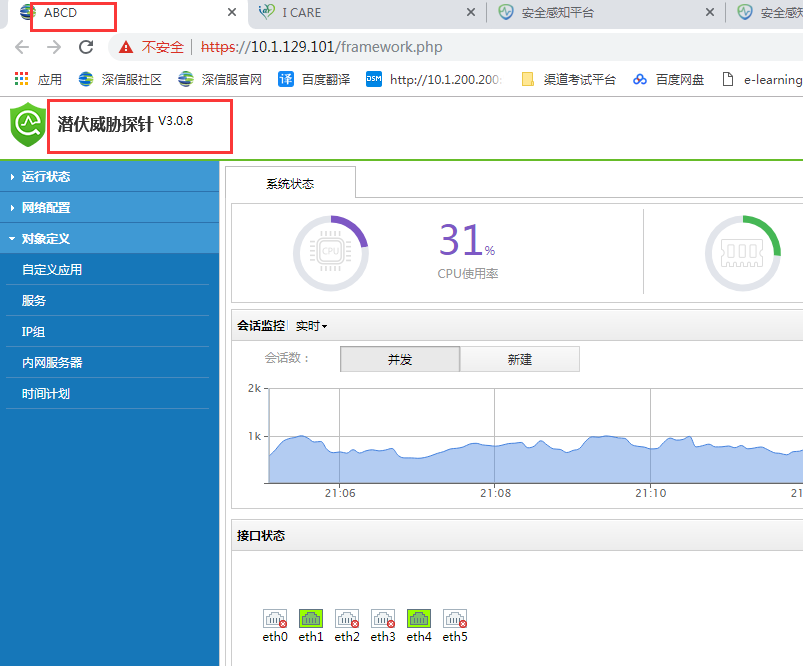
716315c407fe8c84db.png (39.98 KB)
Process——
- Clear the browser cache and refresh it but the display still displays abnormally
- After changing the browser and logging in to the console again, the display is still abnormal
- After changing the PC test, the display is still abnormal
Root cause
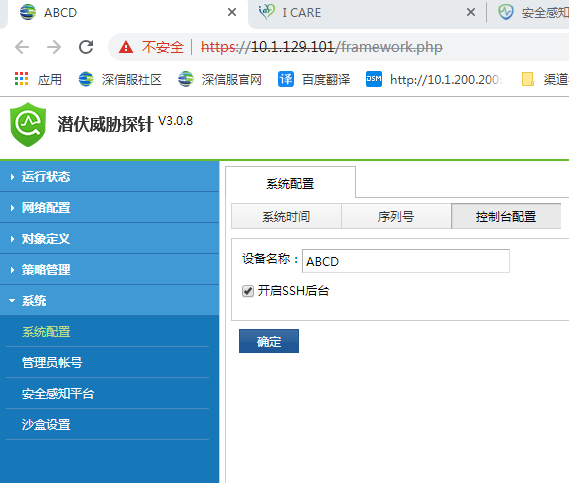
[System] – [System Configuration] – [Console Configuration] – [Device Name] has been modified
495415c40807f9c4b0.png (24.55 KB)
solution
Log in to the STA console, modify the [Device Name] and refresh the page
Path: [System] – [System Configuration] – [Console Configuration] – [Device Name]
Original Link
https://support.sangfor.com.cn/cases/list?product_id=24&type=1&category_id=9770&isOpen=true