
[Cyber Command] Unable to detect virus files due to mistakenly opening sandbox configuration
Problem Description
Cyber Command is connected to STA. We tested using FTP and HTTP to transfer virus files on the LAN PC. However, the Cyber Command log search could not find File Threat.
Effective troubleshooting steps
-
Capture packets on STA. The data of the transferred file can reach STA. The Cyber Command and STA are connected normally.
-
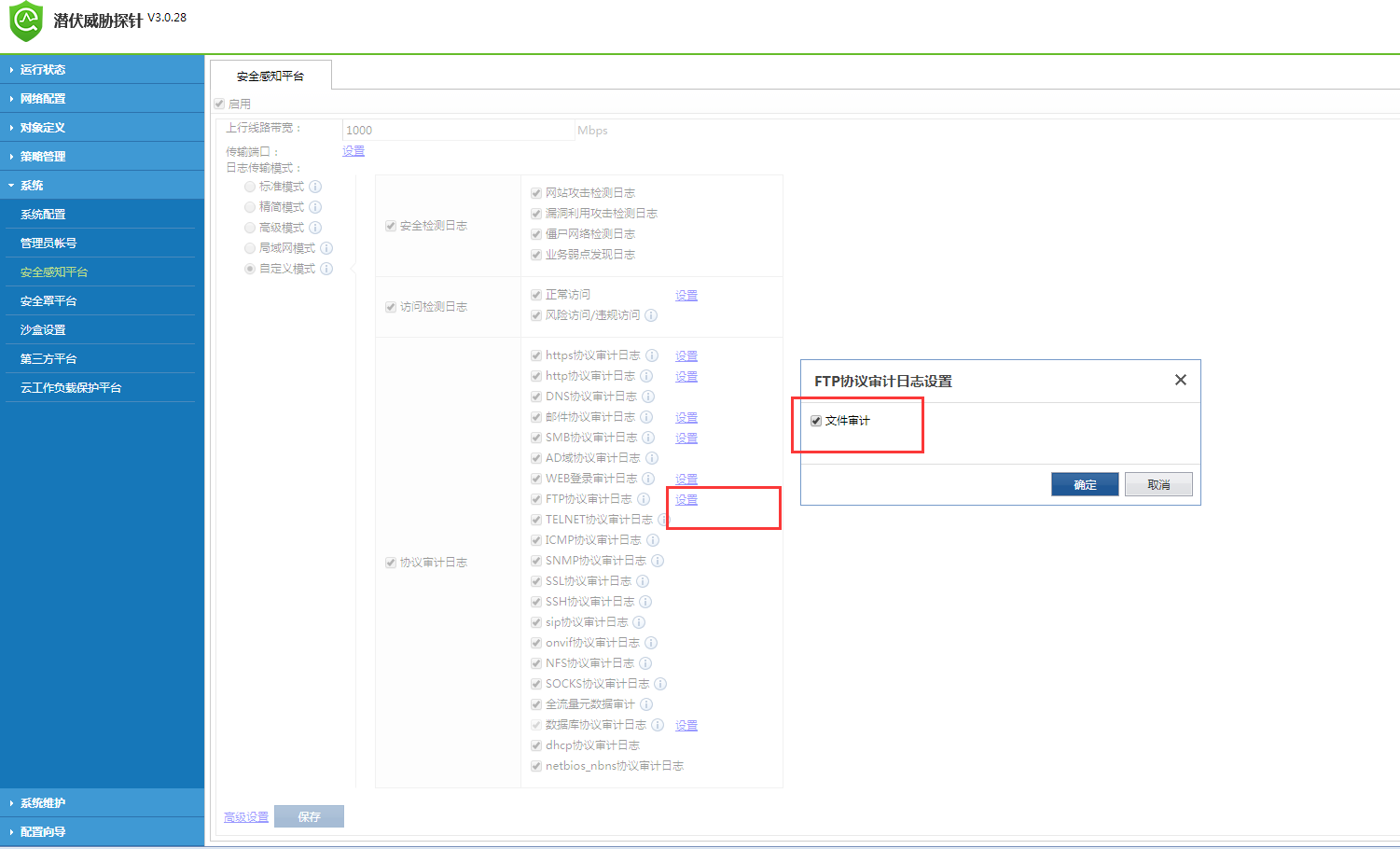
Check the Secure awareness configuration on STA, and enable file auditing for both http and ftp.
082703.png (113.72 KB) -
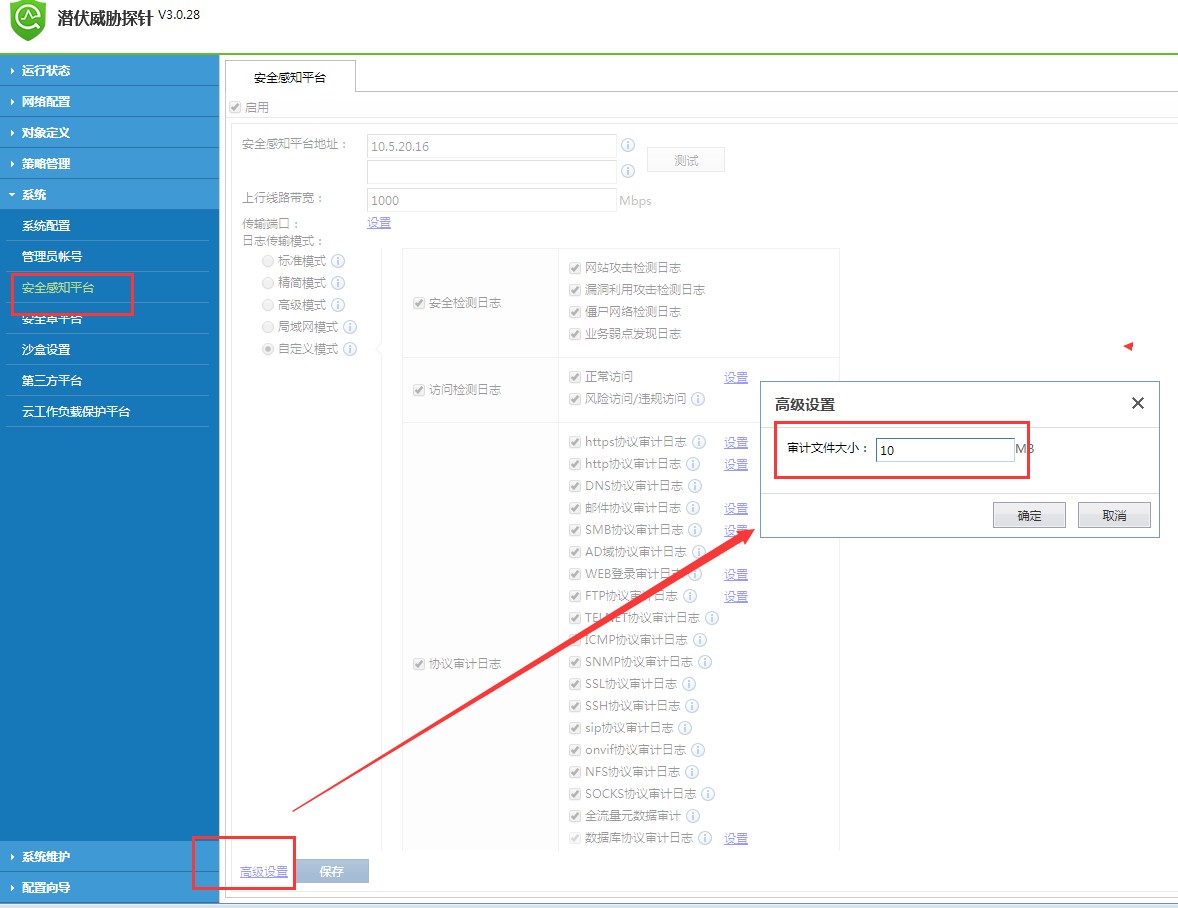
Check that the file audit size of STA is configured to be 10M, the transmitted virus files are all smaller than 10M, and the compressed files are not encrypted.
082704.png (112.19 KB) -
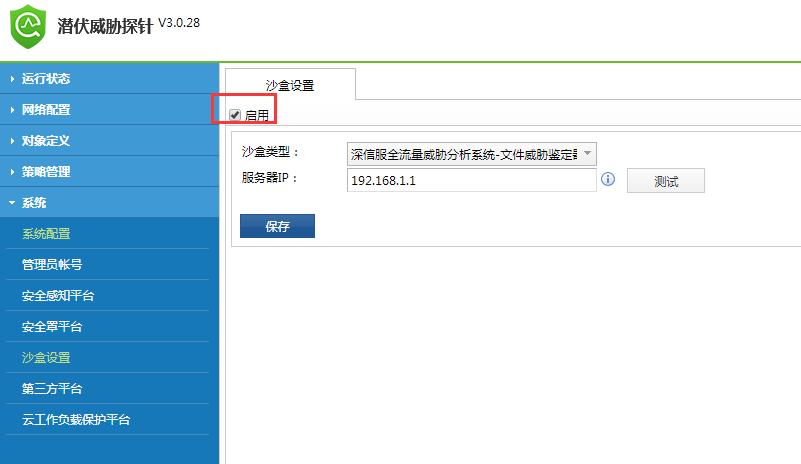
Check that the sandbox setting is enabled on STA, but the address is set to STA's own address. Confirm with the customer that the sandbox platform is not deployed. After disabling the sandbox setting, retest the LAN transmission of virus files. The Cyber Command log construction can retrieve the log of File Threat.
082705.png (31.12 KB)
Root cause
- If the sandbox is not deployed but the sandbox configuration is enabled on STA, STA will upload the threat file to the sandbox file instead of the Cyber Command file, which will cause Cyber Command to be unable to detect the virus file.
solution
- After disabling the sandbox setting, Cyber Command detection is normal
Suggestions and Conclusion
-
After the sandbox is configured on STA, the virus file will be sent to the sandbox for analysis and will not be uploaded to Cyber Command
-
For Cyber Command to detect virus files, STA needs to enable the corresponding file audit, and the audit file size must be within the set range before detection can be performed.
-
Cyber Command can detect virus files in ordinary compressed files, but cannot detect encrypted compressed files
Original Link
https://support.sangfor.com.cn/cases/list?product_id=24&type=1&category_id=9919&isOpen=true