
[Cyber Command] Upgrade management does not see STA online, and the STA rule base cannot be upgraded
Problem Description
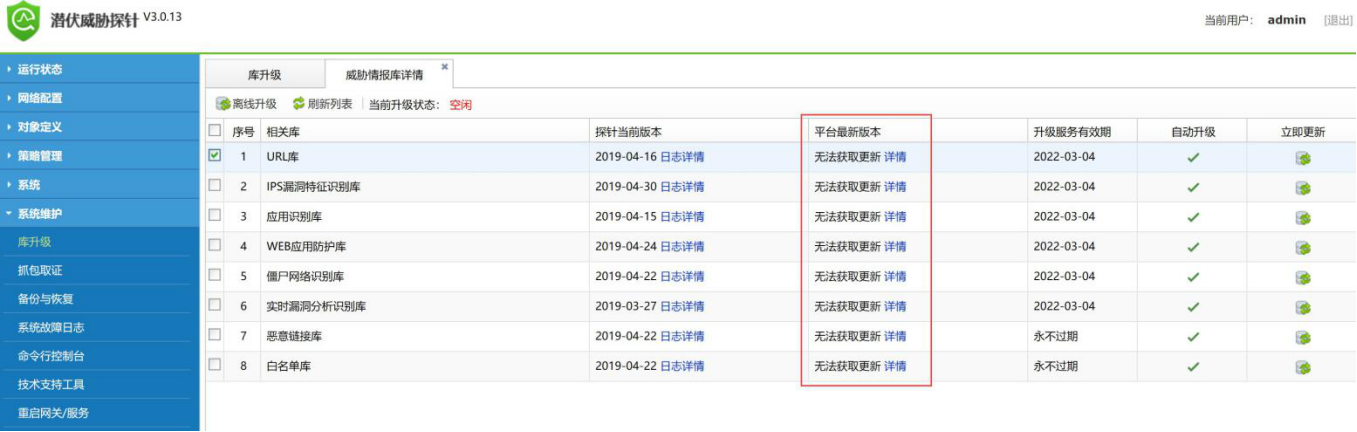
The STA access to Cyber Command is normal. Cyber Command can receive the logs transmitted by STA. However, STA cannot detect the latest version of the rule base, as shown in the figure:
667185cd932b7cafc3.png (296.6 KB)
Warning Very-Low Risk
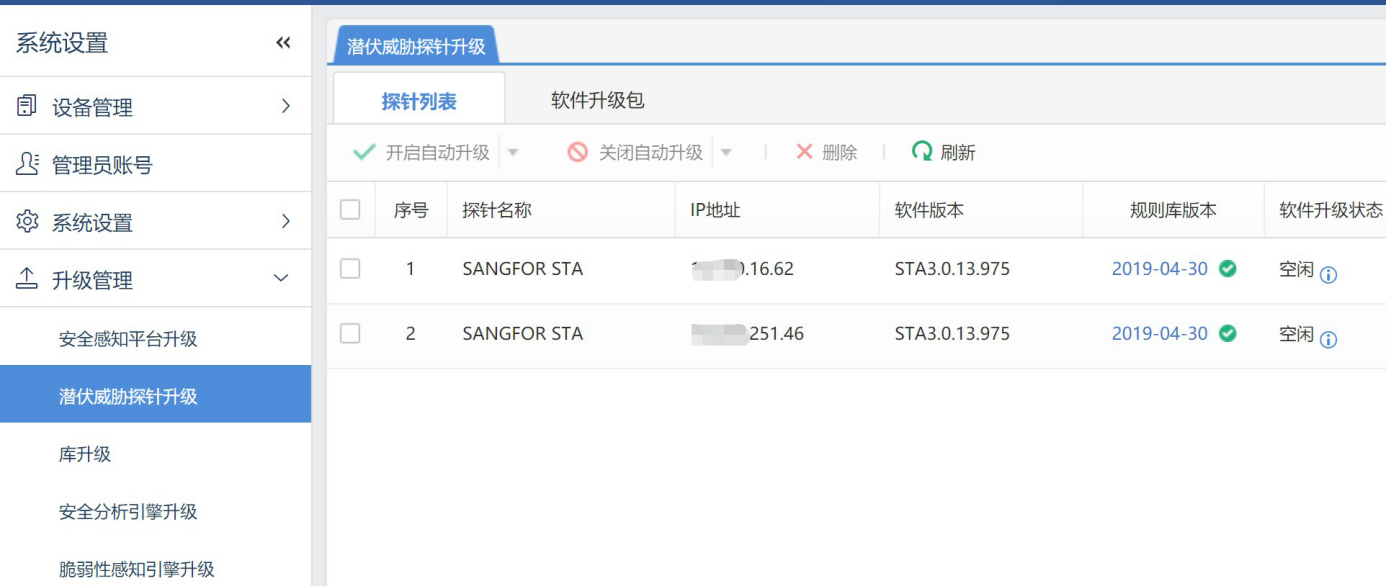
[Upgrade Management] – [STA Upgrade] – [STA List] I don't see the corresponding STA online
61085cd1418aecd73.png (278.88 KB)
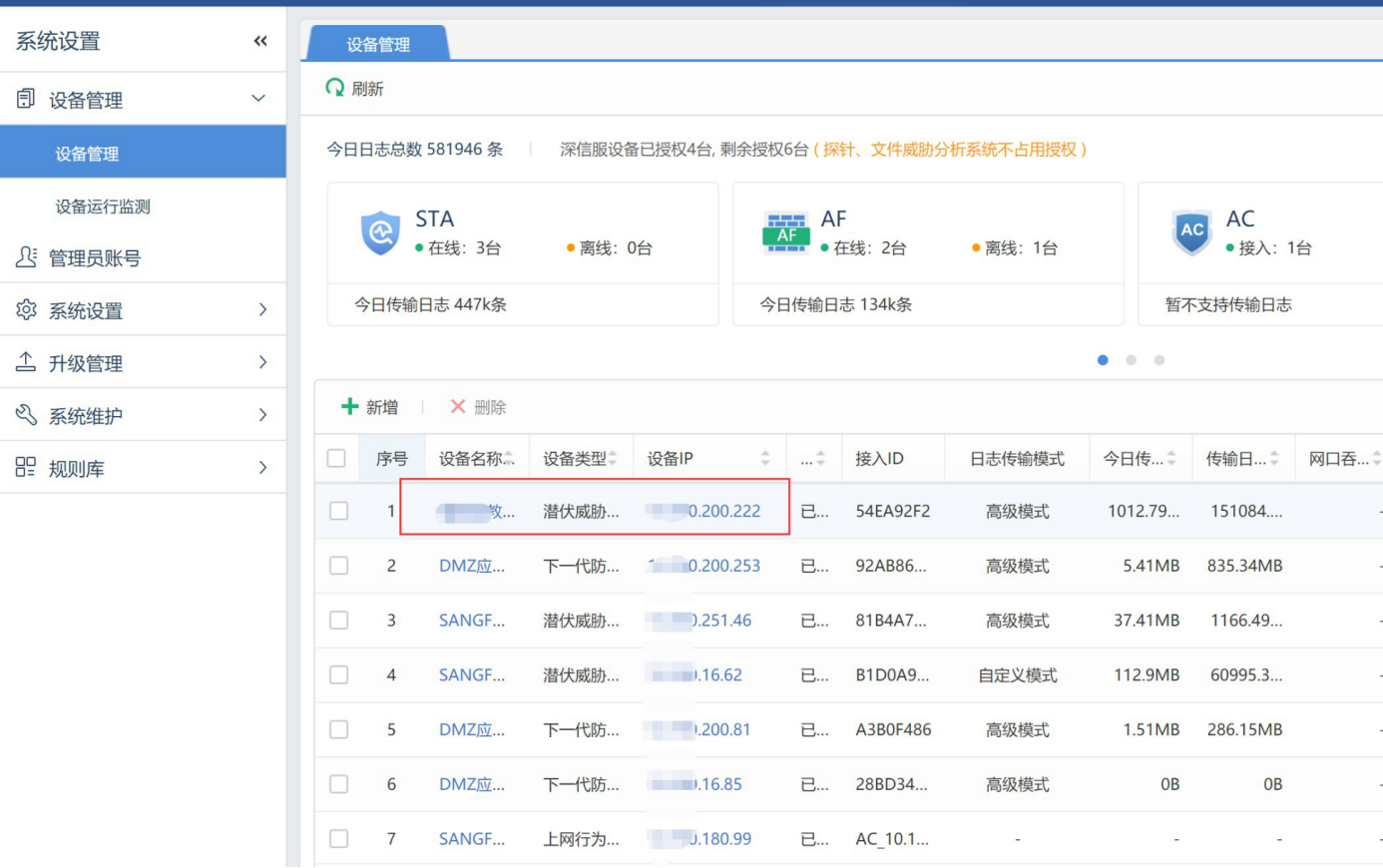
Cyber Command: [Device Management] STA can be seen Online and logs are transmitted normally
255395cd141b8be1f4.png (538.29 KB)
Process——
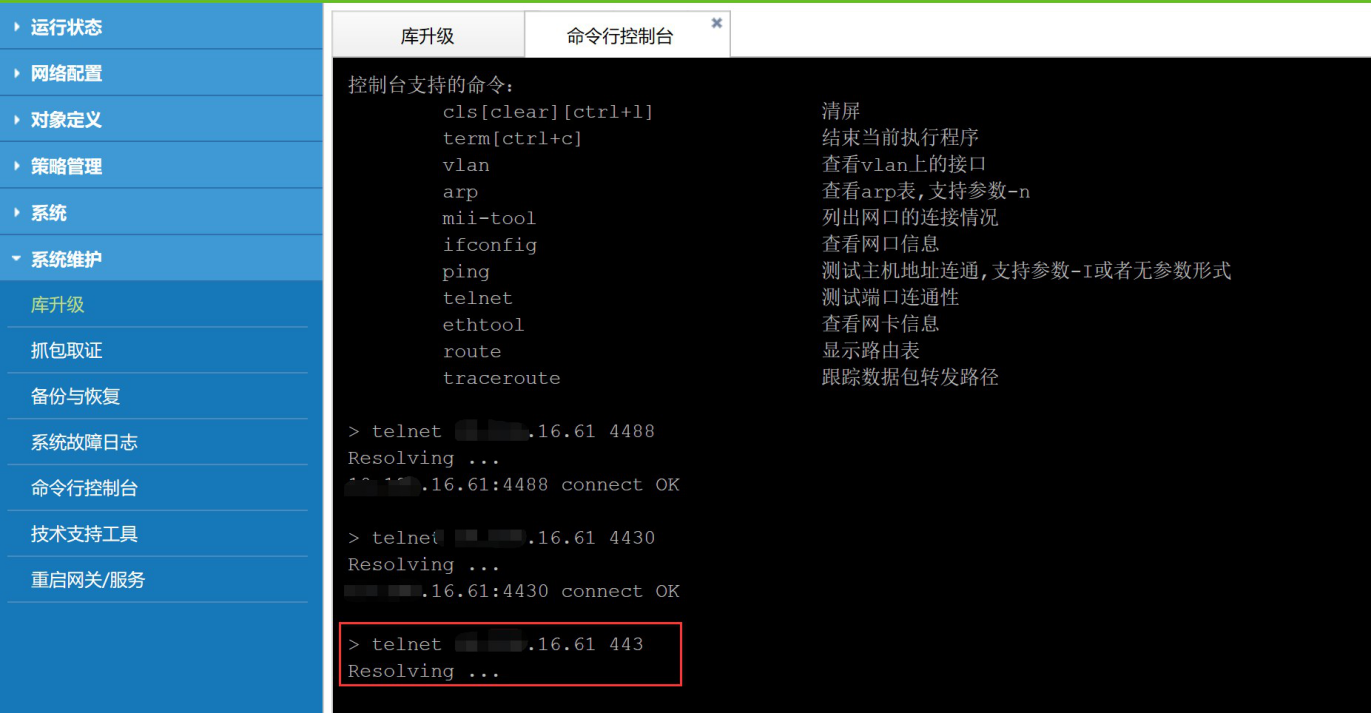
- Check whether the Cyber Command upgrade ports TCP4488, TCP4430, and TCP443 on STA are communicating normally.
717525cd141ce2765b.png (408.87 KB)
Through the telnet port, we can see that the 443 port from the STA to the Cyber Command is blocked. After confirming that there is a firewall between the STA and the Cyber Command, we can open the corresponding port on the firewall.
Root cause
To update STA, you need to first access Cyber Command port 443 to obtain the upgrade package Very-Low Risk, and then update the rule base from port 4488.
solution
The intermediate firewall allows STA to access Cyber Command port 443.
Suggestions and Conclusion
-
As long as STA has logs sent to Cyber Command, it will go online
-
STA needs to connect to the following ports of Cyber Command:
TCP443 Port for STA to obtain upgrade packages from Cyber Command
TCP4430 Port for STA to transmit security logs to Cyber Command
TCP4488 Port for STA to upgrade (rule base and device) via Cyber Command
Original Link
https://support.sangfor.com.cn/cases/list?product_id=24&type=1&category_id=9769&isOpen=true