
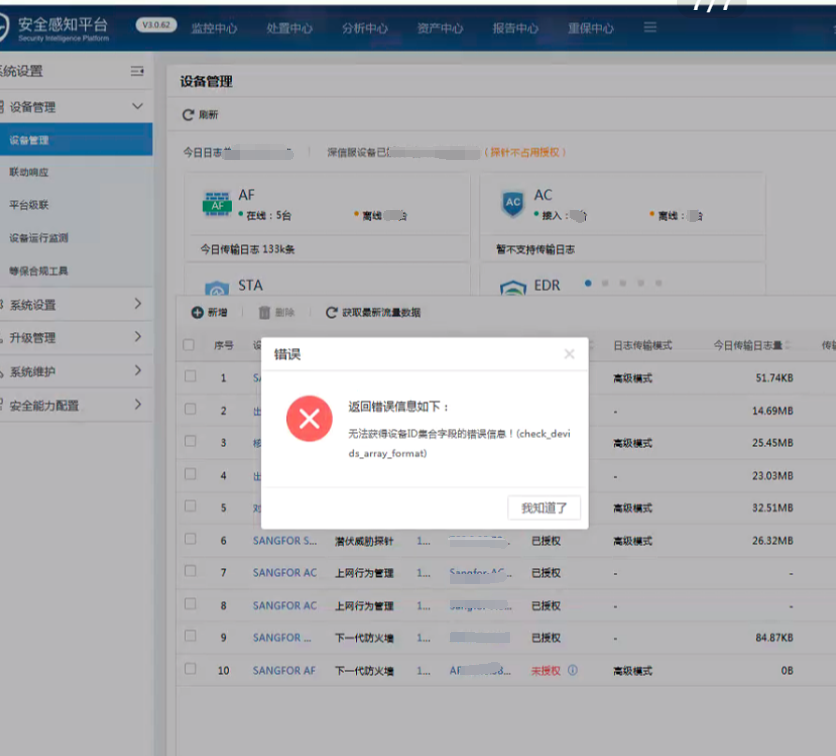
[Cyber Command] When opening the device management interface of Cyber Command, an error message is displayed: “Error information about the device ID collection field cannot be obtained! (check_devids_array_format)”
Problem Description
When Cyber Command opens the device management interface, an error message appears: "Unable to obtain error information of device ID collection field! (check_devids_array_format)". The same is true for changing browsers
Warning Very-Low Risk
Effective troubleshooting steps
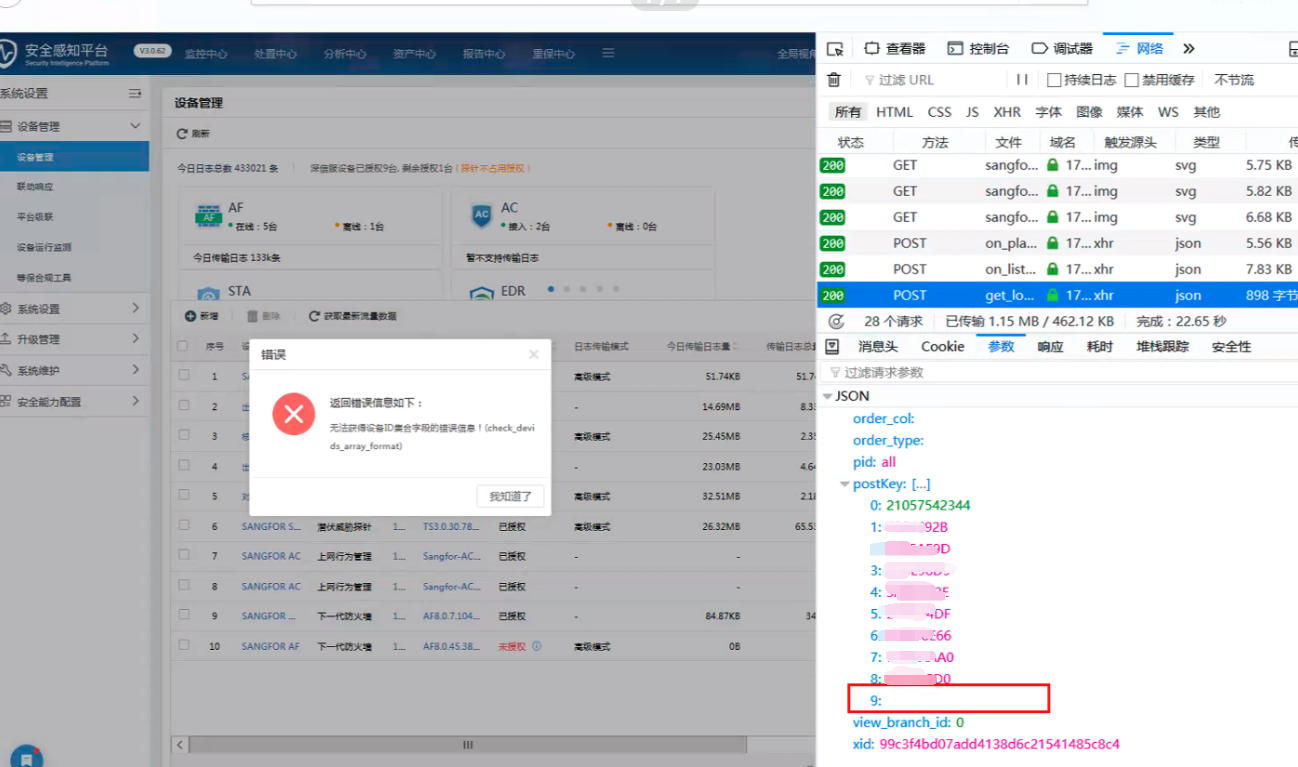
- Press F12 to start debugging, find the request with an error, check the parameters, and see that the 10th parameter is empty. The normal one is the gateway ID.
2. Check the device connection status and find that the IP of the 10th device conflicts with another device, and it prompts that it is Offline.
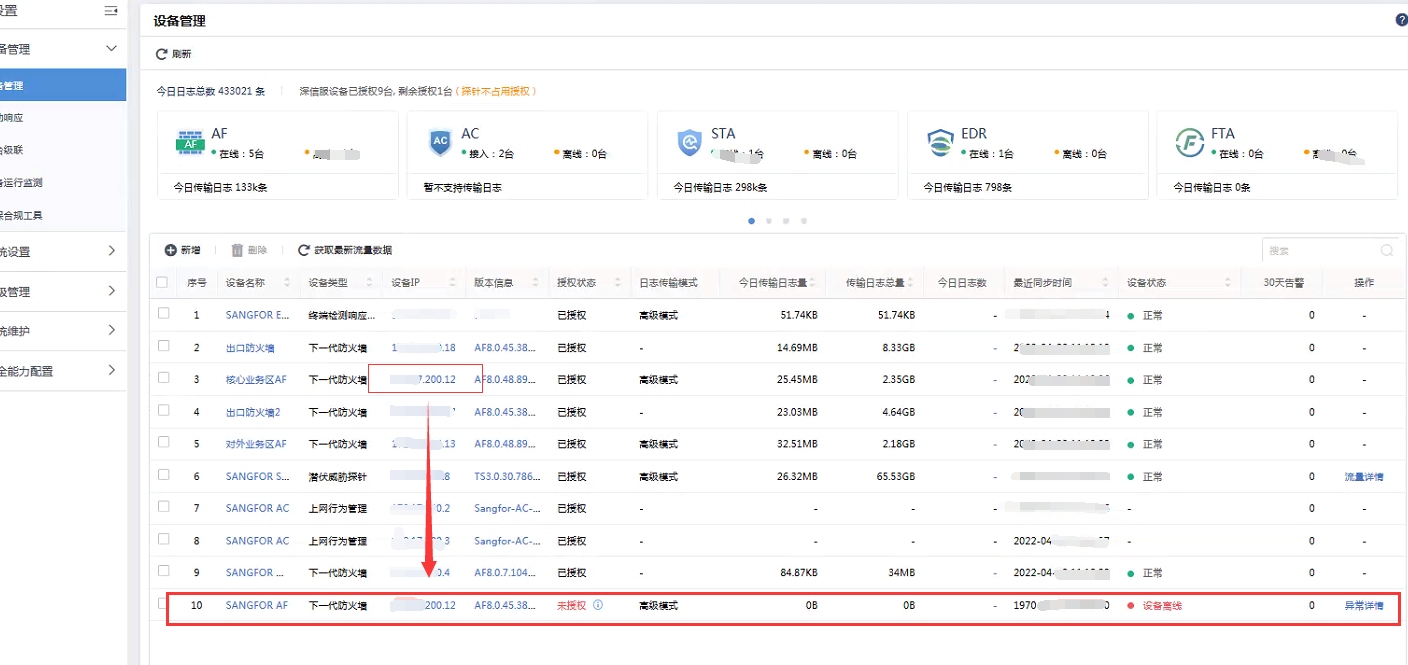
3. After deleting the 10th abnormal device from the device management interface, reopen the device management interface and it should be normal without any errors.
Root cause
The device is repeatedly connected, and the device ID conflicts cause the front-end to be unable to extract the gateway ID normally, and an error is reported when the parameter request is submitted to the back-end.
solution
Delete the conflicting and duplicate docking devices.
Operation Impact Scope
None
Original Link
https://support.sangfor.com.cn/cases/list?product_id=24&type=1&category_id=9968&isOpen=true