
[STA] STA cannot collect mirrored traffic
Problem Description
Mirroring is done on the switch to direct the traffic to the STA STA. However, when logging into the console on the STA STA, there is no traffic data on the right side of the homepage. If there is mirror data coming, a real-time linear graph of traffic will be displayed, and the real-time traffic data size value will be displayed above
Process——
- Check the hardware status of the device. The interfaces of the switch and STA STA are both 10G optical ports (eth10 and eth11), and both are plugged in with 10G optical modules.
- Both the module and the optical fiber have optical signals (look directly at the module and one end of the optical fiber interface. If there is an optical signal, one side will show infrared light), and the device interface light is also normal (after the network port is connected, the network port light is on)
- Log in to the device console and find that there are only interfaces 0-9 in the network interface, and there are no 10G mirrored optical ports eth10 and eth11
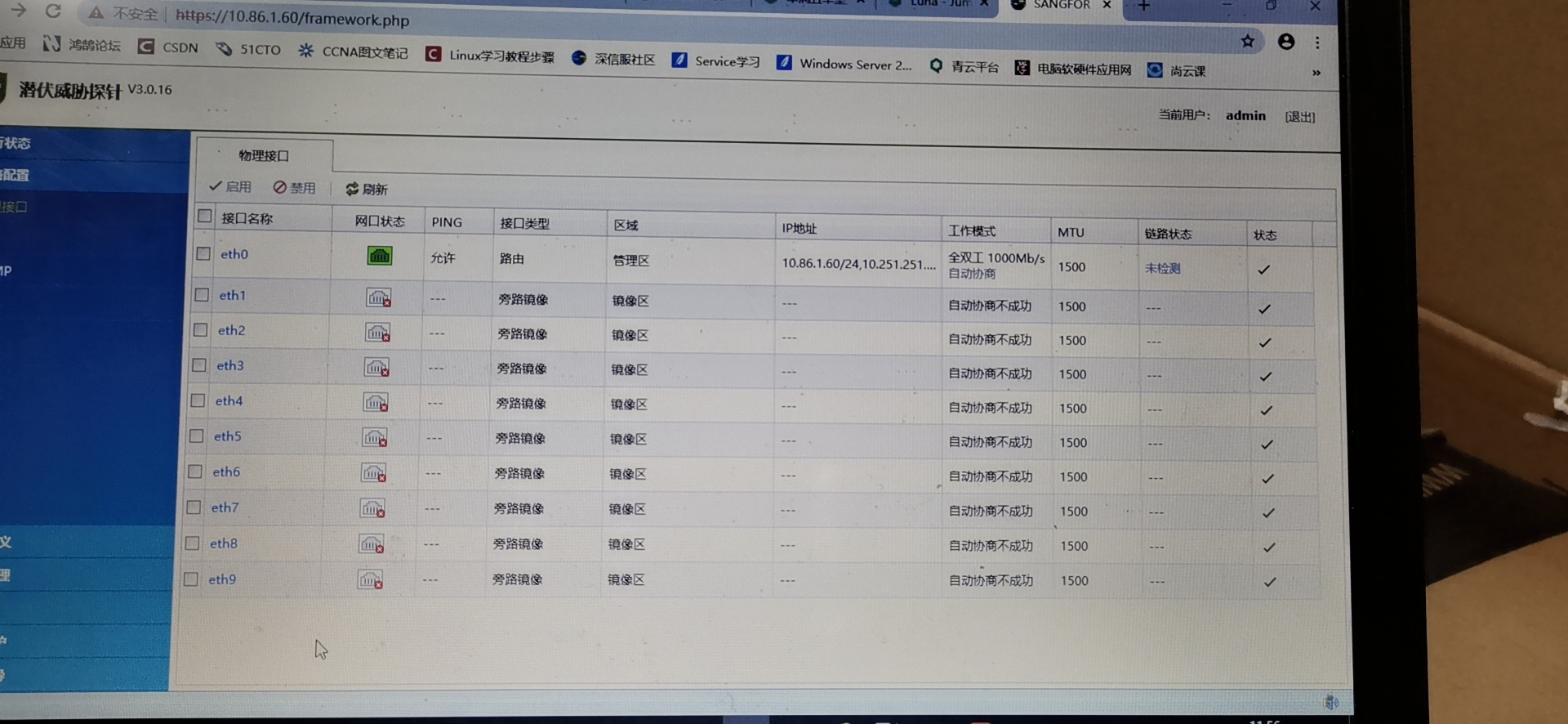
810665de902ed3b4ba.png (2.22 MB) - Unplug the 10G optical module from eth10 and eth11, restart and plug it back in, log in to the console and find that the interface is recognized and has traffic.
Root cause
The device driver is not enabled properly, the interface is not recognized, and the module needs to be unplugged and then started
solution
Unplug the optical module, restart the device, and then plug in the module and optical fiber. The device recognizes the interface and receives traffic
Suggestions and Conclusion
If the STA STA fails to collect traffic when connecting to the switch, you may want to check the following first after ensuring that the mirrored traffic configuration is correct:
The interface working speed (Gigabit or 10G), module (Gigabit or 10G), and optical port need to check whether the interface and module have optical signals and whether the interface network port status is normal.
If all the above are normal, you may want to check whether the network port is recognized on the STA probe device interface (device driver startup abnormality)
Original Link
https://support.sangfor.com.cn/cases/list?product_id=24&type=1&category_id=9778&isOpen=true