
Aliyun (Feitian Cloud 3.12) deployed ES on the platform, and the disk usage on the platform homepage is too high, causing the upgrade to fail.
Problem Description
Aliyun (Feitian Cloud 3.12) deployed ES on the platform, and the disk usage on the platform homepage is too high, causing the upgrade to fail.
Alarm Information
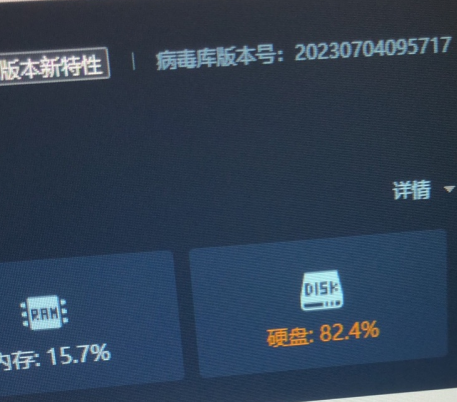
Effective Troubleshooting Steps
- Check the disk usage through the backend using the commands "df -h" and "lsblk". The client has allocated 20GB for the system disk and 1TB for the data disk, but the ES disk space only exists in the system disk.
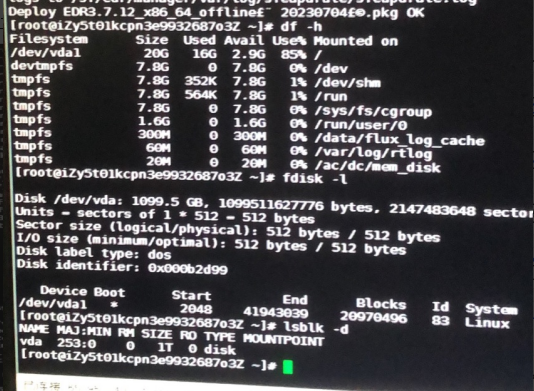
- Redeploy ES on Alibaba Cloud, directly allocate 1T of resources without setting up a data disk. It is found that Alibaba Cloud still allocates a 20G system disk, and the remaining space is not partitioned. The problem persists.
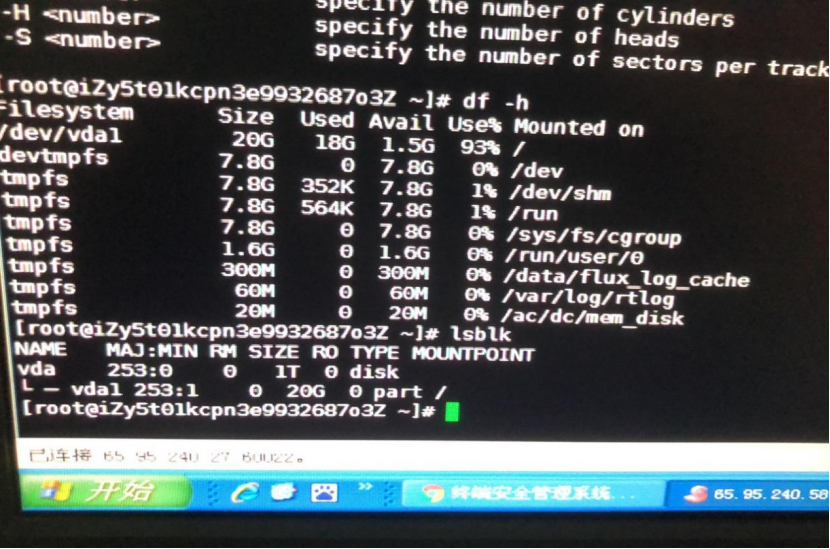
- ES does not need to separately partition storage data. Deleting partitions under the root directory, then rebuilding partitions, and rereading partitions can solve the problem.
Solution
- Delete partition, rebuild partition
①fdisk /dev/vda # Go to the corresponding directory
- Enter "d" to delete the corresponding partition.
③Enter the number corresponding to the partition (here it is written as 2, originally allocated two partitions, need to delete vda1, vda2 partitions)
④ Enter n #Create a partition
⑤ Input 1 # Create partition vda1
Enter two spaces # means that all remaining space will be allocated to vda1.
Enter P #Print partition table to confirm partition space is normal
Enter w # Write to partition (At this time, lsblk and df -h still do not see the corresponding partition space, need to reread the partition)
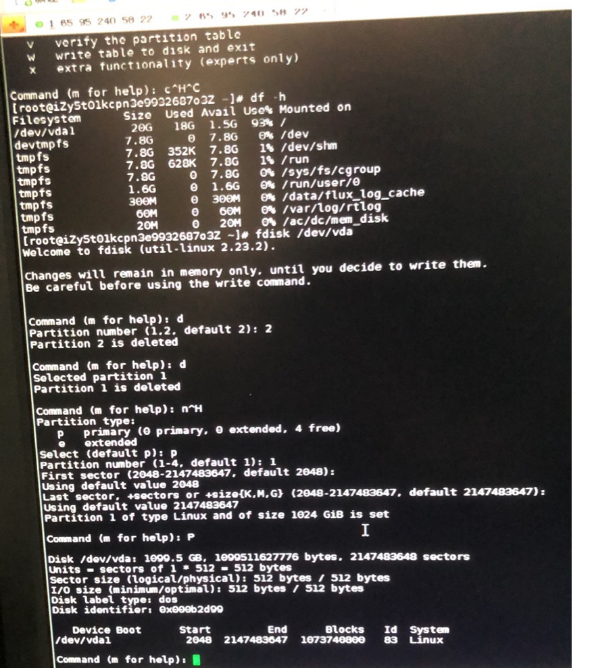
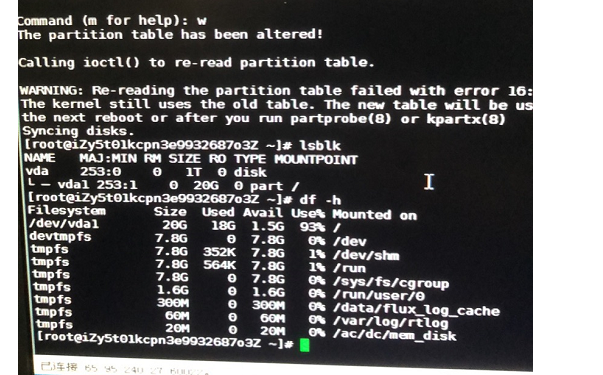
- Redundant partition
partprobe /dev/vda
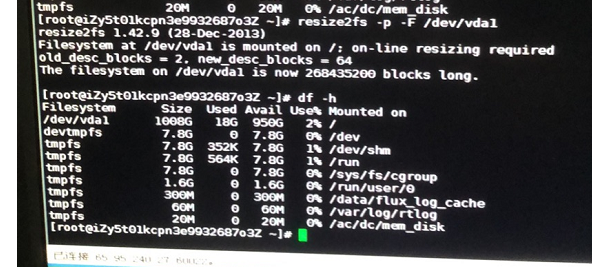
If there is no change in df -h later, you can recalculate the size of the file system. If it still doesn't work, remount it.
resize2fs -p -F /dev/partition (file system)
xfs_growfs /dev/partition (choose one of the two file system configurations)
Suggestions and Summary
Improper operation may affect system operation. If the authorized platform is already in use, be sure to take a snapshot before operating (it is not recommended to operate directly in scenarios where snapshots cannot be taken or data may be lost).
Original Link
https://support.sangfor.com.cn/cases/list?product_id=16&type=1&category_id=25448&isOpen=true