
Antivirus Database not updated automatically in ES Manager
Issue Description
In some cases, customer’s environment has already installed the patch for the antivirus database to be auto updated, but the agents were still unable to be auto-updated to the latest version.
Error/Warning Information
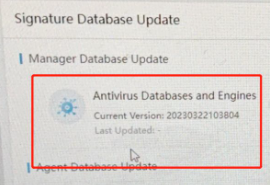
The users’ database update was either shown as blank or have not been updated for a long time. (E.G a month)
Handling Process
1.Verify whether the following download servers were able to ping/resolved via domain name.
intelligence.sangfor.com.cn
auth.sangfor.com
download.sangfor.com.cn
upd.sangfor.com
https://download.sangfor.com
2.Login the ES MGR backend, can check on the following logs:
/sf/edr/manager/var/log/vdbupdate/
/sf/edr/manager/var/log/sfeupdrule/
/sf/edr/manager/var/log/patch_upgrade/
Error from Sfeupdrule logs:
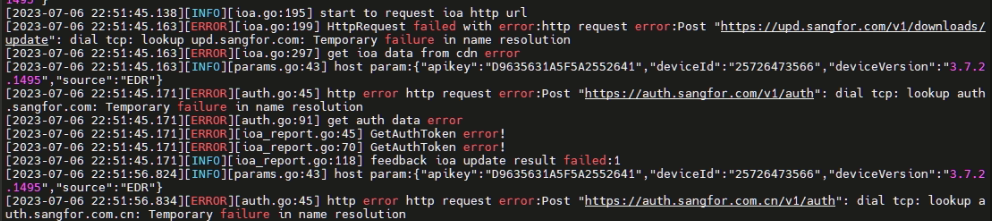
3.As per checking, the domain names were unable to be resolved normally.


Root Cause
From the logs and checkings done above, it clearly shows that there is an issue with the resolution of domain names.
Solution
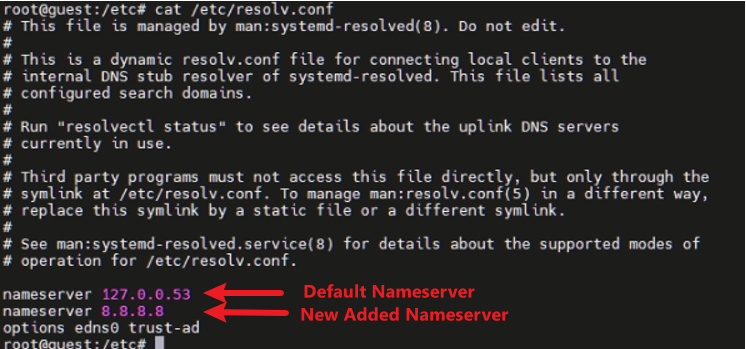
A new nameserver is needed to be configured in /etc/resolv.conf configuration file.
-
Make a backup copy for the configuration file first.
cp /etc/resolv.conf /etc/resolv.conf.bak -
Add the new nameserver in the /etc/resolv.conf configuration file.
vim /etc/resolv.conf
Add 8.8.8.8 as the new nameserver.
-
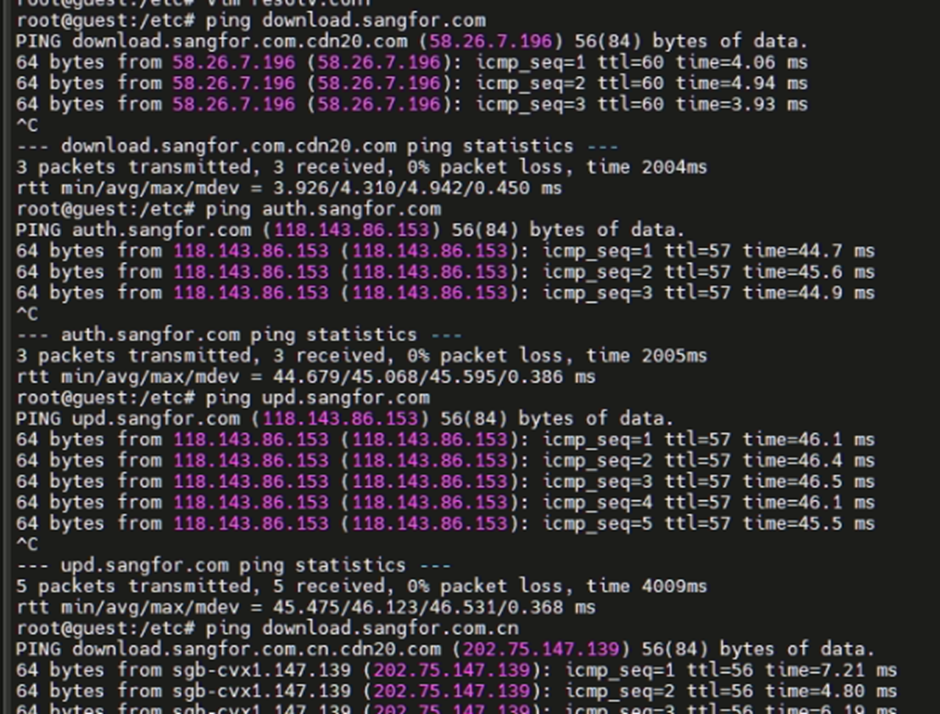
After adding the new nameserver, the download servers were able to be resolved via domain name.
-
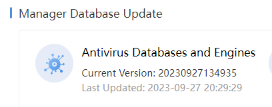
After the changes, user had feedback their database was able to be updated to the latest version.
Suggestions
- Follow the handling method and solution.
- This KB can be referred when the patch is already installed, but the virus database is still unable to be auto-updated.
- If the scenario varies from above or the solution doesn’t work, kindly consult with specialist or R&D for further verification.