
“` [ES] AF can communicate with the ES platform on port 443, but fails to connect to ES “`
Problem Description
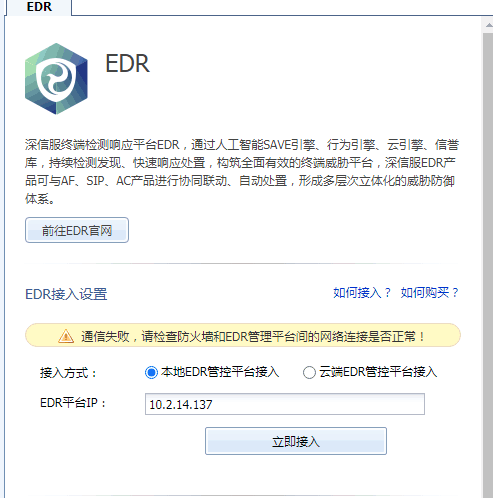
The version of AF device 8.0.17 failed to connect to ES, with the message "Communication failed, please check if the network connection between the firewall and ES management platform is normal!"
Alarm Information
48835f2033b593d9f.png (31.02 KB)
Process –
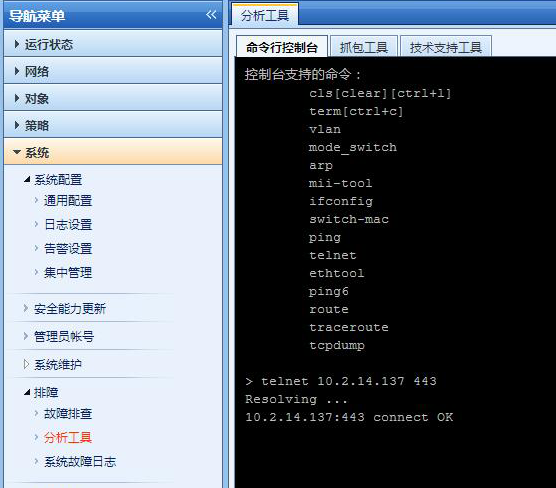
Test the AF device's command line console to see if the AF device itself can reach the 443 port of the ES platform.
408735f203426cba09.png (162.13 KB)
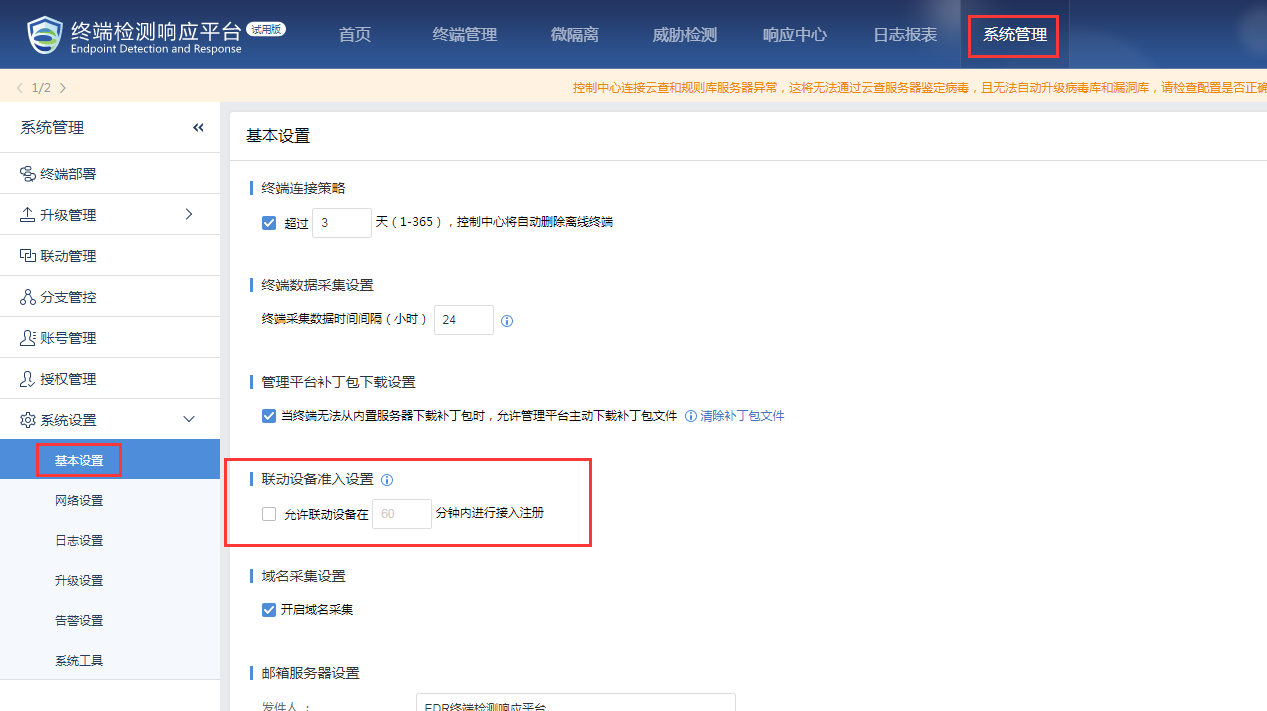
Check that the version of ES is 3.2.21 and that the "Linkage Device Access Settings" option is not checked under "System Management" – "System Settings" – "Basic Settings".
681055f20357f70336.png (88.86 KB)
Root Cause
The failure of other devices to access ES is caused by the lack of selection of the linked device access setting in [System Management]-[System Settings]-[Basic Settings].
Solution
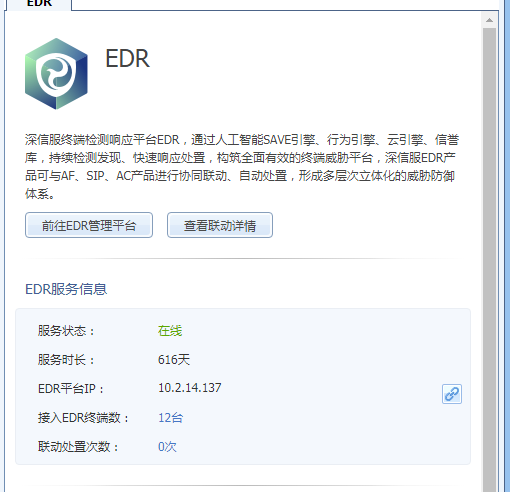
After checking the "Linkage Device Access Settings" in [System Management] – [System Settings] – [Basic Settings], the AF device successfully connected.
295635f2035cdda1c2.png (36.87 KB)
Suggestions and Summary
When AF devices access ES, the following points need to be checked:
- AF devices communicate with the ES platform on port 443.
- The ES platform needs to have linked response authorization.
- The ES platform needs to check the linkage device access.
Original Link
https://support.sangfor.com.cn/cases/list?product_id=16&type=1&category_id=2523&isOpen=true