
[ES] AF linkage ES occasionally experiences linkage abnormalities.
Problem Description
AF links ES to send scans to high-risk users, occasionally there may be failures in sending the linked scans.
Alarm Information
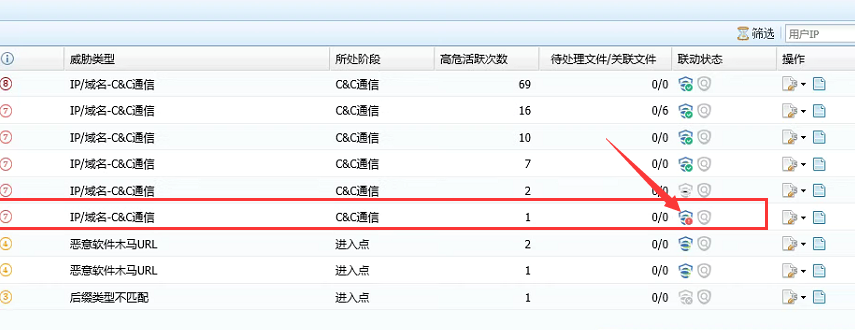
Effective Troubleshooting Steps
- Manually initiate a scan for the terminal on the ES management platform and found that the terminal is already in a scanning state.

- After the terminal completes its own scan, test the normal distribution of the scan under linkage.
Root Cause
When the host clicks on scan from the ES client, or when the ES Manager has already issued the scanning status to the client, AF cannot initiate a scan against the host and will prompt a failed issuance. The issuance can be reattempted once the terminal scan is complete.
Solution
Mechanism problem
Original Link
https://support.sangfor.com.cn/cases/list?product_id=16&type=1&category_id=2875&isOpen=true