
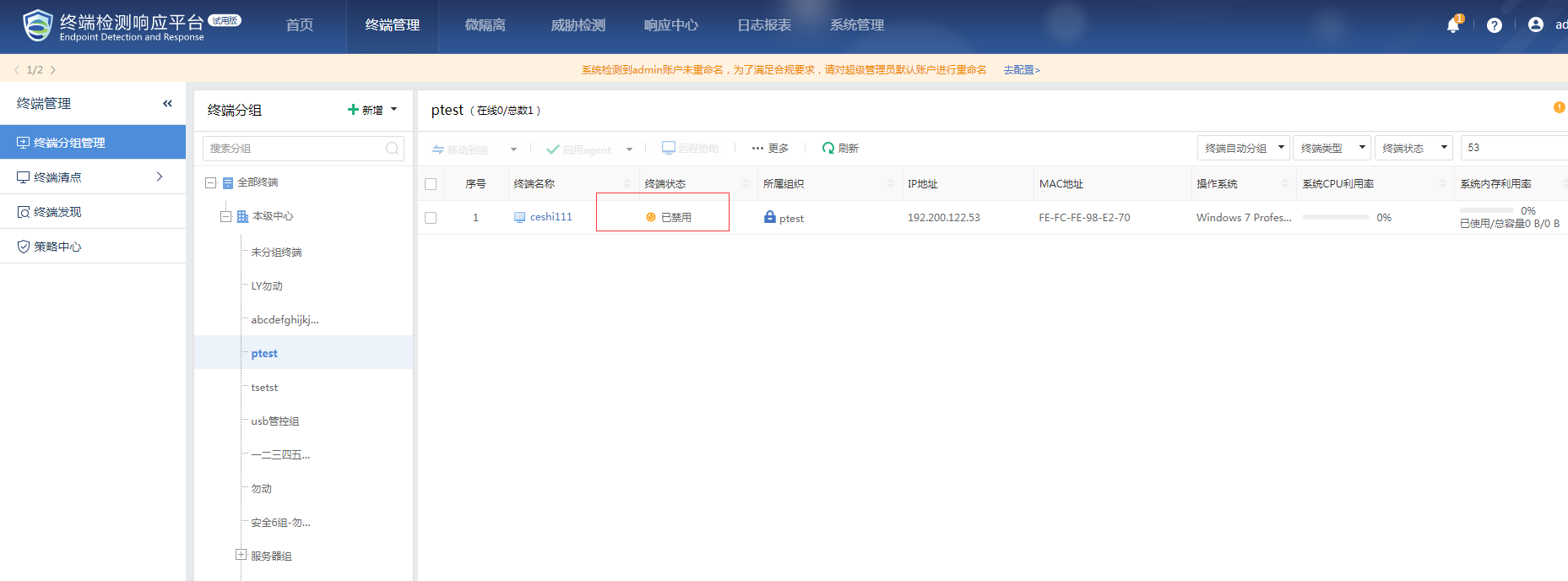
[ES] After disabling the agent on the ES Manager platform, it cannot be re-enabled.
Problem Description
After disabling the agent on the ES Manager platform, it cannot be re-enabled.
Effective Troubleshooting Steps
- Check the terminal ABS log and find that the terminal has been continuously calling the task.exe process.
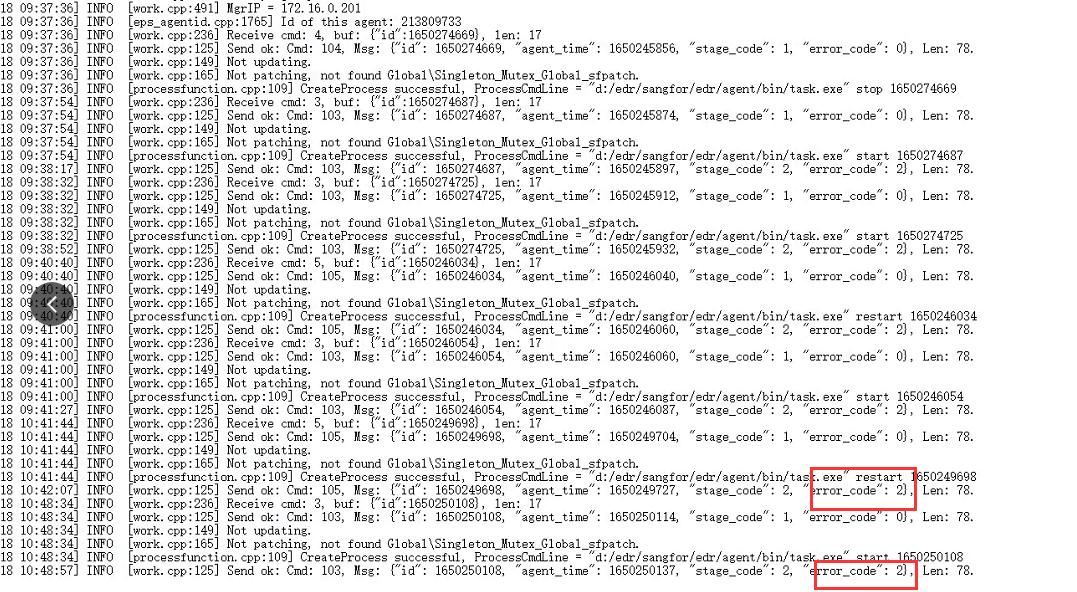
- Check the terminal task log and find that the process has already timed out with an error.

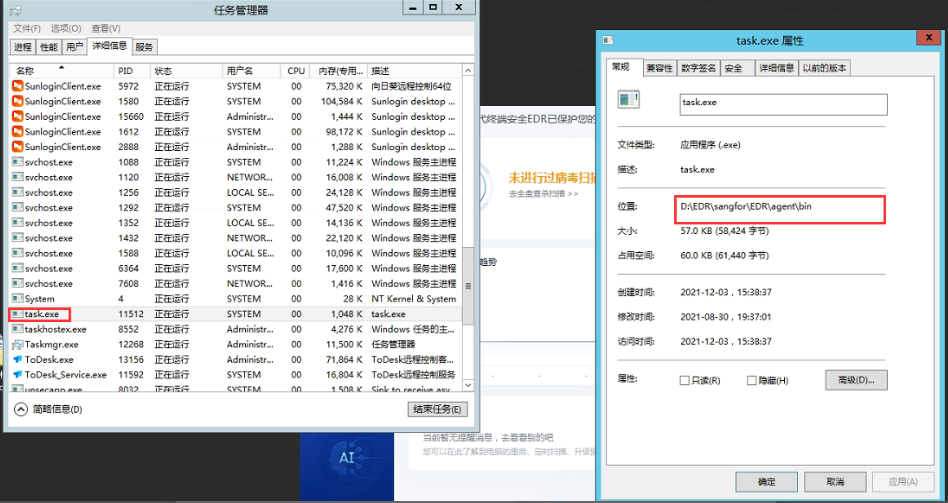
- End the task.exe process directly in the terminal and then restart the agent.
Root Cause
The previous disable operation caused the task process to be stuck, unable to reissue the enable agent command.
Solution
Terminate the task process directly in the terminal, then re-enable the agent on the platform.
Scope of Operation Impact
Does not affect customer business.
Original Link
https://support.sangfor.com.cn/cases/list?product_id=16&type=1&category_id=2871&isOpen=true