
[ES] After installing individual agents in version 3.5.30, there is a prompt indicating unauthorized access, but the actual number of authorized managers is normal.
Problem Description
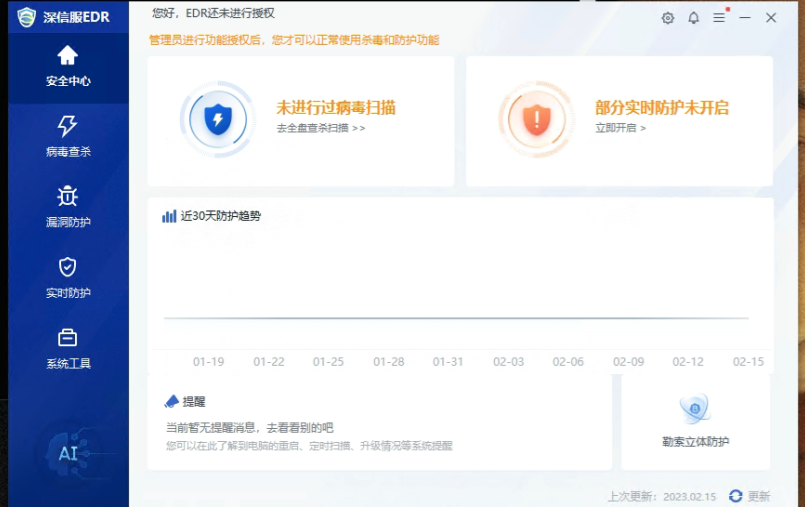
After installing the 3.5.30 version, some agents are displaying an "unauthorized" message, even though the number of authorized managers is normal.
Alarm Information
Effective Troubleshooting Steps
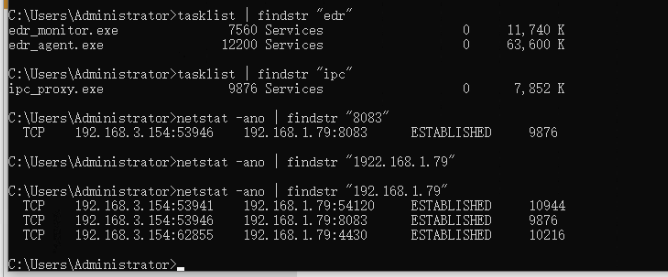
- Check the agent process status to ensure it is normal. Also, ensure that the connection status between port 8083 and the manager is normal and remains unchanged.
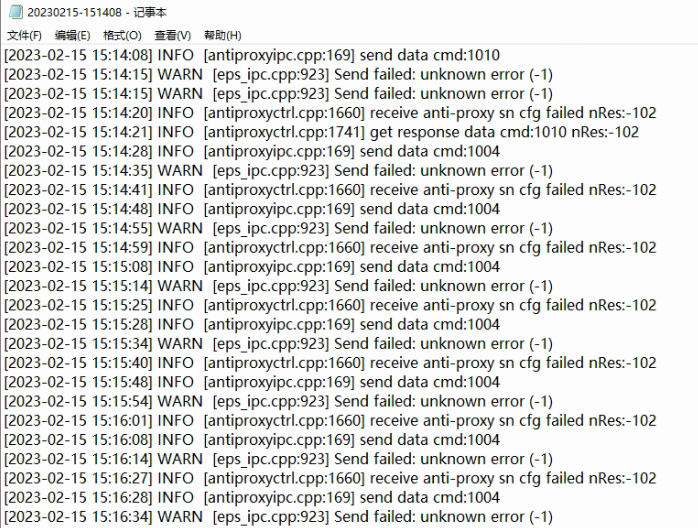
2. Check the IPC log and find anomalies:
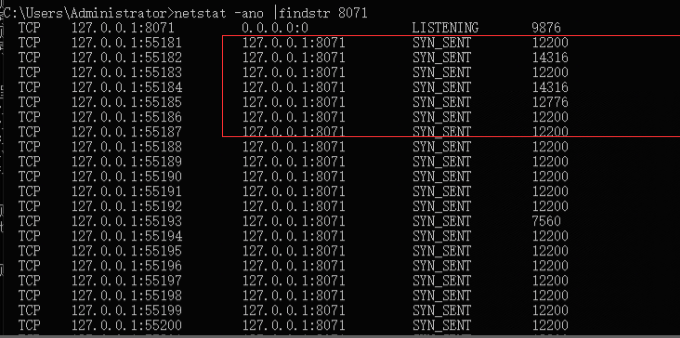
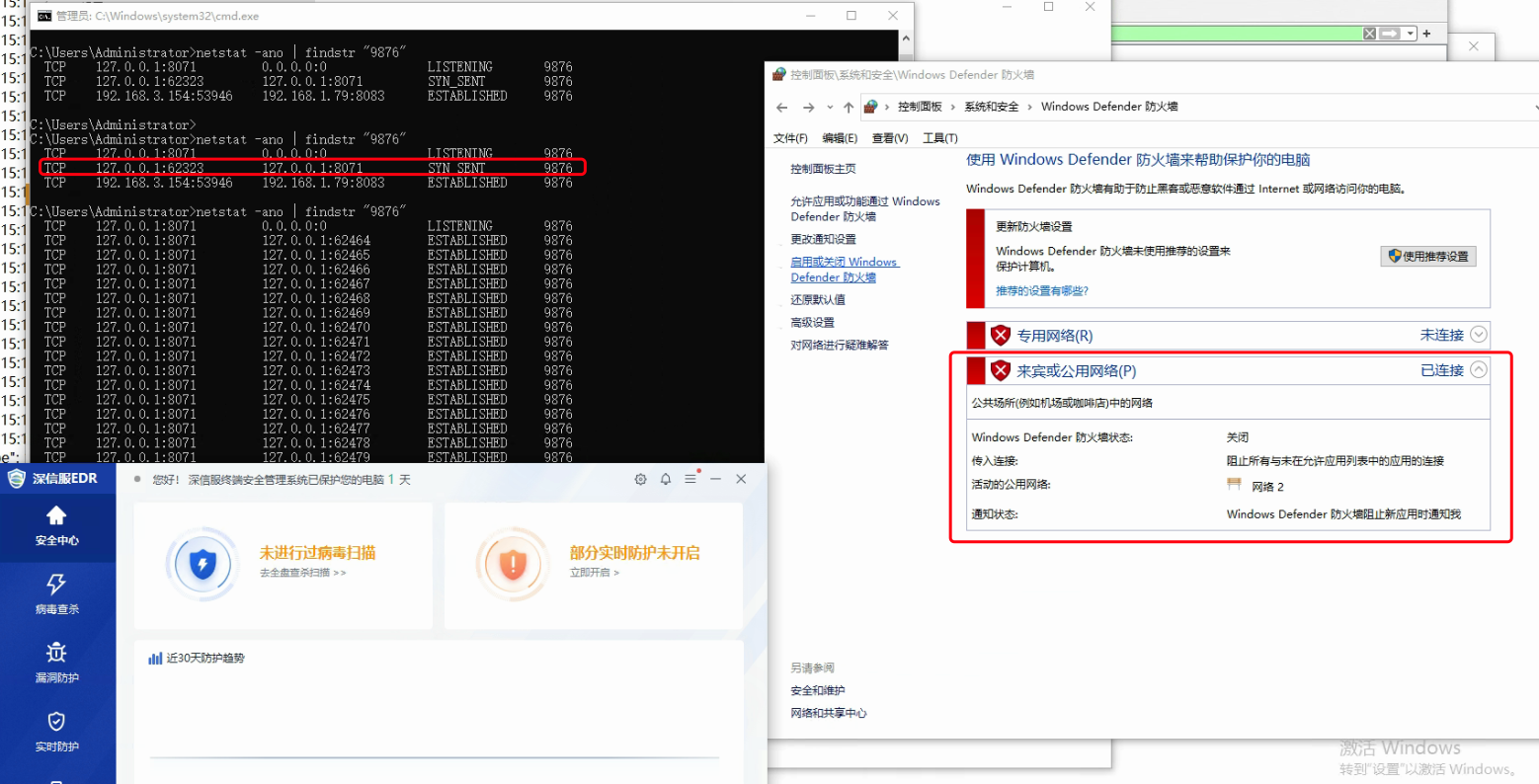
- Check if there is a connection exception on port 8071 of IPC, but 8071 is listening normally.
Root Cause
Windows Firewall is blocking the connection.
Solution
After disabling the Windows built-in firewall verification, it is working fine.
Original Link
https://support.sangfor.com.cn/cases/list?product_id=16&type=1&category_id=2890&isOpen=true