
[ES] Agent behavior analysis engine is not enabled.
Problem Description
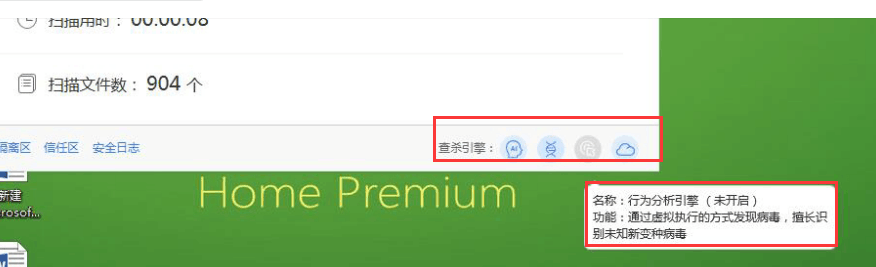
The ES agent client displays a prompt indicating that the behavior analysis engine is not enabled.
Alarm Information
965725d5e6f2d5fc90.png (97.82 KB)
Process –
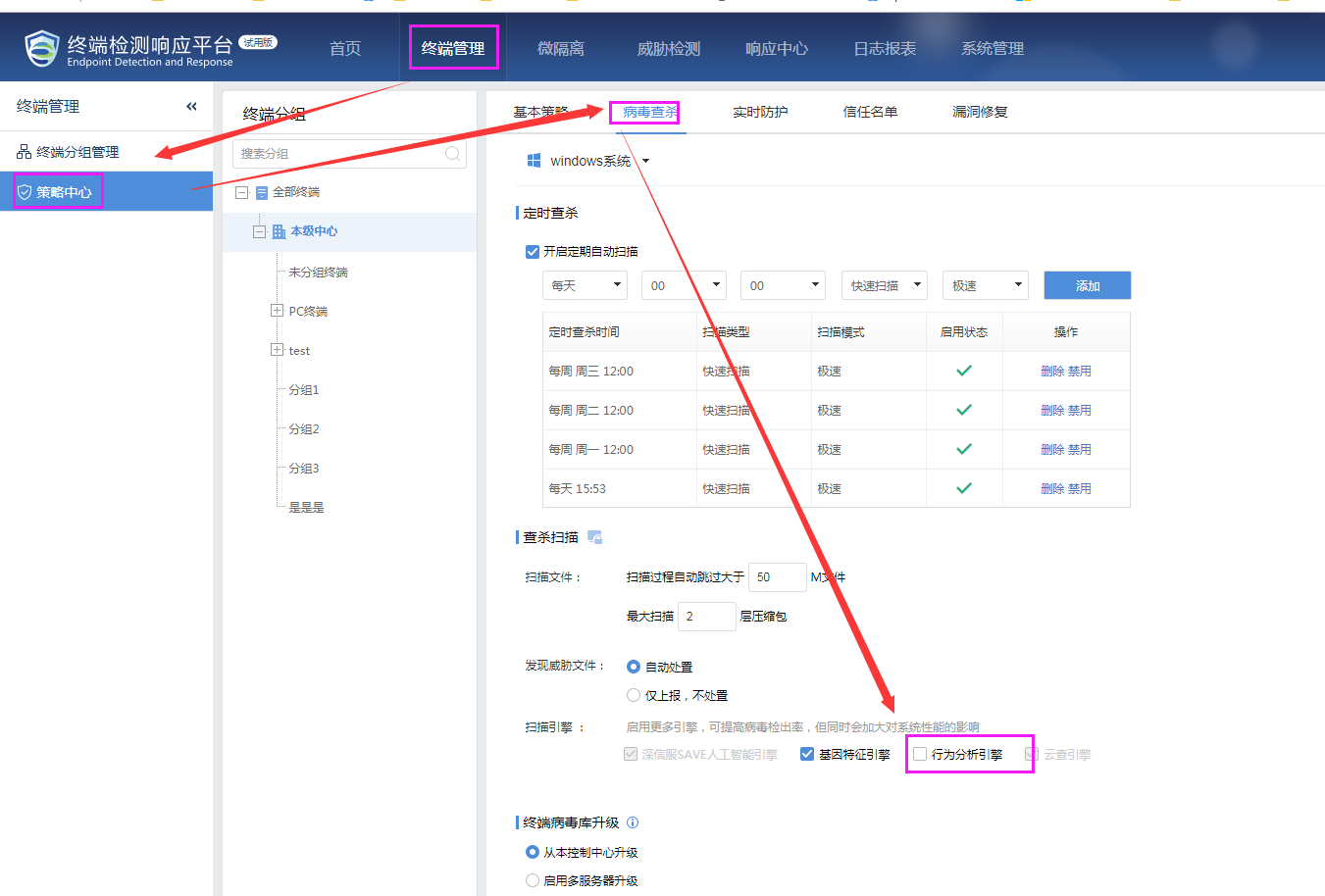
- Log in to the ES central terminal and go to [Terminal Management] – [Policy Center] – [Virus Scan] – Check if the policy for the corresponding terminal group on the central terminal has the behavior analysis engine enabled. After enabling it, the small icon next to the virus scan will light up. Submit the policy and then check on the client side to see if it is normal.
672565d5e6fc990eb2.png (146.41 KB)
Root Cause
The behavior analysis engine is not enabled on the central end.
Solution
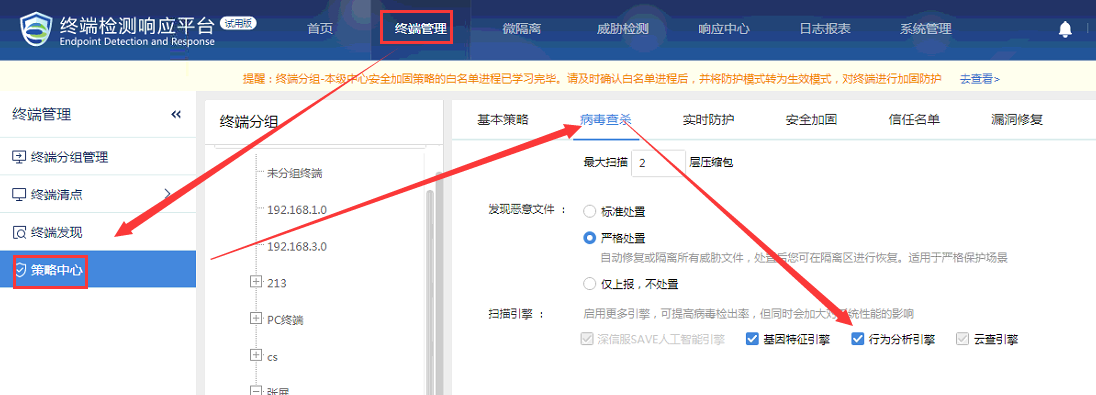
Open the behavior analysis engine on the central end, and enable it in "Terminal Management"-"Policy Center"-"Virus Killing".
881395e4dfa6021a67.png (164.47 KB)
Original Link
https://support.sangfor.com.cn/cases/list?product_id=16&type=1&category_id=2498&isOpen=true