
[ES] Agent installation fails.
Problem Description
Customer feedback: Unable to install ES on Windows terminal.
Effective Troubleshooting Steps
- View the installation log, check the path:
Windows XP and 2003 system installation log path: C:\Documents and Settings\AllUsers\Application Data\Sangfor\ES\log\sfupdate
Other Windows system installation log path: C:\ProgramData\Sangfor\ES\log\sfupdate
The content is as follows:
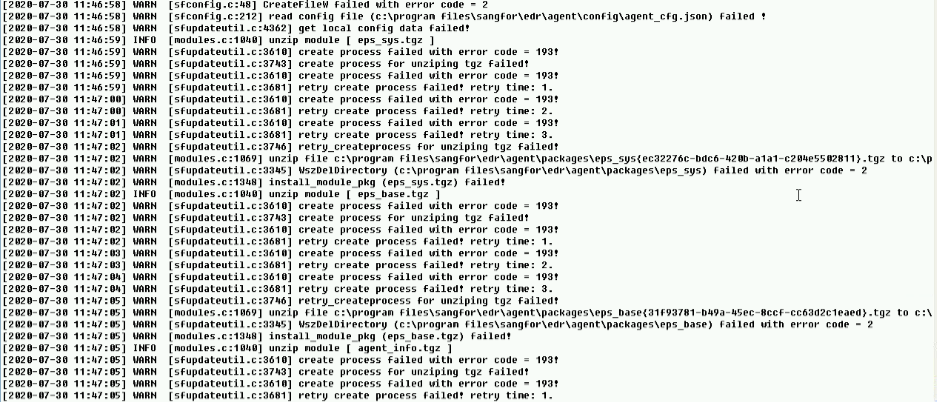
All are reporting error 193.
- Confirm that there is a file or folder called "program" in the root directory of the C drive.
Root Cause
Terminal environment problem, the existence of a file or folder called "program" in the root directory of the C drive causes abnormal process execution.
Solution
Delete or rename the file or folder named "program" in the root directory of the C drive to resolve the issue.
Original Link
https://support.sangfor.com.cn/cases/list?product_id=16&type=1&category_id=2520&isOpen=true