
[ES] Agent offline issue caused by Windows Firewall interception.
Problem Description
Offline terminal agent issue
Effective Troubleshooting Steps
- View agent logs, by default located in C:\Program Files\Sangfor\ES\agent\var\log\agent\.log file. If a custom installation path is used, refer to the corresponding path. The log is as follows:
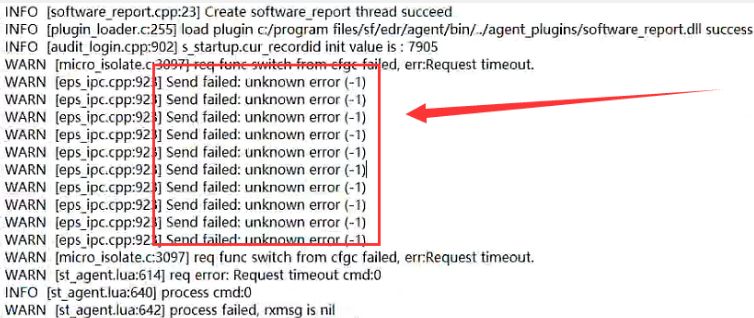
- In the error log, there is "Send failed: unknown error (-1)". Check the terminal firewall and confirm that the firewall is enabled.
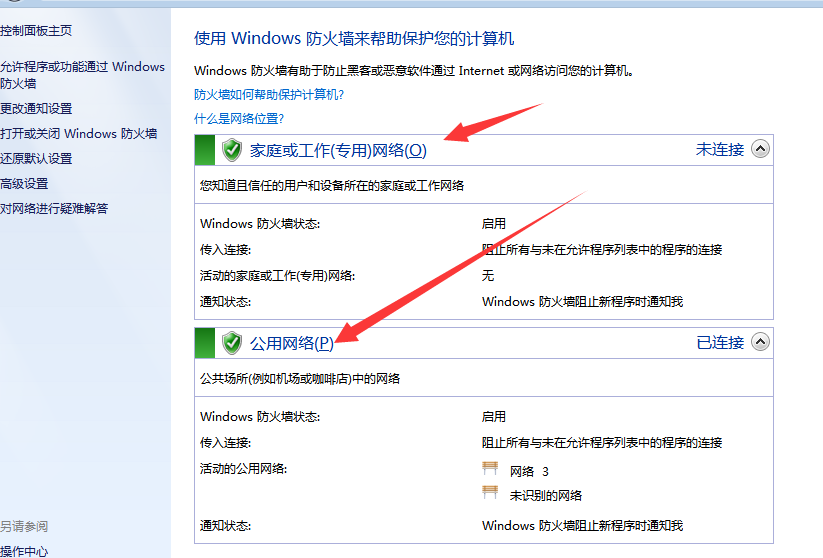
- After closing the firewall, wait a few minutes for the agent to come online normally (Note: Closing the firewall needs to be agreed upon with the customer. If it is inconvenient to close, you can also solve it by allowing the ipc_proxy.exe process through the firewall policy).
Solution
Turn off the firewall or configure the firewall policy separately to allow resolution.
Original Link
https://support.sangfor.com.cn/cases/list?product_id=16&type=1&category_id=2880&isOpen=true