
ES Client appears offline
Issue Description
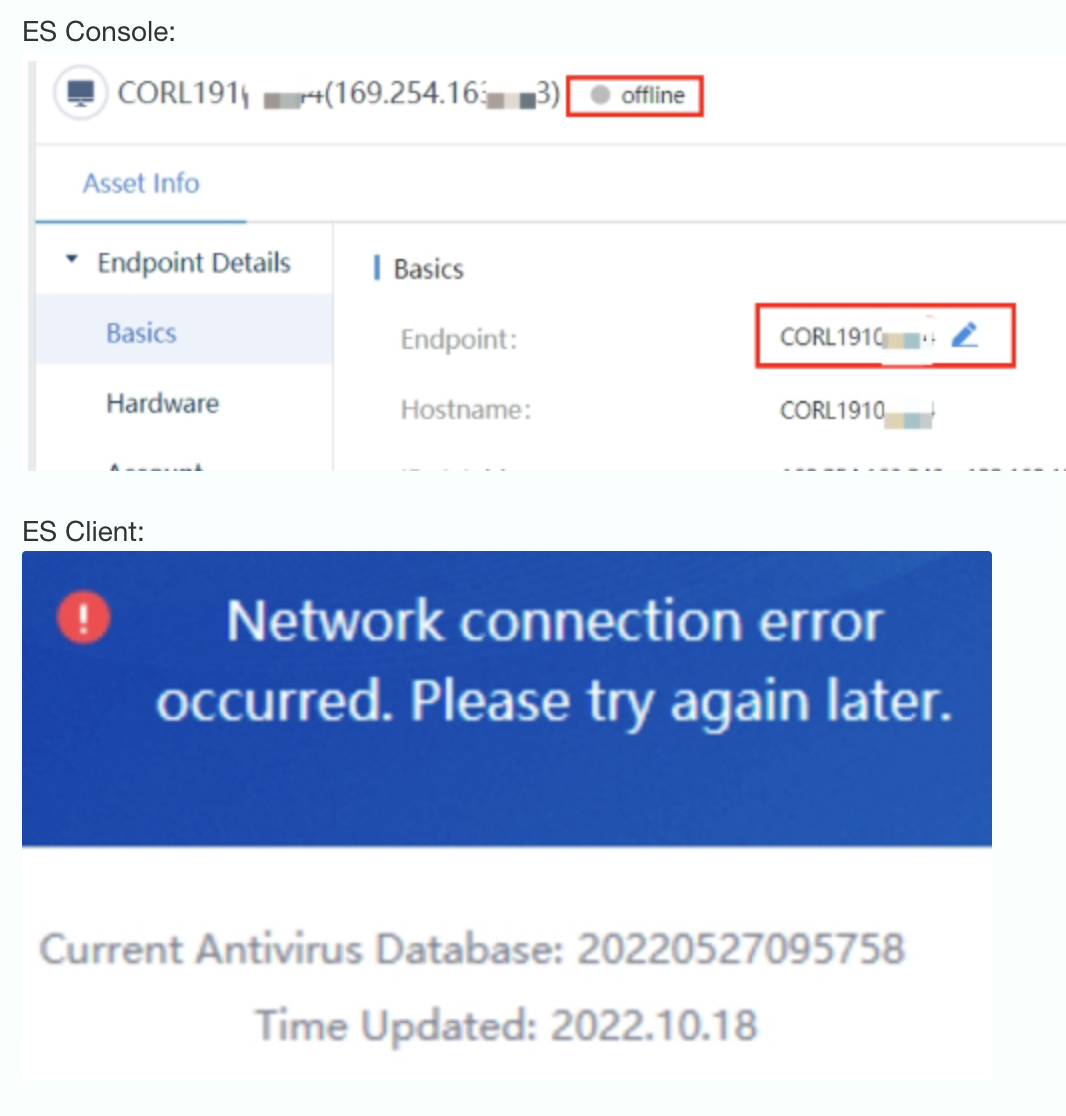
User feedback that one of the client appears offline on ES Console and the ES Client prompts: "Network connection error occurred. Please try again later"
Error/Warning Information
Handling Process
-
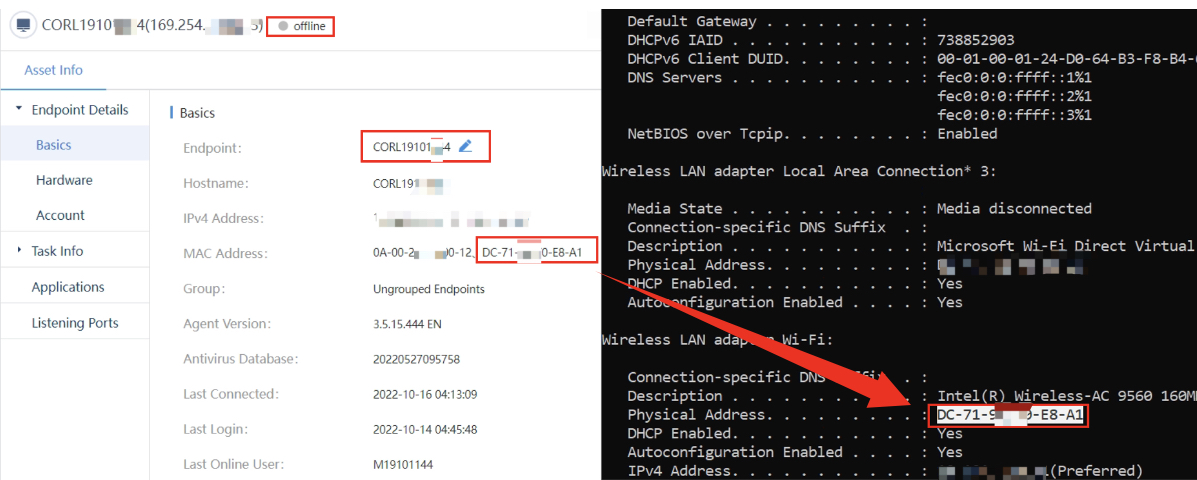
Check the MAC address shown on ES console and the actual MAC address on the machine, it matches.
-
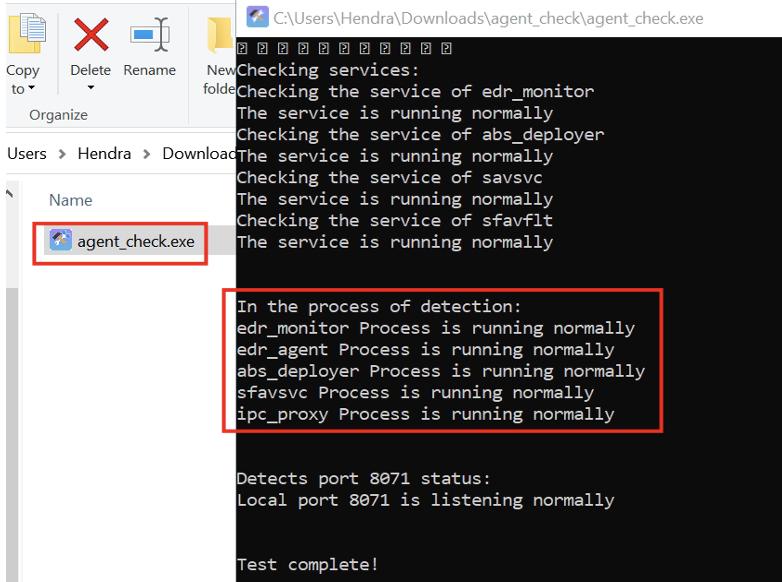
Use agent_check tool to verify all ES services are running normally.
Link : Click here
-
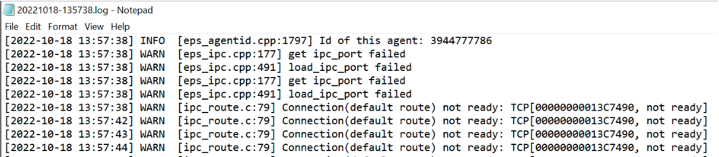
View ipc process logs.
Path : C:\Program Files\Sangfor\EDR\agent\var\log\ipcproxy0\xxx.log
-
Noticed that the ES IP address shown on Client side and actual IP on ES is different.
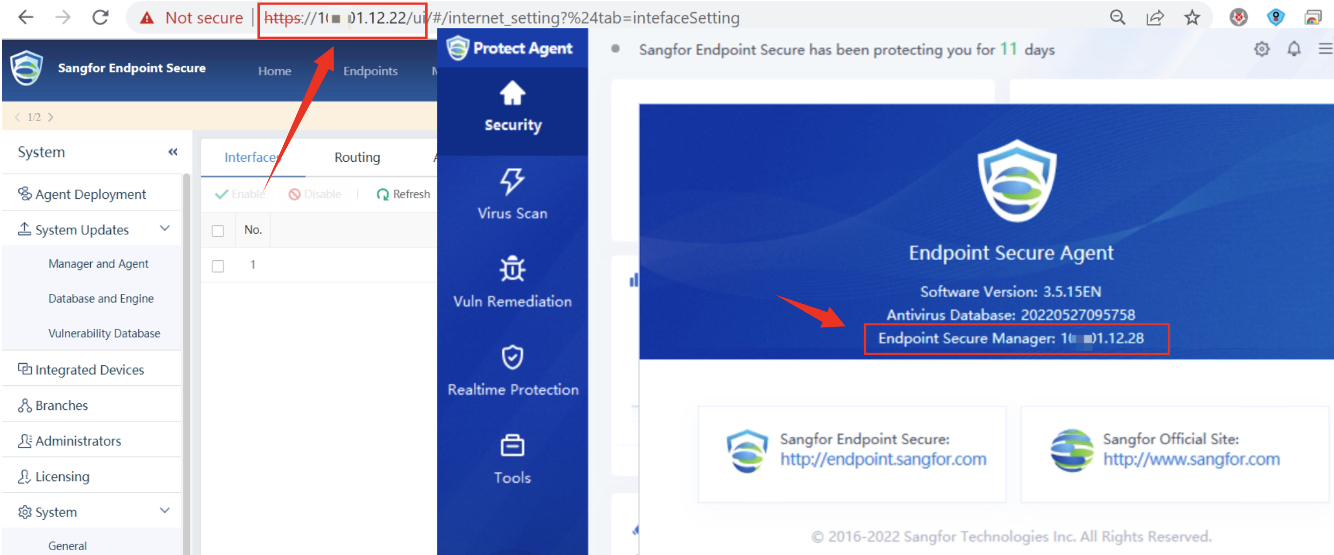
-
After some discussions, it is confirmed that user had changed the IP address of ES Manager and this host was offline when changing the IP of ES Manager so the new IP is not updated on this endpoint.
Root Cause
User had changed ES Manager IP address and the client PC was offiline during the changes, so did not updated.
Solution
Uninstall the existing ES client and reinstall by downloading the new ES Client.