
[ES] Directory whitelisting with zero scanned files.
Problem Description
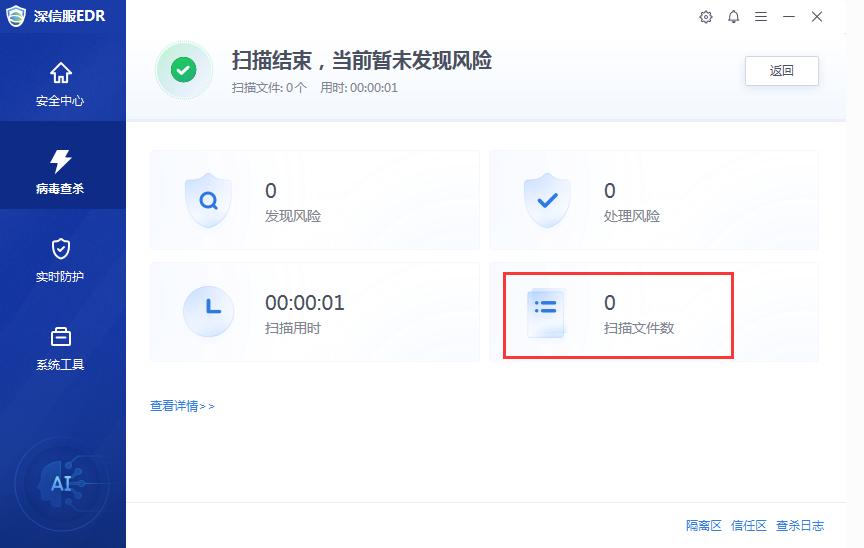
After customizing the ES scan file, it prompts that the scan file is 0 after scanning.
Alarm Information
Effective Troubleshooting Steps
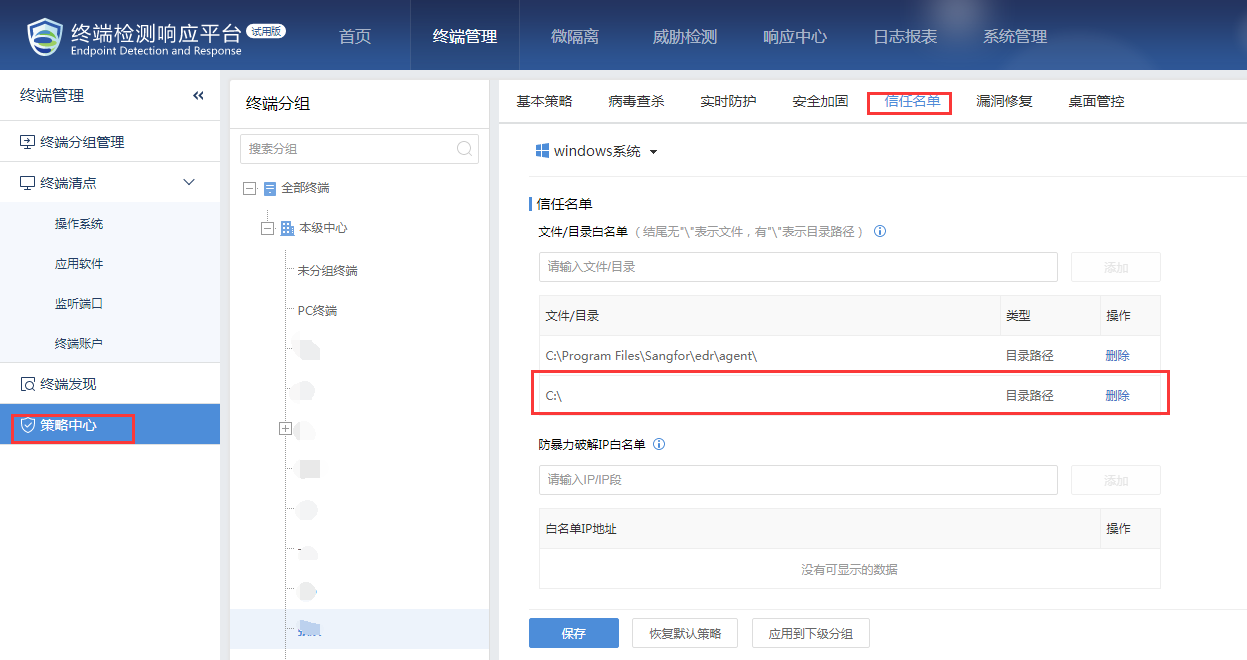
View the whitelist settings for ES Manager and agent, and on ES Manager, it is found that the corresponding path has been whitelisted, as shown in the figure below:
Root Cause
The scanned path is whitelisted, resulting in a file count of 0.
Solution
After deleting the corresponding trusted path and saving the configuration, scan again normally.
[High-risk operation] Explanation of impact is required before making changes.
Original Link
https://support.sangfor.com.cn/cases/list?product_id=16&type=1&category_id=2878&isOpen=true