
[ES] ES 3.7.2 version image deployment and network port modification issues.
Problem Description
The underlying system used by ES 3.7.2 version management is Ubuntu 20.04 operating system, and the installation page for deploying the management end does not have a graphical interface.
Alarm Information
Issue 1: Guest login displayed during deployment
This is a normal situation, indicating that the background service is being installed. After installing Ubuntu, there is a default guest account and a root account. After the ES Manager is deployed, the guest account will be locked and switched to the root account.
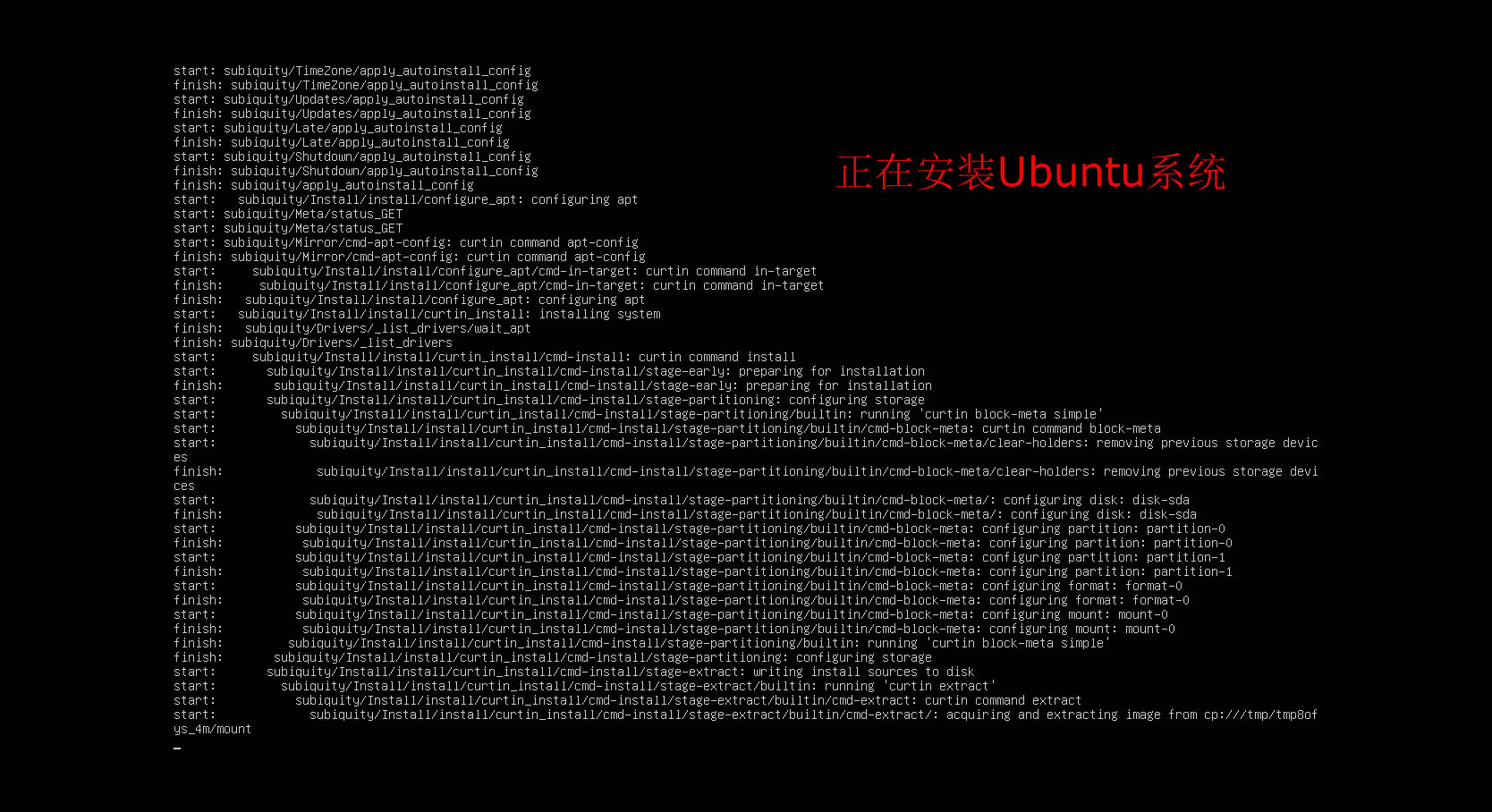
Press Enter when the installation reaches the following screen, and a prompt for guest login will appear:
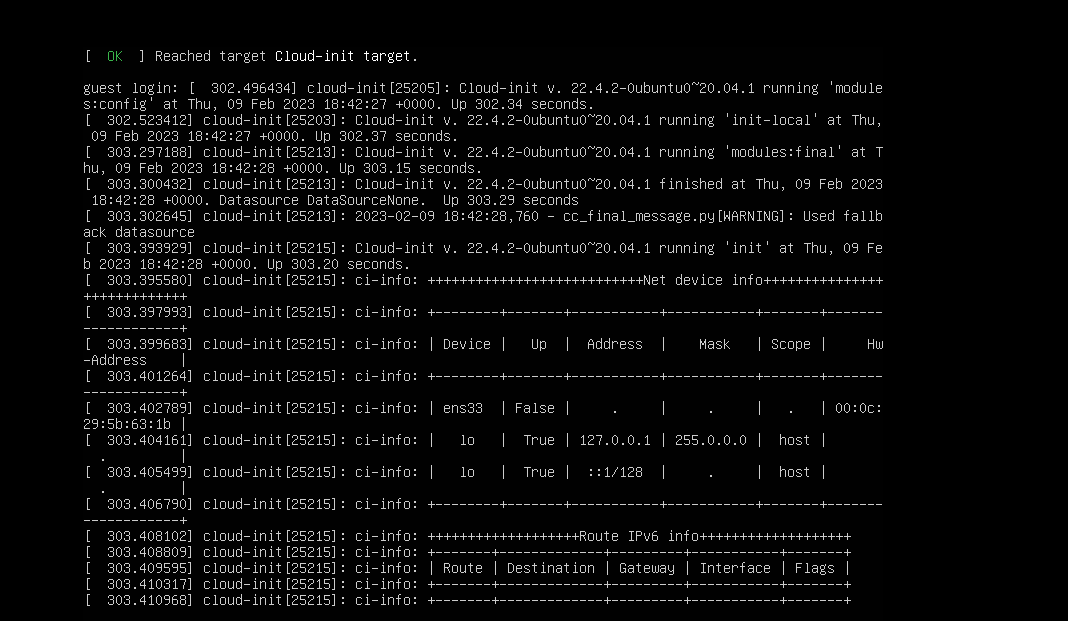
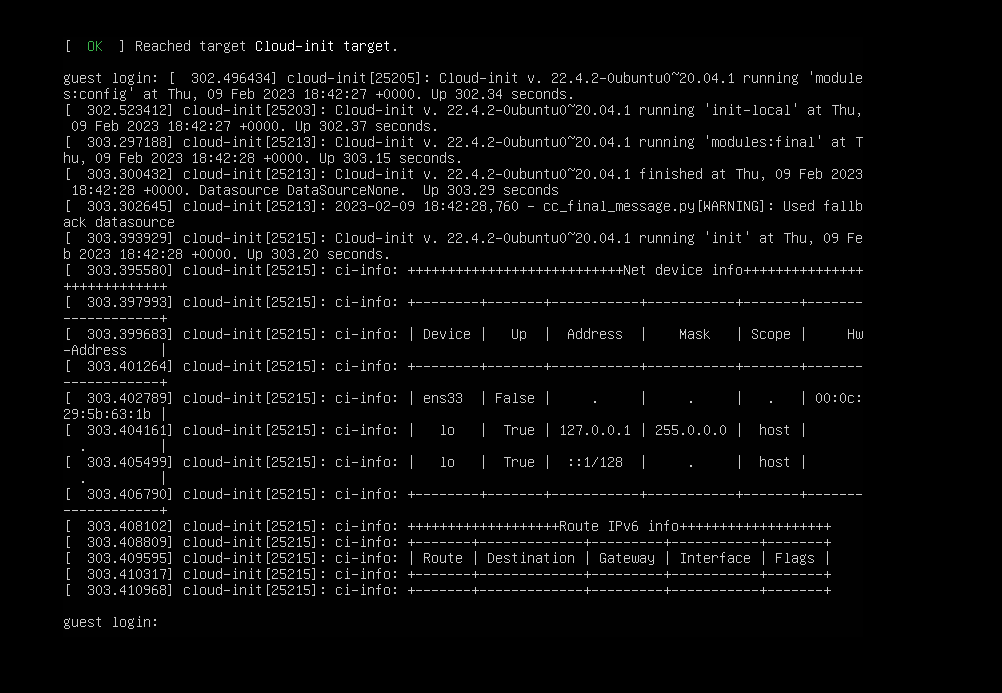
After the guest login prompt appears, use root/great@cause as the username and password to log in to the backend.
Question 2: Modifying the backend address of the Ubuntu system.
Backend configuration file path: /etc/netplan/00-installer-config.yaml. Use the command vim /etc/netplan/00-installer-config.yaml to edit the configuration file. The configurations that need to be modified accordingly are shown in the following figure. Note: The network card name needs to be matched with the actual environment network card name obtained from executing the command ip addr (as shown in Figure 1, the default is ens18, which needs to be changed to ens33 as shown in Figure 2). Otherwise, the configuration will not take effect after modifying the address and issuing the configuration.
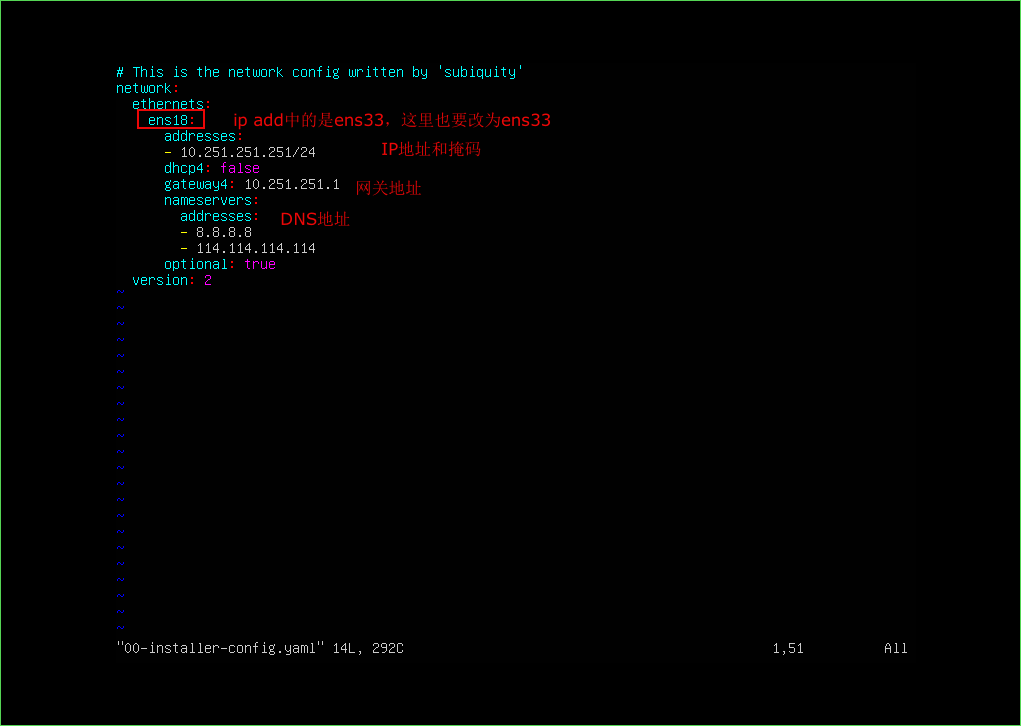
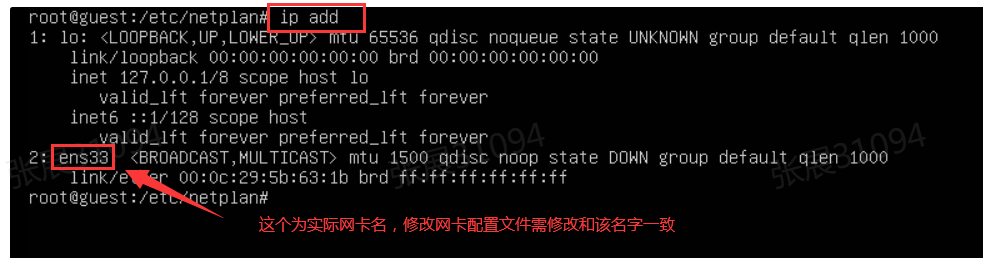
After modifying the network card configuration file, execute "ip link set up ens33" (replace ens33 with the corresponding network card name) to bring up the interface and execute "netplan apply" to make the configuration take effect.
Finally, execute ifconfig to confirm whether the IP address of the configuration is effective. If the modification is successful, you can see the corresponding network card name and the configured IP address information, as shown in the figure below:
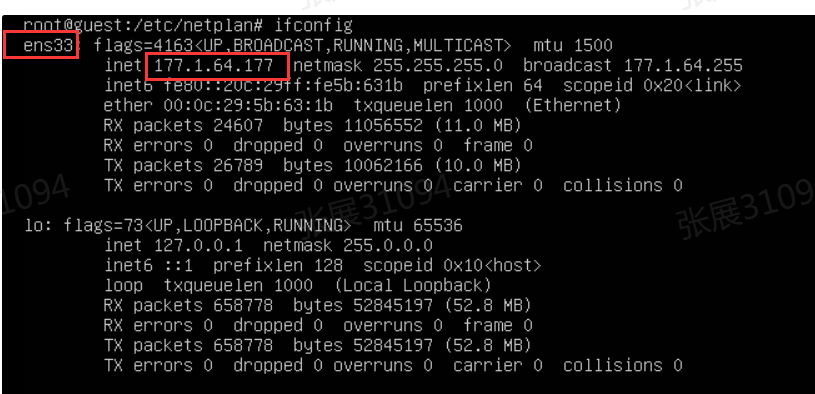
PS: Before modifying the network port configuration, it is recommended to first back up the original file; if the interface configuration does not take effect after the configuration is issued, it is recommended to carefully confirm whether the modification of the configuration file fields is correct, and whether the network card name has been changed to the actual network card name as viewed by the "ip addr" command.
Solution
*
Original Link
https://support.sangfor.com.cn/cases/list?product_id=16&type=1&category_id=2895&isOpen=true