
[ES] ES terminal installation prompts for overwriting installation.
Problem Description
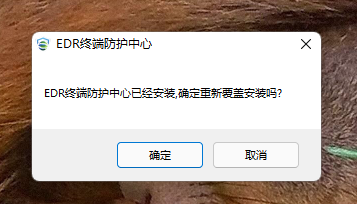
When installing the ES terminal, it prompts for a cover installation, but there is no response after clicking OK.
Effective Troubleshooting Steps
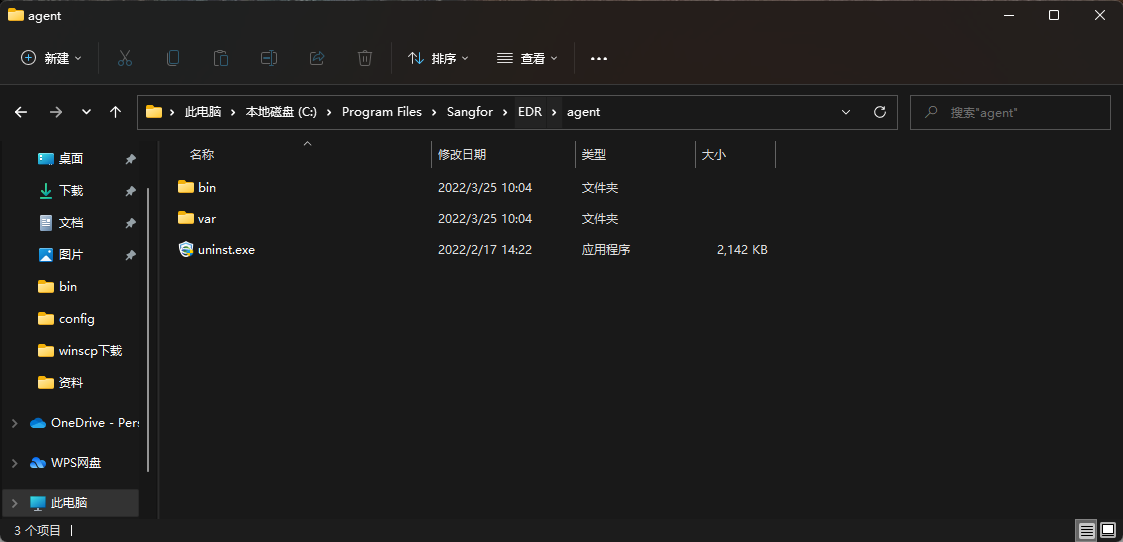
No files or a small amount of residual files found in the ES installation directory.
Root Cause
There are residual driver items after uninstalling ES, which will be detected during installation.
Solution
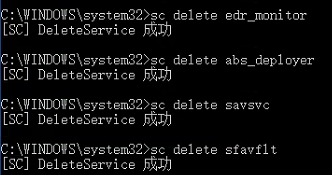
Run CMD as administrator and execute the following command (only after confirming that ES has been uninstalled):
sc delete ES_monitor
sc delete abs_deployer
sc delete savsvc
sc delete sfavflt
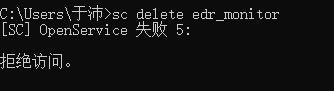
If ES is not uninstalled, executing the command will prompt access denied.
Suggestions and Summary
Try not to perform any other operations while uninstalling ES, just wait patiently for ES to be completely uninstalled.
Original Link
https://support.sangfor.com.cn/cases/list?product_id=16&type=1&category_id=2561&isOpen=true