
[ES] Extraction of Pop-up Blocking Rules
Problem Description
Since ES is based on rule library for pop-up interception and does not support customization, when encountering ad pop-ups that cannot be intercepted, it is necessary to use tools to extract rules and merge them into the rule library for development.
Effective Troubleshooting Steps
Before processing, make sure that the virus rule library is up to date.
- Download the attachment tool and send it to the client's computer, then unzip it.
 GetPopRule20200104.zip (2.07 MB)
- Select the program that matches the customer's computer bit, then right-click to run as administrator.
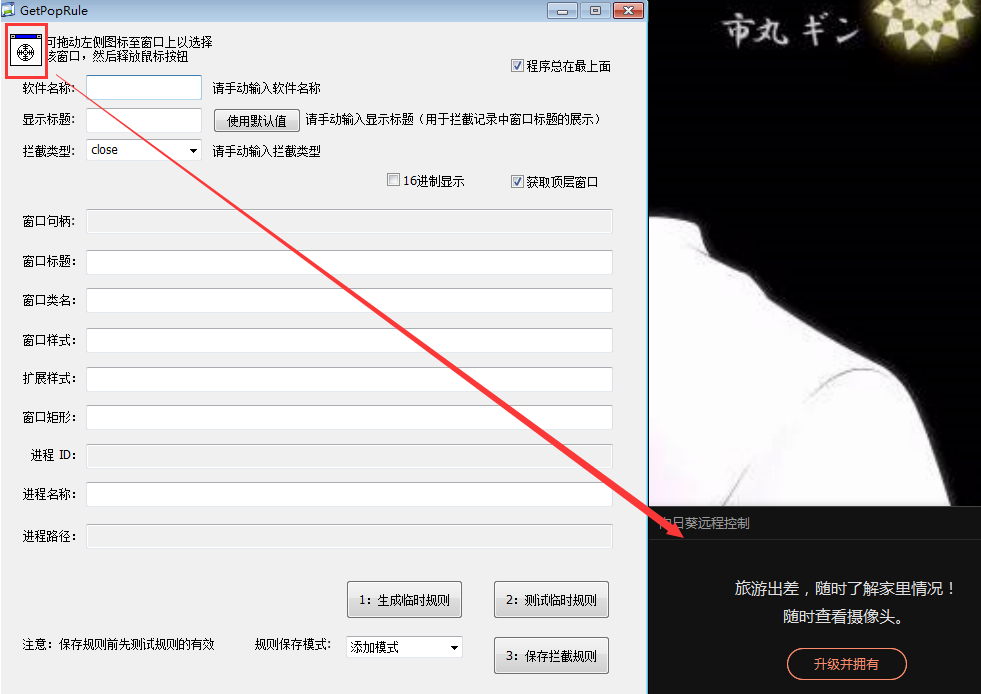
- Click and drag the circle in the following image to the corresponding advertisement window (such as the sunflower advertisement in the following image).
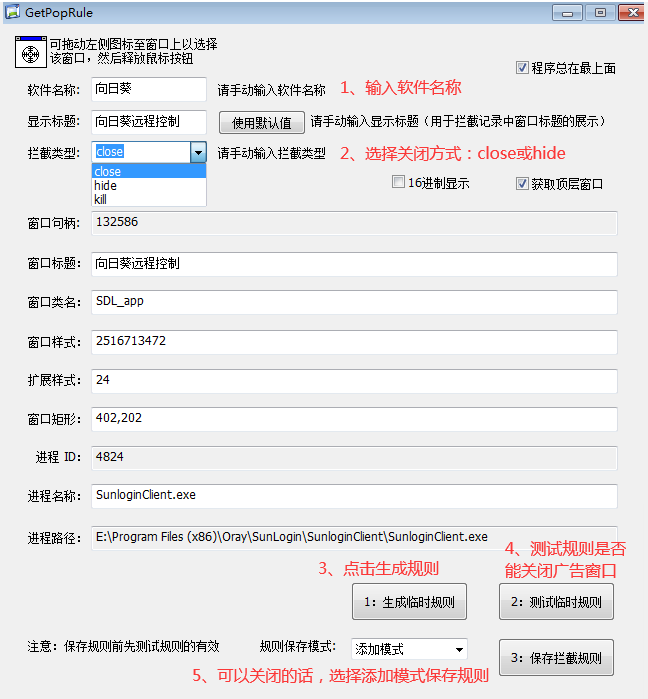
- Fill in the software name and test whether the rules can close the corresponding ad window. See details in the figure (it is recommended to test hide if close does not work, do not test kill).
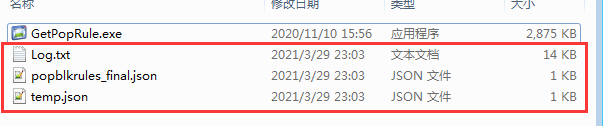
- Extract the rules and log files in the following image and package them for R&D.
Root Cause
ES is based on rule library for pop-up interception and does not support customization, so when encountering ad pop-ups that cannot be intercepted, you need to use tools to extract rules and merge them into the rule library for development.
Solution
Extract rules for experts or R&D to integrate into the rule library for resolution.
Original Link
https://support.sangfor.com.cn/cases/list?product_id=16&type=1&category_id=2638&isOpen=true