
[ES] Failed to add SIP prompt for interlocking response: No permission to perform this operation.
Problem Description
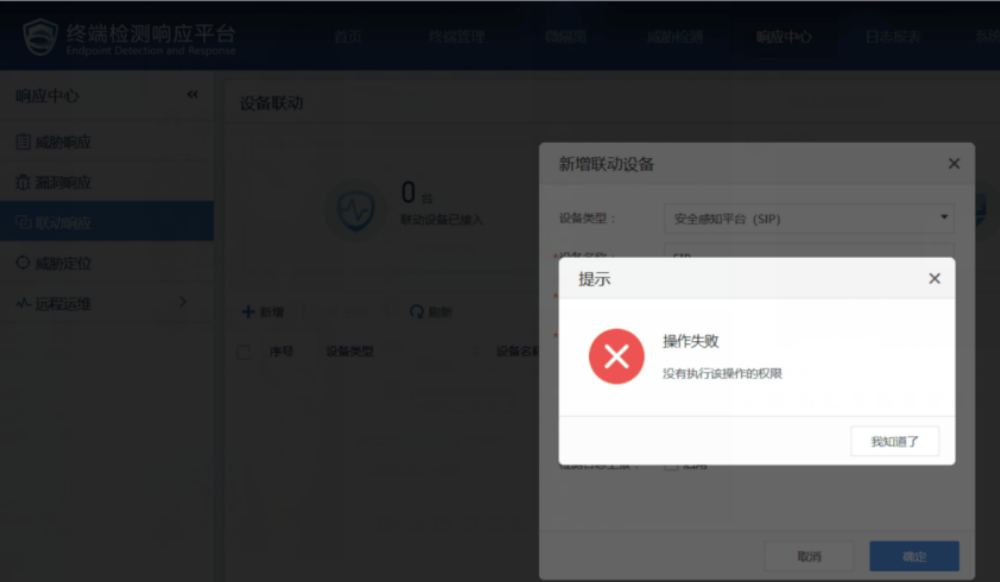
In the ES's [Response Center] – [Linkage Response], the addition of the Linkage SIP prompt operation failed: no permission to perform this operation.
Alarm Information
20565d5e7fcc7c493.png (132.4 KB)
Process –
- Check the logged-in account in the upper right corner of the ES console, it should be the admin account. As shown in the figure below.

56535d5e7c46df42c.png (41.97 KB)
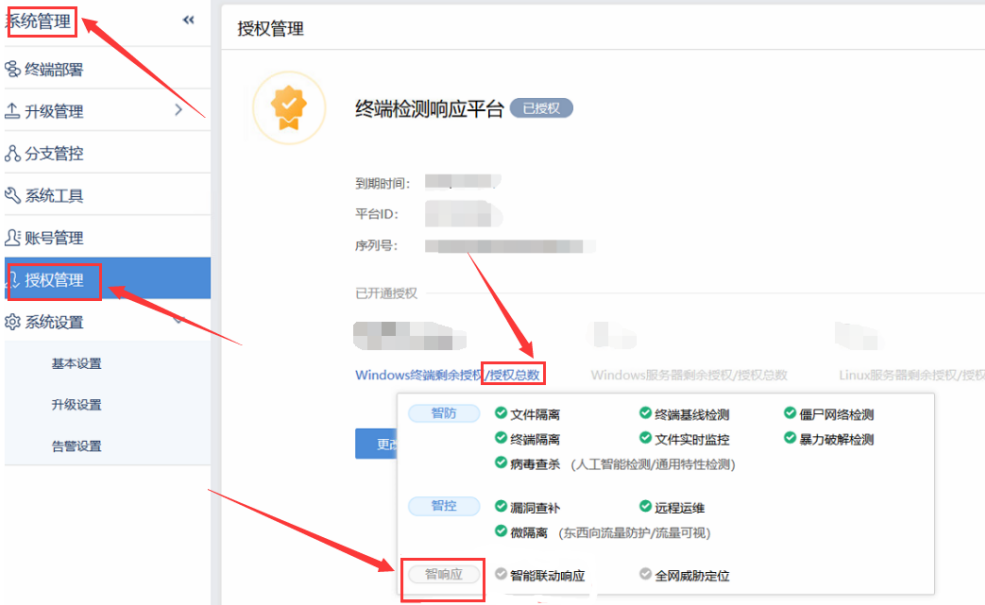
- In "System Management" – "Authorization Management", when hovering over the total number of authorizations for the three types, it is found that none of them have intelligent response authorization. The following figure takes Windows terminal authorization as an example.
335525d5e83ebc1a1d.png (183.42 KB)
- Dial the pre-sales hotline 400-806-6868 to activate intelligent linkage response authorization. Sales equipment authorization involves business.
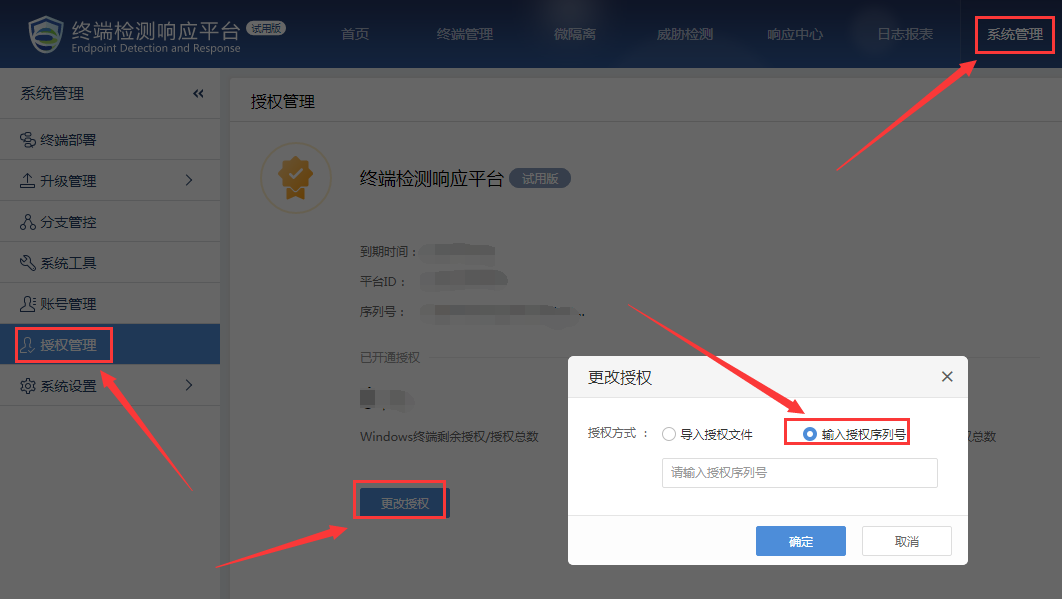
In "System Management" – "Authorization Management" – "Change Authorization" – "Enter Authorization Serial Number", re-enter a valid serial number to restore SIP linkage.
572315d5e7e68ea760.png (88.13 KB)
Root Cause
Interoperability requires intelligent response authorization.
Solution
ES linkage response requires intelligent response authorization.
Suggestions and Summary
It is recommended to check the authorization first when encountering situations where there is no permission to perform an operation.
Original Link
https://support.sangfor.com.cn/cases/list?product_id=16&type=1&category_id=2485&isOpen=true