
[ES] Installation of ES agent on Centos server fails due to lack of root privileges.
Problem Description
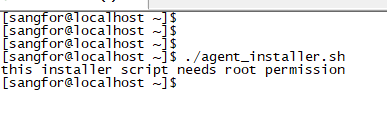
Installation of ES agent on Linux server failed with an error message "this installer script needs root permission" after executing the installation script.
Alarm Information
627405e5faac39e829.png (6.58 KB)
Process –
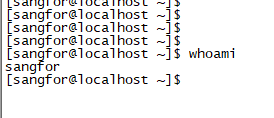
- Log in to the server to check the account being used. It is found that this account does not have root privileges. You can use the command "whoami" to view the current user logged into the server.
636795e5faa44d5a8c.png (4.4 KB)
- Switching to root privileges and installing will result in a successful installation.
Root Cause
Installing ES requires root privileges. The account does not have root privileges, resulting in an error when executing the script.
Solution
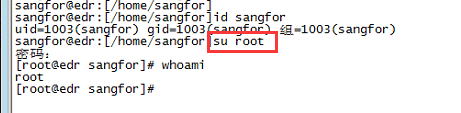
Login with the root account to install or switch to the root account for installation in the existing account, as shown below (ps: the password shown in the image is the password for the root account).
806945e4f3e8fb1b9b.png (33.26 KB)
Original Link
https://support.sangfor.com.cn/cases/list?product_id=16&type=1&category_id=2511&isOpen=true