
[ES] Installation of ES Manager Error
Problem Description
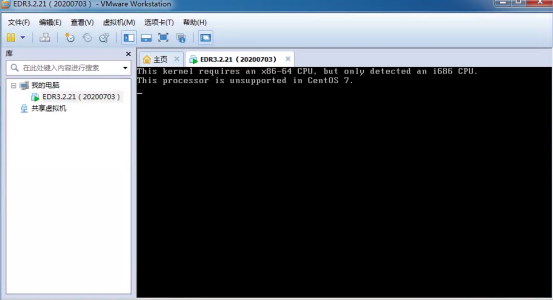
Physical computer VMware installation ES Manager error (This kernel requires an x86-64 CPU, but only detected an 1686 CPU. This processor is unsupported in CentOS 7)
Alarm Information
Effective Troubleshooting Steps
- Check the physical computer configuration.
a. This machine has a 64-bit CPU.
b. The installed system is 64-bit.
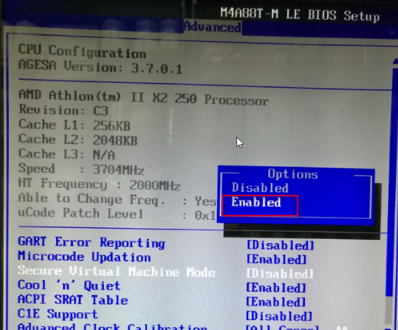
c. The local CPU allows hardware virtualization (not enabled).
Root Cause
Physical computer does not have virtualization enabled.
Solution
Enable hardware virtualization in BIOS.
Original Link
https://support.sangfor.com.cn/cases/list?product_id=16&type=1&category_id=2529&isOpen=true