
[ES] Isolation failure caused by the 4GB occupancy of the Windows agent isolation zone.
Problem Description
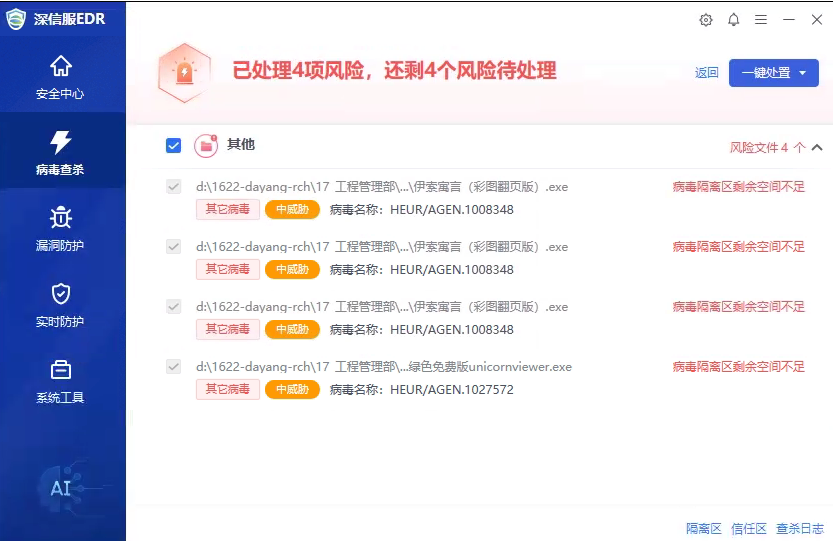
The Windows agent failed to handle the virus and displayed an error message stating "Insufficient space remaining in virus quarantine."
Effective Troubleshooting Steps
- Check the quarantine zone path and confirm that the quarantine zone directory has reached 4G of space usage.
Note:
Windows XP and 2003 system quarantine area path: C:\Documents and Settings\AllUsers\Application Data\Sangfor\ES\SAV\QuarArea
The path for other windows systems isolation area is: C:\ProgramData\Sangfor\ES\SAV\QuarArea
Root Cause
The directory of the Windows agent has a size limit of 4GB, which causes isolation.
Solution
Clear the disposed files in the agent isolation end or the ES Manager platform response center, release the space, and then dispose of the virus normally.
Note: After clearing isolated files, they cannot be restored. Please make sure to reach an agreement with the customer before proceeding.
Original Link
https://support.sangfor.com.cn/cases/list?product_id=16&type=1&category_id=2630&isOpen=true