
ES MGR web UI unable access
Issue Description
Customer report that ES MGR web UI unable to access. Able to ping the MGR IP and agent is connected.
Error/Warning Information
Handling Process
- Try ping MGR IP, result is able to ping
- Try telnet MGR IP port 443, failed
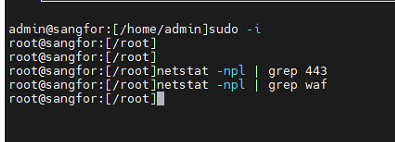
- Access MGR backend, use netstat -npl | grep 443 or netstat -npl |grep sangfor_waf but sangfor_waf process is not listening
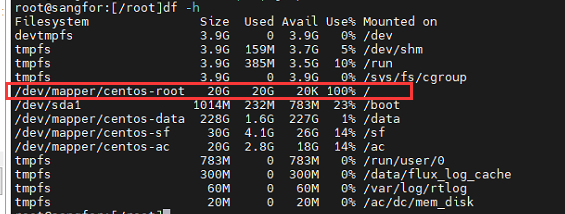
- Run df -h to check partition usage, found that one partition is full
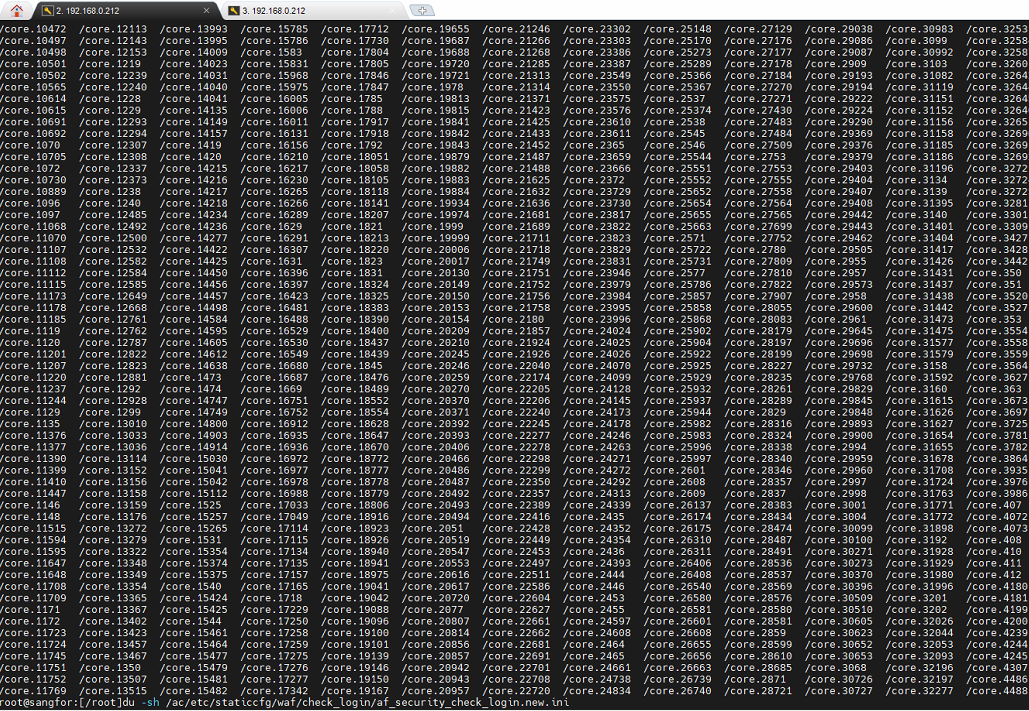
- Run command du -sh /ac/etc/staticcfg/waf/check_login/af_security_check_login.new.ini, found that the file size is 0

- Run ls /core*, found that there is many core file generated
- Run rm -rf /core* to remove all core file first. (If you didn’t remove core file, you might now able to upload file to the device)
- Download the script and upload to device /tmp/ directory. (If you using the admin account, upload to /home/admin/ directory and use root account to copy to /tmp/ directory)
- Give permission by using command chmod 755 /tmp/sangfor_waf_repair.sh
- Execute the script by using command sh /tmp/sangfor_waf_repair.sh
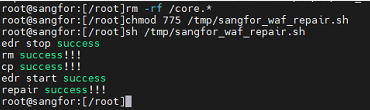
- After the script is executed, test whether it can be access or not
Root Cause
The /ac/etc/staticcfg/waf/check_login/af_security_check_login.new.ini file abnormal, causing sangfor_waf become abnormal
Solution
Use a repair script to repair the file.
sangfor_waf_repair