
[ES] micro-segmentation Cannot be Turned On
Problem Description
ES version 3.2.10, ES micro-segmentation cannot be turned on.
Process –
- In System Management -> Authorization Management, check that Micro-micro-segmentation Authorization is enabled.
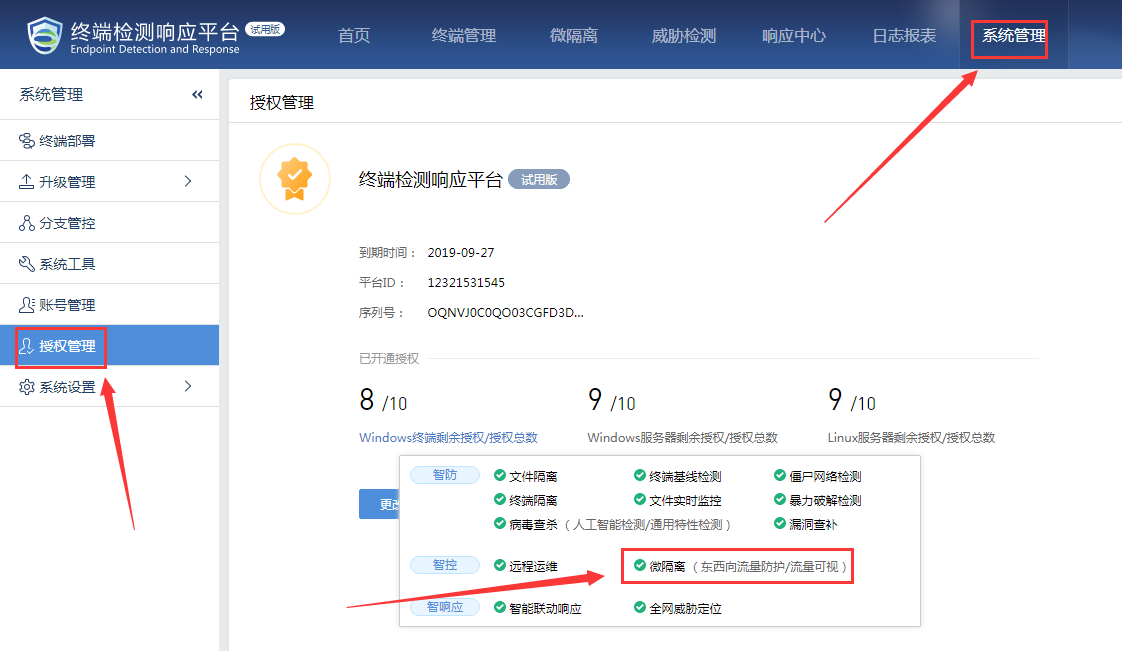
266675d4ac90d630e7.png (108.7 KB)
- In the micro-segmentation –> micro-segmentation settings, the micro-segmentation is checked, but the micro-segmentation switch still cannot be turned on.
Root Cause
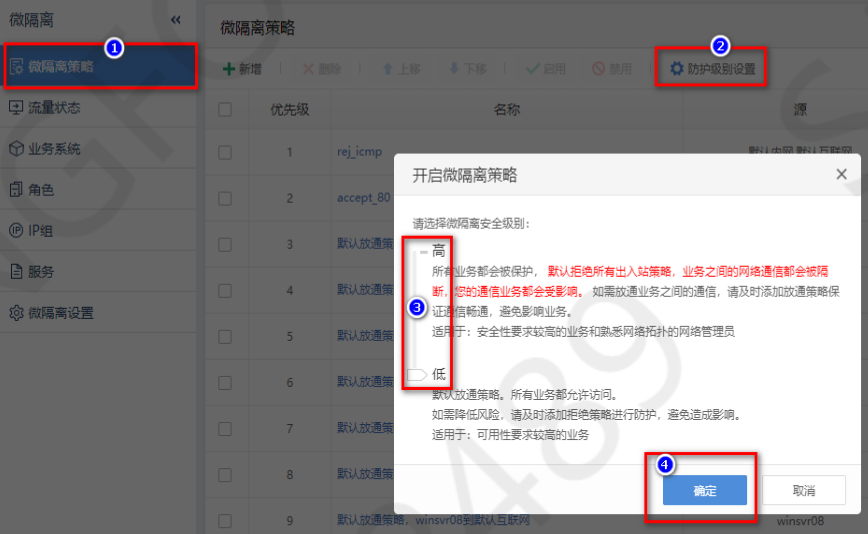
The protection level of micro-segmentation from ES3.2.8 to ES3.2.10 versions must be configured before enabling the micro-segmentation strategy.
Solution
In micro-segmentation-isolation -> micro-micro-segmentation strategy -> after clicking micro-segmentation, when reaching the protection level setting step of micro-segmentation-isolation, select the level, and then enable micro-segmentation strategy.
As shown in the figure below:
979515d4ac8ccc6857.png (148.49 kilobytes)
Suggestions and Summary
- It is recommended not to enable a high level of protection for the micro-segmentation, as it may cause the terminals already joined to the business system to lose network connectivity.
- Starting from version ES3.2.13, there is no protection level selection, and all data is allowed to pass by default.
Original Link
https://support.sangfor.com.cn/cases/list?product_id=16&type=1&category_id=2484&isOpen=true