
[ES] Response Center unable to process event
Problem Description
Abnormal files that pose a threat cannot be clicked to process or ignore.
Path: [Response Center] – [Threat Response] – [Threat Handling] – [One-click Handling]
Alarm Information
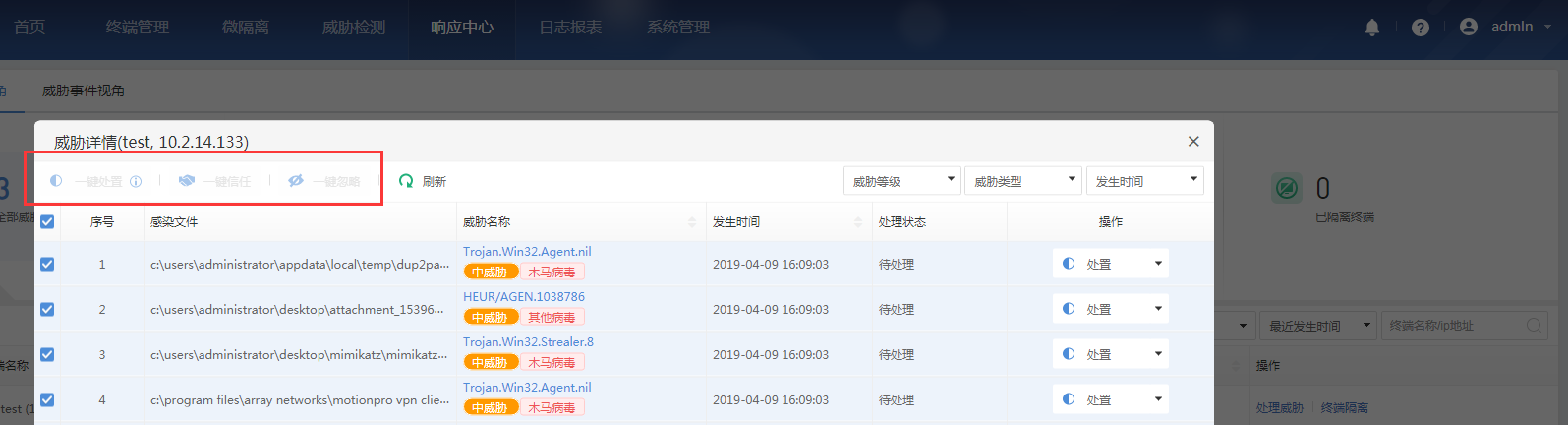
537915cb06fc2bb1ef.png (109.14 KB)
Process –
- Log in as the admin user to check the corresponding sub-administrator account permissions.
Path: [System Management] – [Account Management]
Root Cause
The corresponding secondary administrator is only granted audit permissions, so they are unable to handle security event
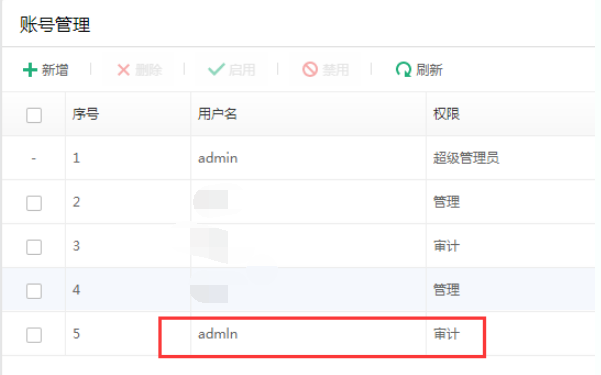
709205cb9b264a2413.png (31.22 KB)
Solution
Modify the corresponding administrator's permissions.
Path: [System Management] – [Account Management] – [Edit] – Select permission as [Management]
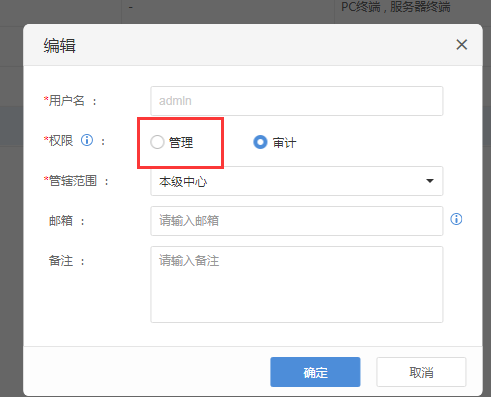
826265cb06f45a2cbf.png (19.12 KB)
Original Link
https://support.sangfor.com.cn/cases/list?product_id=16&type=1&category_id=2478&isOpen=true