
[ES] Scanning prompt with AF linked to ES indicates unauthorized access.
Problem Description
ES is not authorized when AF links to ES for scanning.
Alarm Information
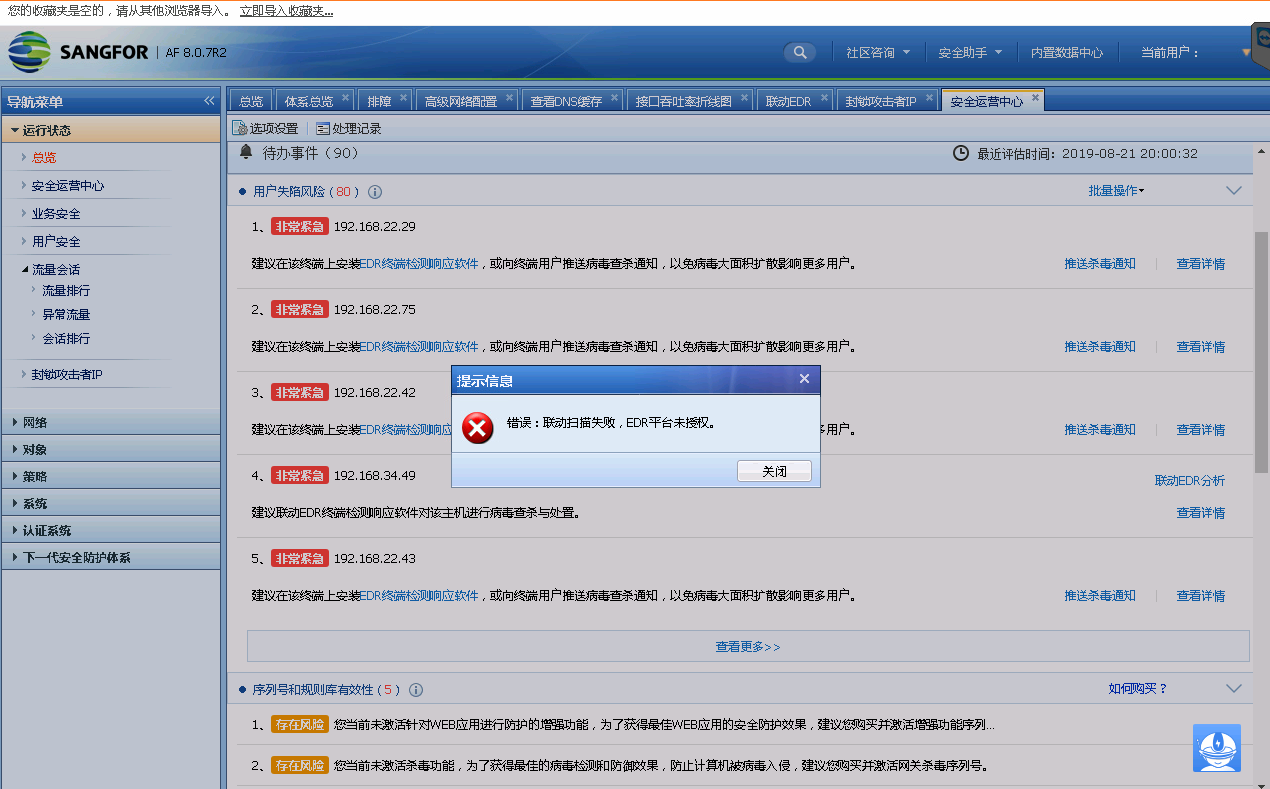
498575d5e6d4368ec6.png (126.06 KB)
Process –
- Log in to the platform to check the corresponding terminal online and be able to successfully issue scanning tasks.
- In [System Management] – [Authorization Management], check the authorization and find that the authorization for Windows terminal [Smart Response] – Linkage Response is not enabled.
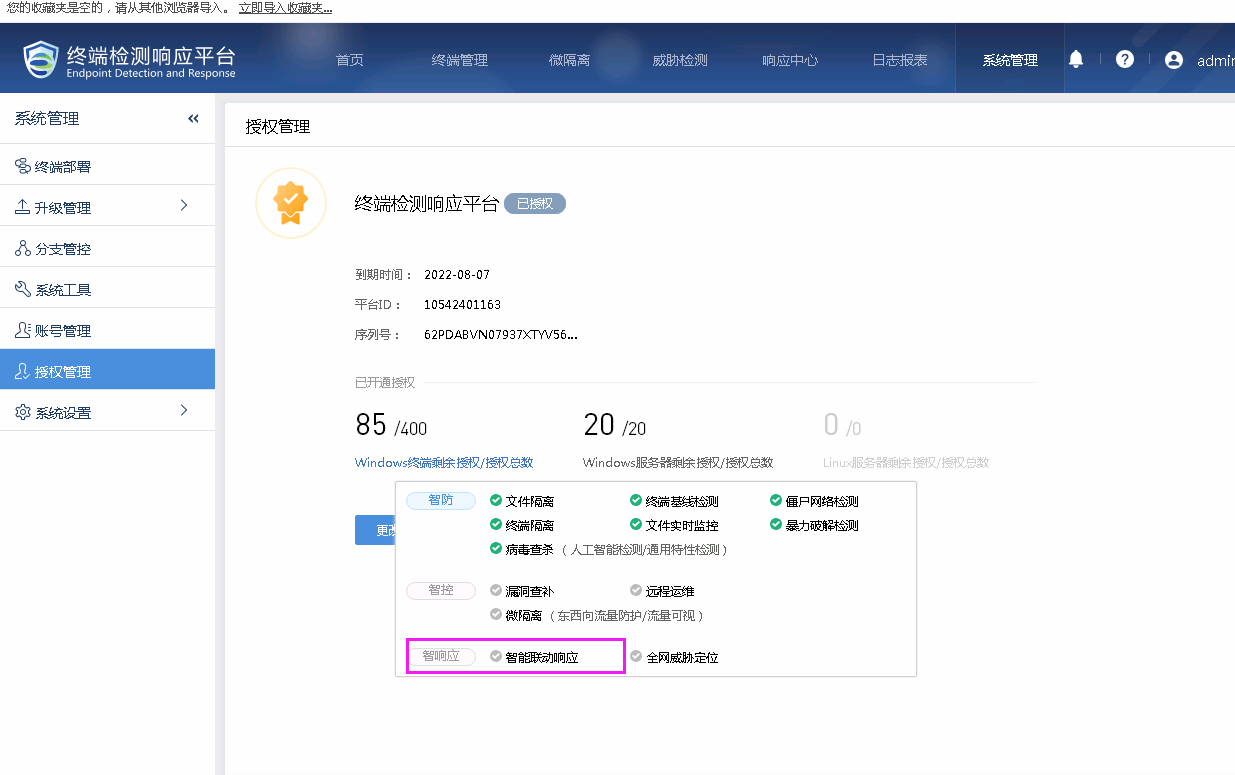
606385d5e6e1118e3c.png (78.06 KB)
- Enable linkage response authorization to enable linkage.
Root Cause
The authorization of the Windows terminal does not have the authorization for linked response.
Solution
Enable the linkage response authorization of the Windows terminal, namely [Smart Response] authorization.
Original Link
https://support.sangfor.com.cn/cases/list?product_id=16&type=1&category_id=2503&isOpen=true