
[ES] Terminal offline issue caused by missing rm command in linux environment.
Problem Description
After installing the ES agent in the Linux environment, it goes offline.
Effective Troubleshooting Steps
- Execute "bash -x /sangfor/ES/agent/bin/eps_services restart" to restart the eps service, and found a missing warning for the "rm" command.
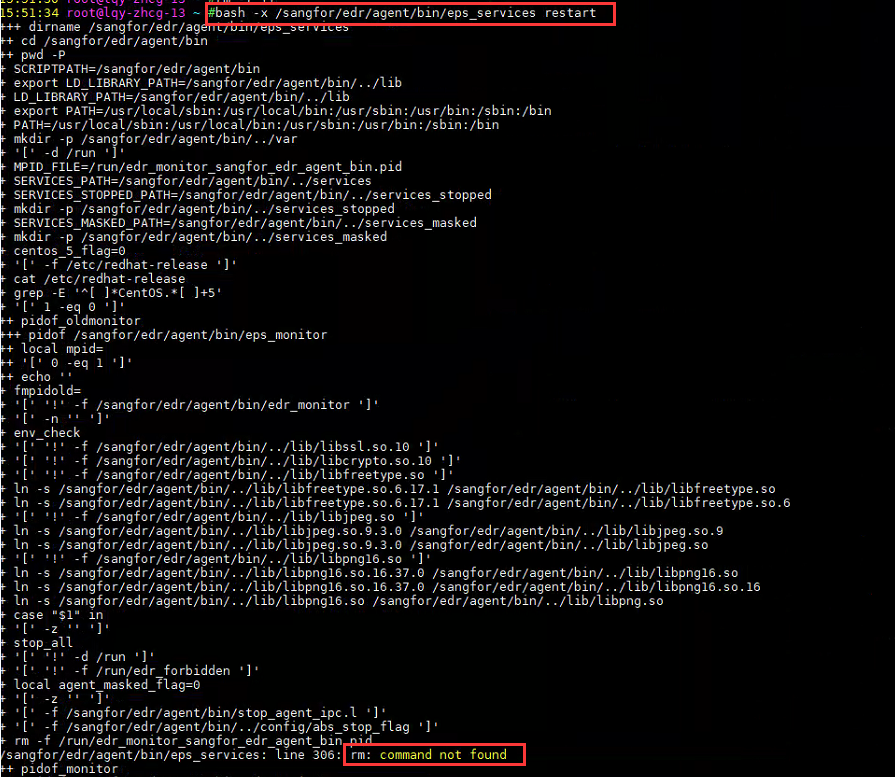
- Execute
which rmto confirm that the corresponding environment does not have thermcommand, as shown in the following image:

Solution
- After installing the rm command, execute /sangfor/ES/agent/bin/eps_services restart to restart the eps service, and the subsequent terminals will be online normally.
Scope of Operation Impact
You need to install the tool on the client's Linux server. It is recommended to communicate with the client to resolve the operation.
Original Link
https://support.sangfor.com.cn/cases/list?product_id=16&type=1&category_id=2570&isOpen=true