
[ES] Trust list not effective due to lack of inheritance from parent policy.
Problem Description
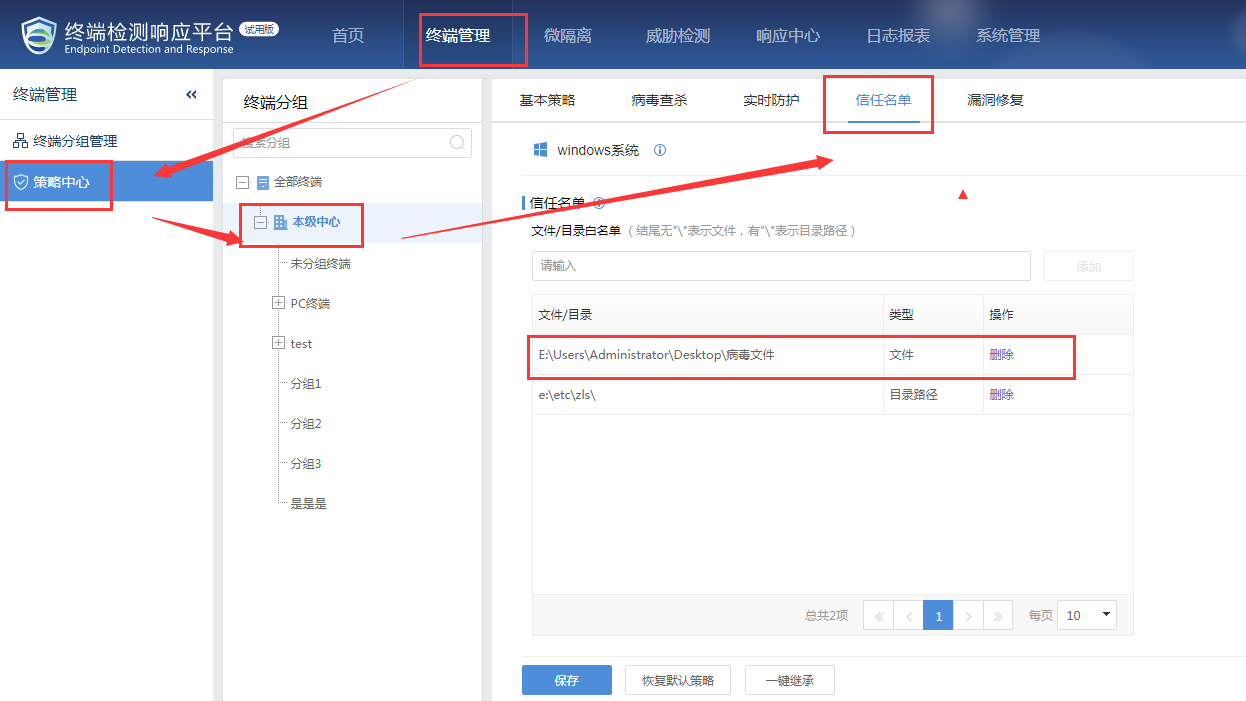
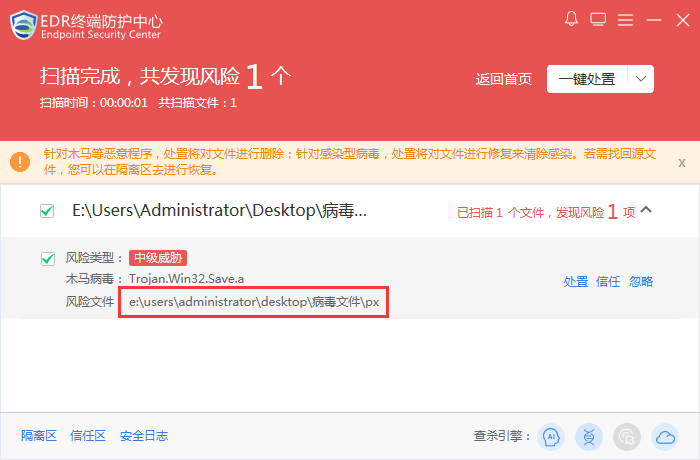
Add the directory of a certain business file to the trust list of the ES server, and the file can still be scanned upon re-inspection.
16705d5e4e244e1e5.png (98.6 KB)
727875d5a5a8ac7c01.png (52.87 KB)
Process –
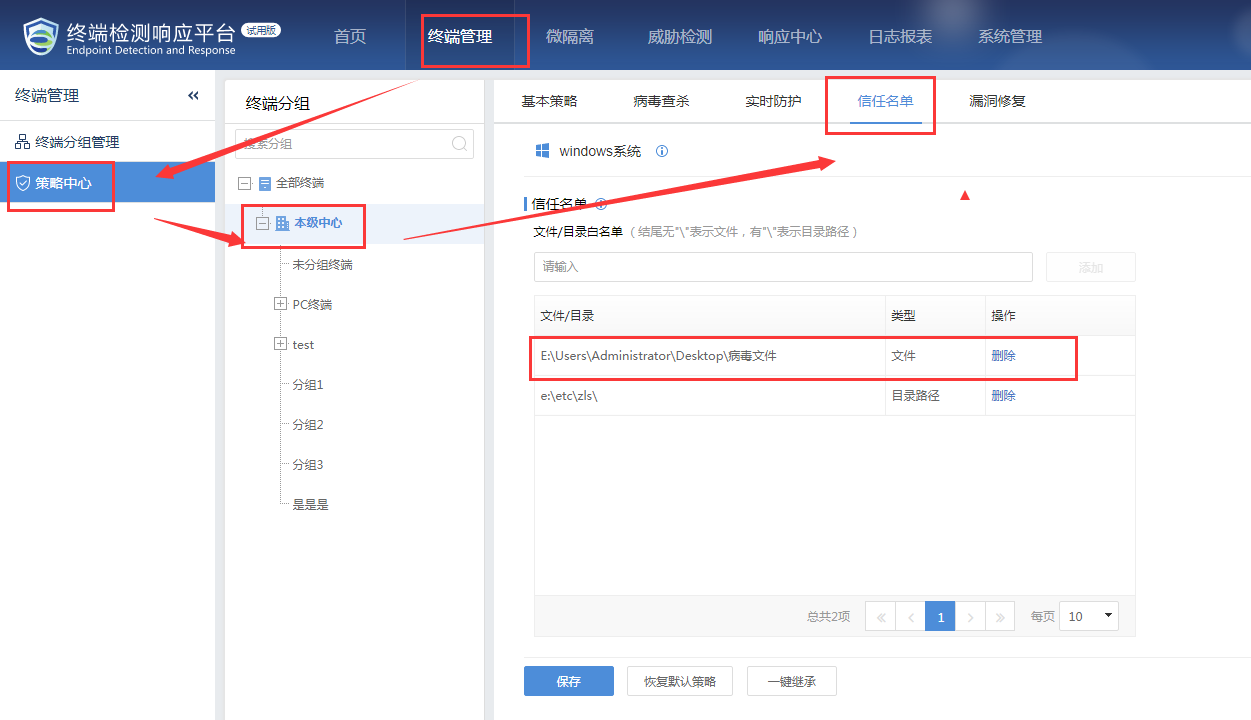
- The trust list is added in the local center.
769855d5a5b4a65ce3.png (99.45 KB)
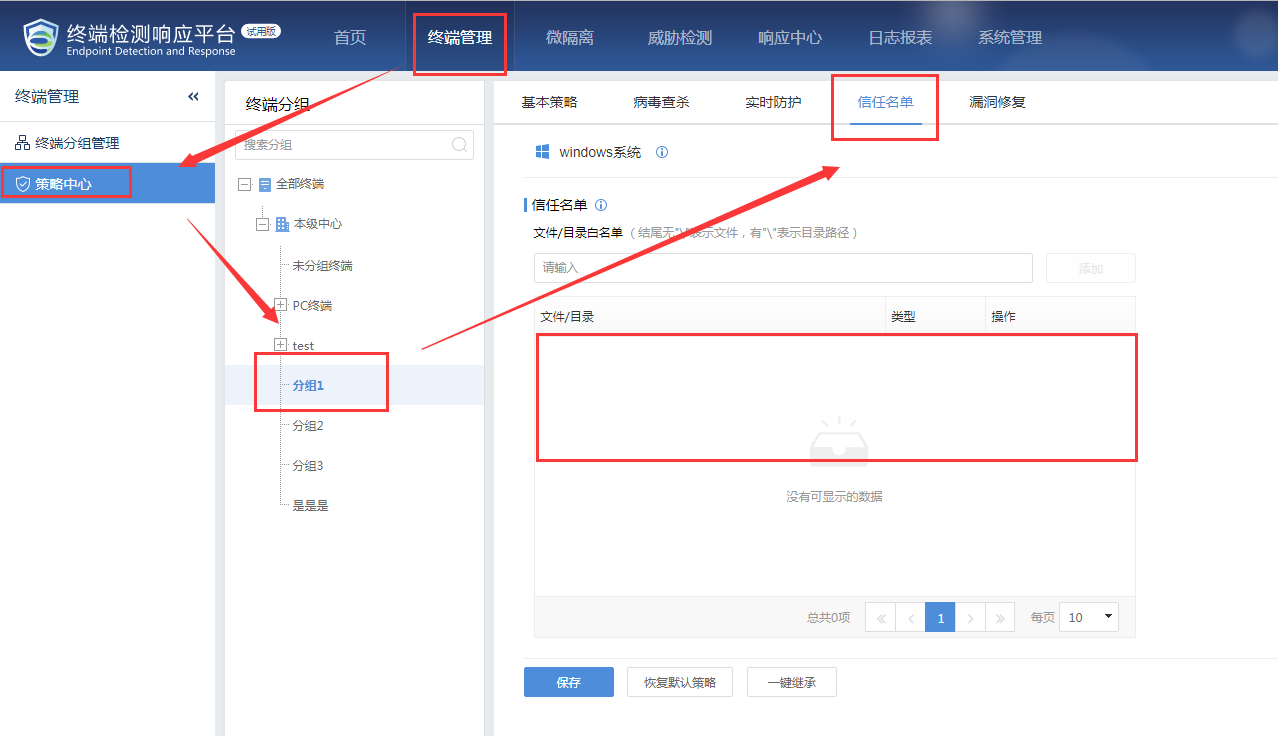
- Check if the trust directory is present in the specific group where the host is located.
359835d5a5b7d2f5c7.png (100.23 KB)
Root Cause
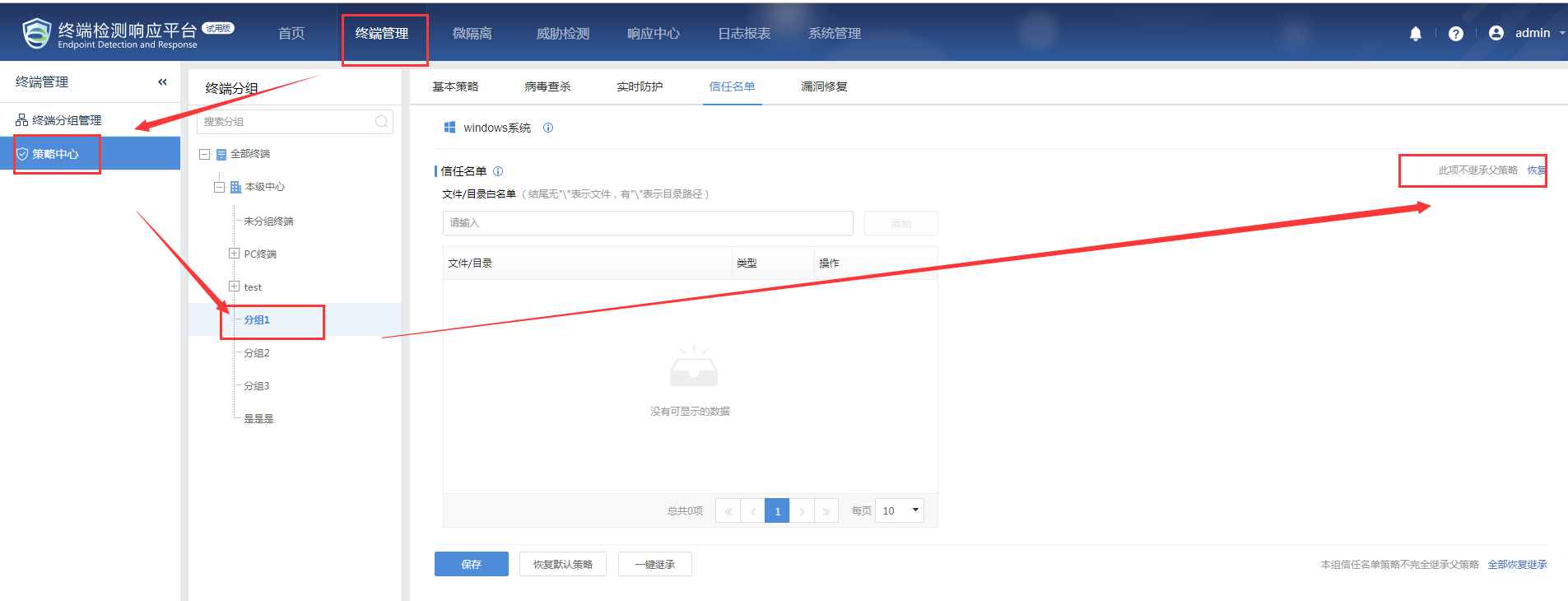
Subgroup does not inherit the configuration of the parent group, so it is not effective.
Solution
- Add the trusted directory in the specific group, and then click Save.
- In the specific group, check "Inherit parent policy" and then click "Save".
555d5a5bdbc7d9b.png (126.44 KB)
- Then test the scanning function.

247055e4a654477b59.png (30.24 KB)
Suggestions and Summary
It is recommended to configure a whitelist in the sub-group or check the "apply to sub-groups" option after configuring the parent group.
Original Link
https://support.sangfor.com.cn/cases/list?product_id=16&type=1&category_id=2502&isOpen=true