
[ES] Unauthorized display on the platform after Windows terminal installation.
Problem Description
After installing the agent on a Windows computer, it shows as unauthorized on the platform.
Alarm Information
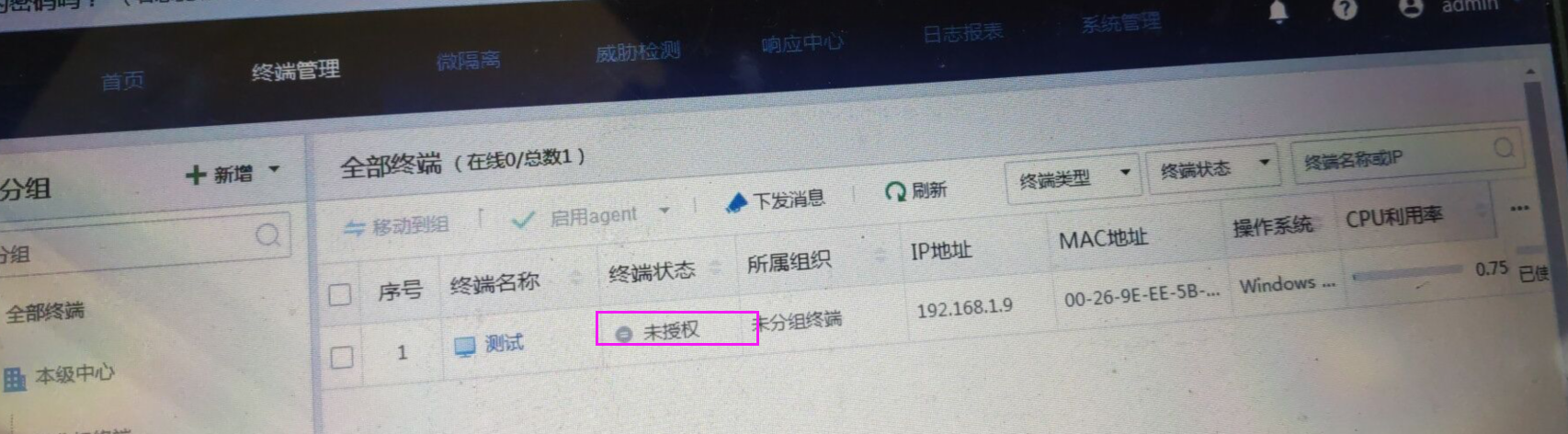
260675c9e0725283a3.png (1.13 MB)
Process –
- In [System Management] – [Authorization Management], check the authorization and find that the Windows terminal authorization is not enabled.
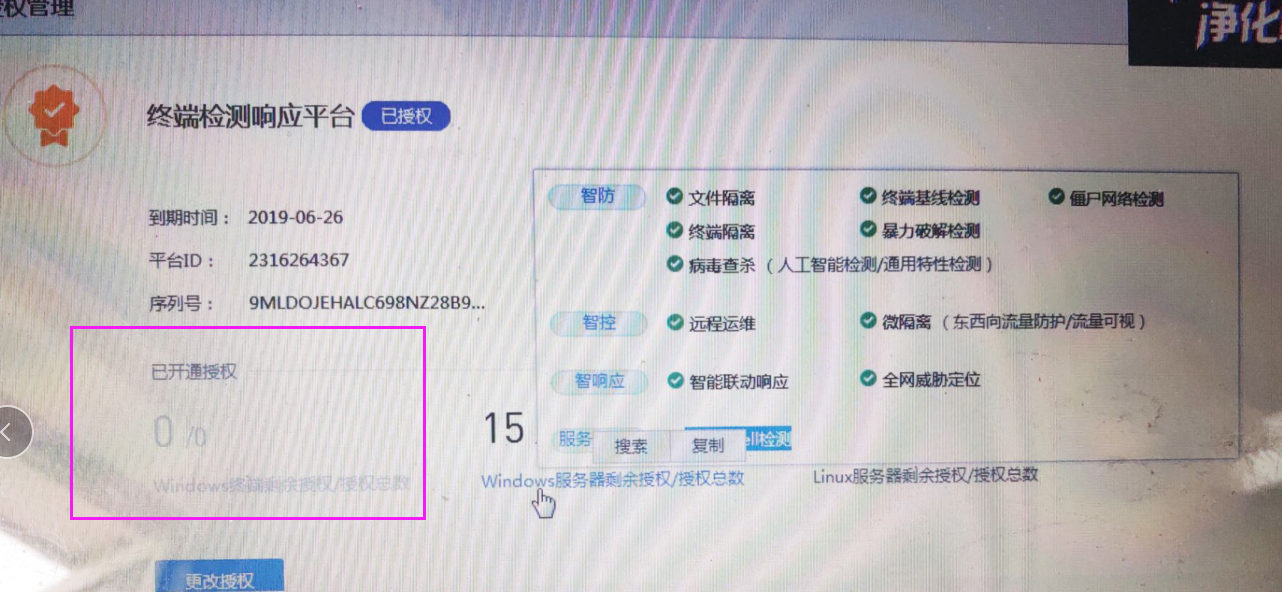
291305c9e079120d2c.png (1.21 MB)
Root Cause
No authorization to open Windows terminal.
Solution
To authorize the opening of the Windows terminal, you can contact 400 for authorization testing or contact a local company for authorization.
Original Link
https://support.sangfor.com.cn/cases/list?product_id=16&type=1&category_id=2499&isOpen=true