
[ES] USB control plus white still can’t see the U disk
Problem Description
After adding white-list control, still unable to see the USB flash drive.
Effective Troubleshooting Steps
- Changing the USB port and restarting the computer still doesn't work.
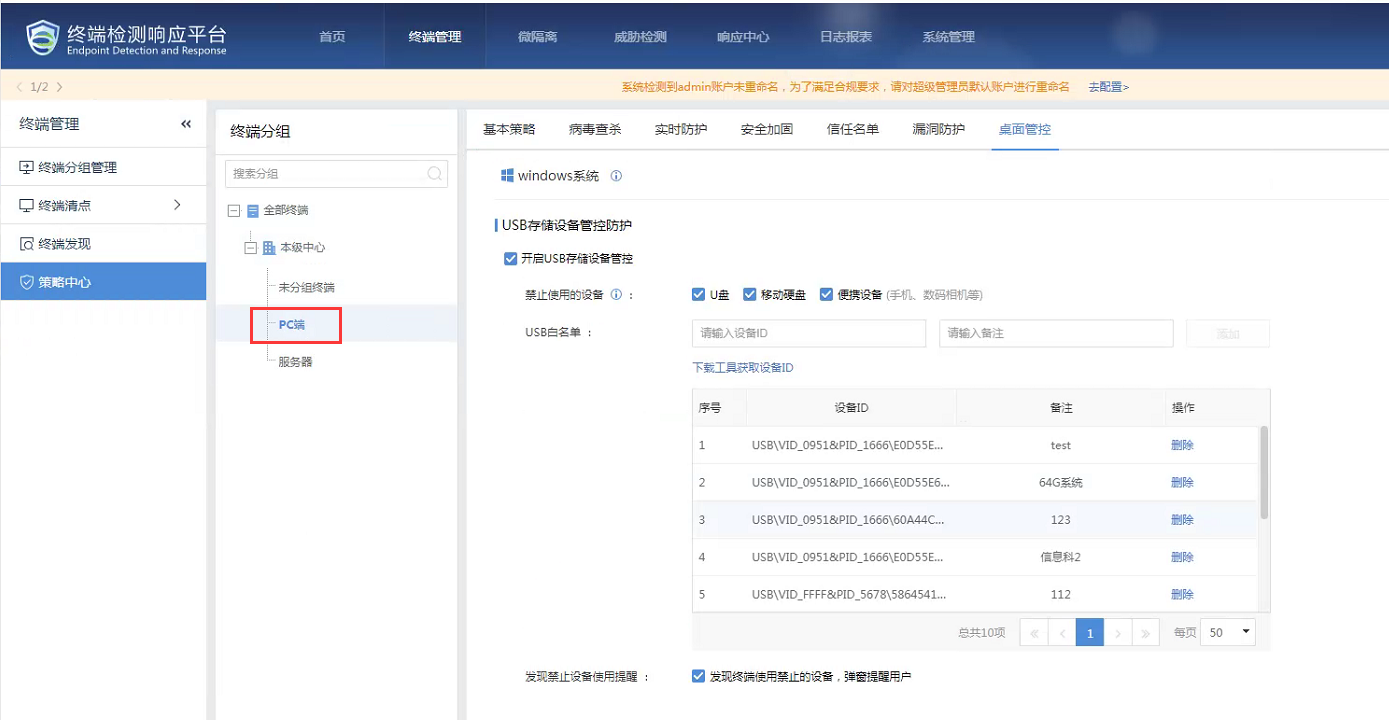
- Check the device policy and find that the whitelisted USB ID policy has not been applied to the subgroups.
Root Cause
The U disk ID strategy of 加白 has not been applied to the subordinate group, resulting in no effect on the PCs in the subordinate group.
Solution
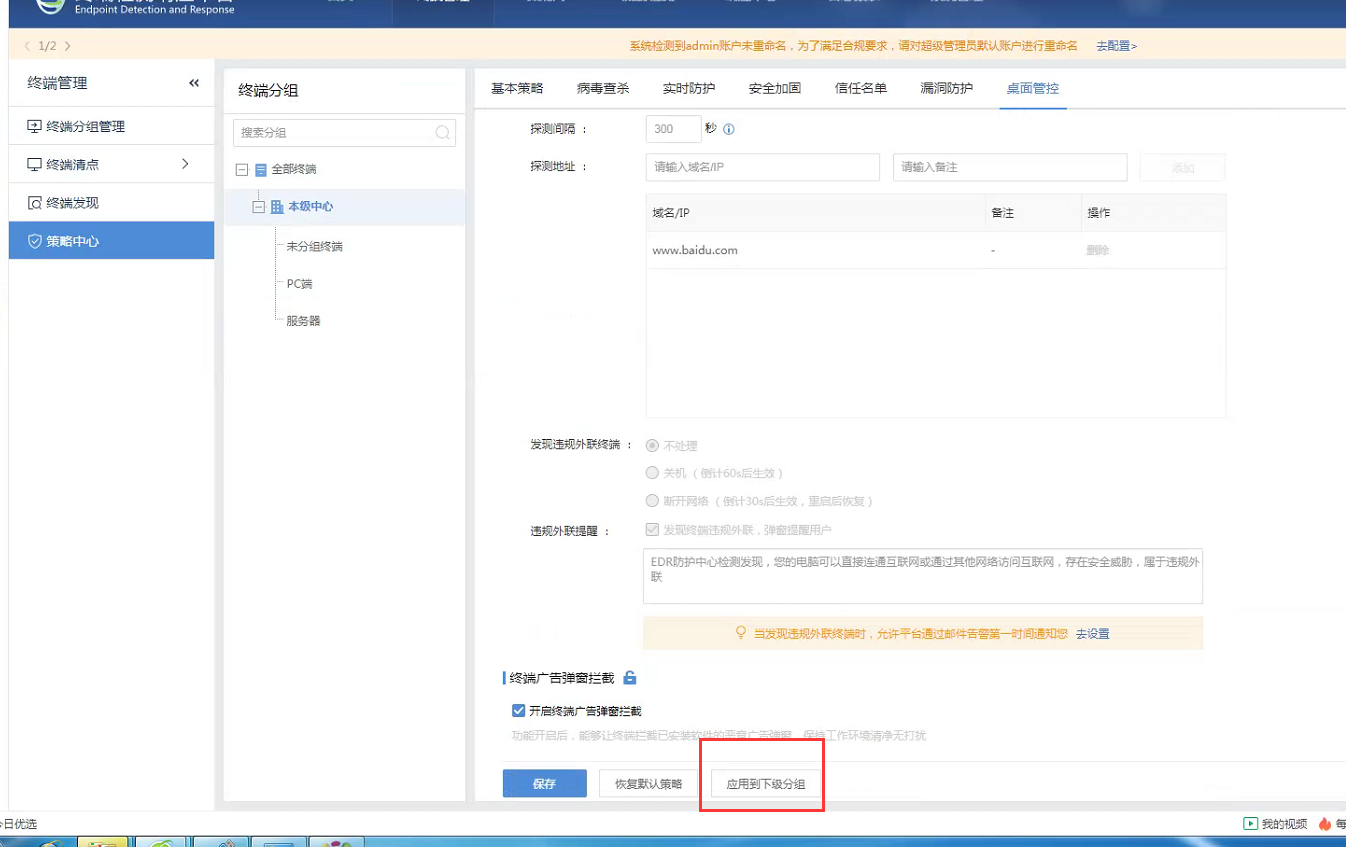
After applying to the subordinate group in the desktop control of the superior group, the USB flash drive can be used normally.
Original Link
https://support.sangfor.com.cn/cases/list?product_id=16&type=1&category_id=2689&isOpen=true