
[ES] Version 3.5.30 failed to print JG_35.
Problem Description
ES inspection prompt for version 3.5.30.367 requires JG_35_352-3532 to be installed.
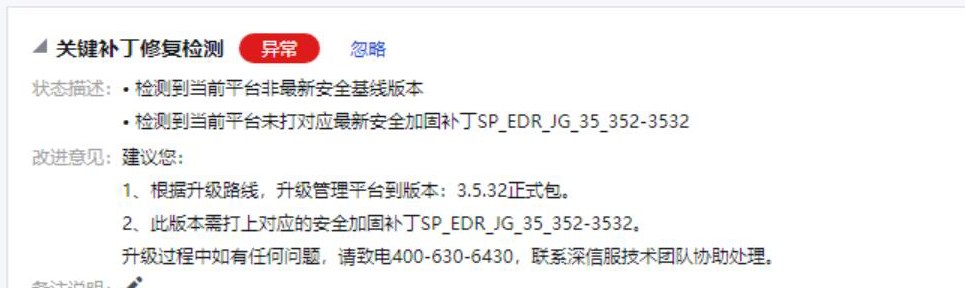
The patch update patch prompts update failure, importing this package in platform upgrade management prompts unsupported current version upgrade, and the device has not been customized.
Alarm Information
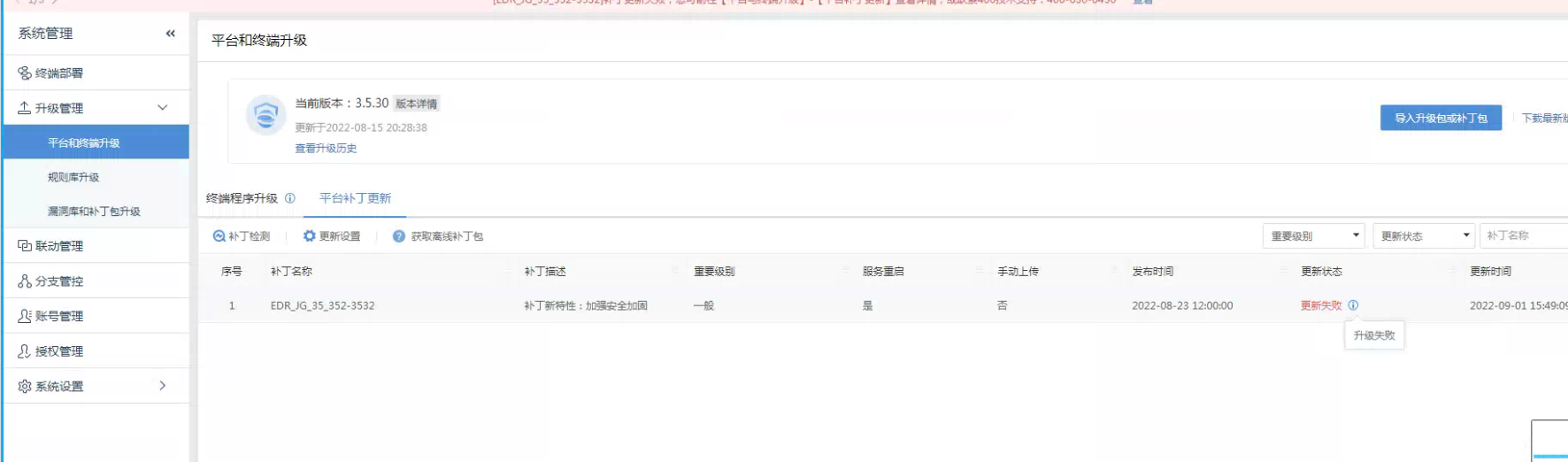
Effective Troubleshooting Steps
- JG_35_253-3532 This optimization package is currently targeted for version 3.5.30 and only supports the upgrade of versions 3.5.30.558 and 3.5.30.1135.
- After upgrading the current ES to the latest 3.5.30 upgrade package in the community, successfully install JG35_352-3532.
Root Cause
The version does not support the upgrade.
Solution
Upgrade the ES version to support the upgrade version, for detailed upgrade instructions please refer to the attached document.

[Standard Release] Sangfor product line patch upgrade guide_V4.0 (ES_JG_35_352-3532).docx.docx
(284.04 kilobytes)
Original Link
https://support.sangfor.com.cn/cases/list?product_id=16&type=1&category_id=2590&isOpen=true