
[ES] Virus scanning strategy not effective.
Problem Description
Deployed ES endpoint, set antivirus policy in [Terminal Management] – [Policy Center] – [Virus Scan] on the center end. The policy set on the client end is not the same as the one set on the center end. The center end is set to strict disposal, but the client end is still set to standard disposal. Need to analyze the reason.
Settings on the central end:
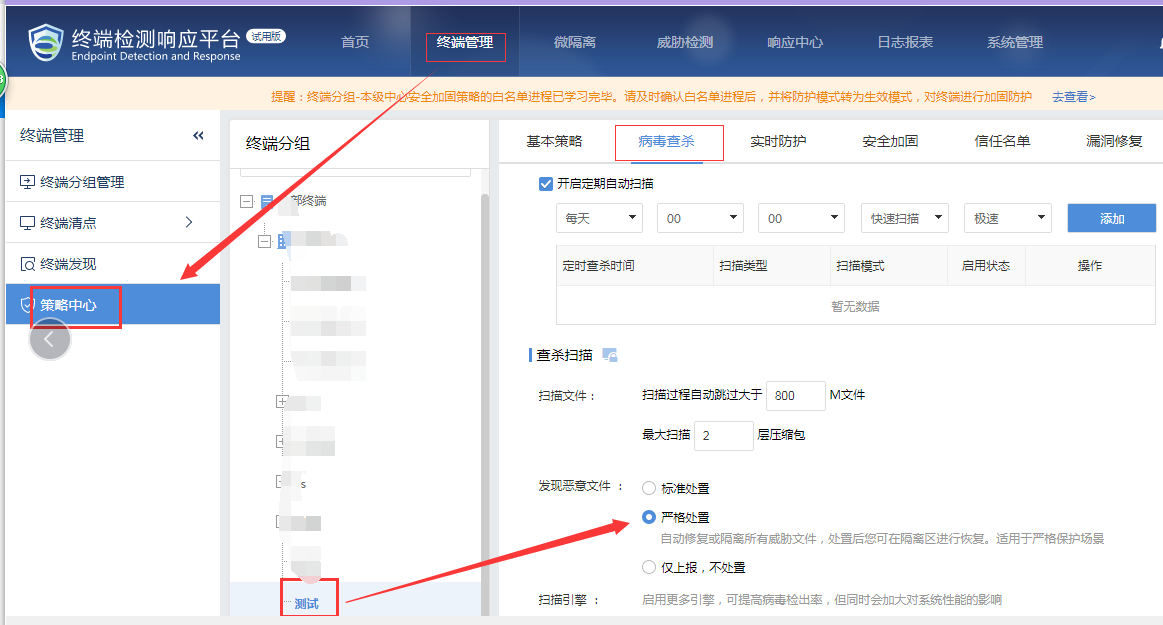
842815e4de0b35347c.png (118.02 KB)
Client settings:
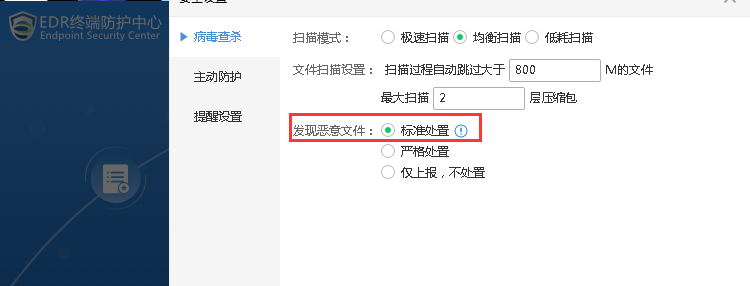
853605e4df335a81b7.png (28.91 KB)
Process –
- Log in to the central portal and go to "Terminal Group Management" to check if the terminal for the configuration policy is in the test group. Then, go to "Policy Center" to check the corresponding policy for this test group and notice that the "lock" next to the virus scanning policy is not illuminated.
- Turn on the "lock" icon, submit the strategy, check that the client's configuration matches the one on the central server, ensure that the strategy takes effect, and prevent any further modifications on the client side.
Central end:
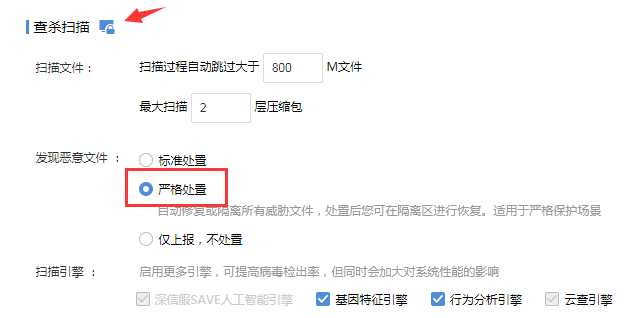
766525e4df3710c863.png (31.24 KB)
Client:
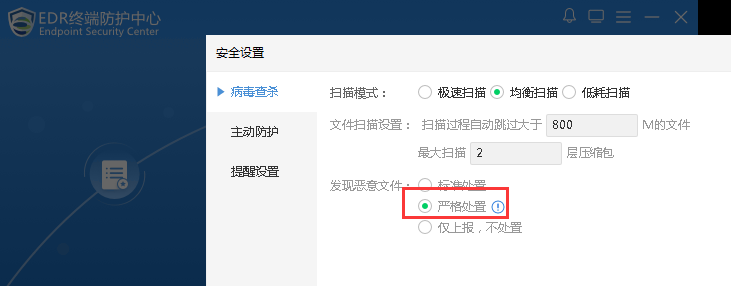
765705e4df3a07b692.png (31.09 KB)
Root Cause
The strategy settings on the central end are not set as the standard, so the client can still modify them.
Solution
Click on the "small lock" next to the policy on [Terminal Management] – [Policy Center] – [Virus Scan] – [Scan and Kill].
Suggestions and Summary
The policy on the ES center end, if the "small lock" next to the policy is lit, it means that the policy is based on the center platform and cannot be modified by the client. If it is not lit, it means that the policy is based on the client and can be modified by the client.
Original Link
https://support.sangfor.com.cn/cases/list?product_id=16&type=1&category_id=2496&isOpen=true