
[ES] Windows 10 installation ES client prompts system activation exception without authorization
Problem Description
Windows 10 system installation ES client, error prompt no authorization.
Effective Troubleshooting Steps
- Check ES Manager to confirm there are remaining Windows PC authorizations, but no Windows Server authorizations.
- Check the windows10 environment and find that the system is displayed as windows10 remote server, as shown in the figure below:
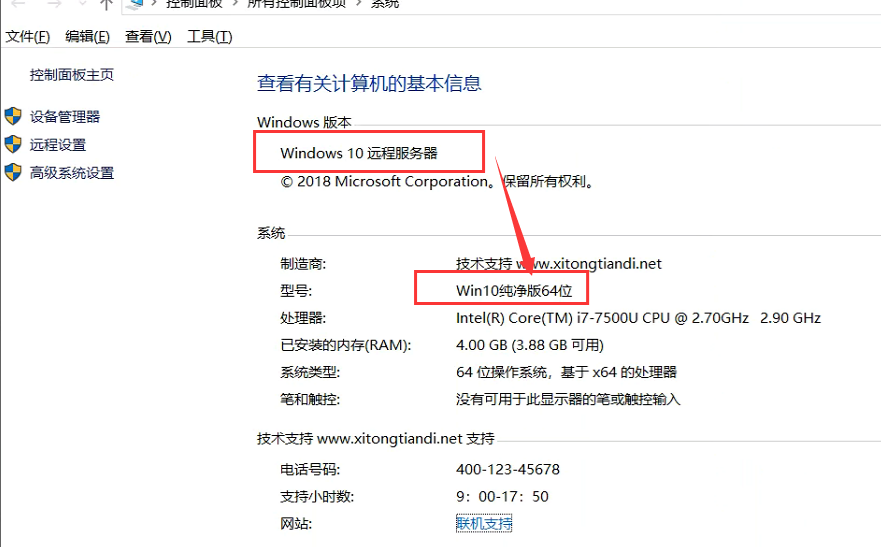
- By understanding the environment, it is determined that the use of cracking tools activated the Windows 10 system. The issue can be resolved by correctly activating Windows to display as the Windows 10 system.
Root Cause
Cracking tool activation caused Windows 10 to be recognized as Windows Server.
Solution
Resolve the issue of displaying Windows as Windows 10 system by using the correct activation method.
Original Link
https://support.sangfor.com.cn/cases/list?product_id=16&type=1&category_id=2532&isOpen=true